ORXe is JPMorgan Chase’s travel rewards platform. Banks offer it to their card members, who use it to book trips with the points they earn. Version 3.0 rebuilt it so new bank clients could launch without costly custom work.
Role
Flights lead designer
Duration
4 years, 1 month
Platforms
Web, mobile, tablet
Scope
35+ flows · WCAG 2.0 AA
The headlines
Problem
Members abandoned searches, missed a hidden points balance and doubted the price they’d pay.
What we did
Three usability studies, a competitor benchmark and a persona, distilled into four evidence-backed problems.
Solution
Search ranked for real travel, points shown as money everywhere, and a points calculator inside the cart.
+21%Cart to booking
+12%Search to cart
−19%Abandonment
14New bank clients in 6 months
Reported by the team after the 3.0 release. They reflect the release as a whole, not any single change.
01 · Problem
ORXe 2.0 couldn’t scale for our bank clients. Every new one needed costly work from a dedicated customisation team, and we were losing customers. Card members who came to spend their points couldn’t find their destination, see their balance or tell what they’d pay, so too many dropped out before booking.
What the rebuild had to achieve
Mobile firstDesign for the phone, then adapt the responsive design to larger screens and devices.
AccessibleMeet the WCAG 2.0 AA standard across the UI.
A robust design systemComponents that cater to many clients and use cases.
Booking built on pointsSimplify the travel booking experience for loyalty points.
Fewer drop-offsReduce the drop rate in search and results.
Faster bookingMake the overall booking quicker from search to confirmation.
02 · Research
We listened, watched and benchmarked before we designed
Three kinds of research, each answering a different question: who are our members, where does 2.0 fail them, and what do they expect from any travel site?
A
User interviews
Occasional travellers stretching their points
We spoke with card members about how they earn and spend points, and how they book trips today. What they told us became our persona and the principle behind every screen.
Once every 6–12 monthsPoints take time to build, so members rarely visit and never learn the interface.
Mostly mobile and desktopMembers plan and book on both, so every flow had to work on each.
Rarely enough pointsMost trips need a mix of points and cash, and members can’t tell what their points are worth.
Price beats comfortThey prefer non-stop flights, but take more stops or red-eyes if it saves money.
Persona · Existing card member
Jerome Bell
32 · California · Books 1–2 trips a year with points
I save points all year, but every time I book I have to work the site out again, and I still can’t tell what my points are worth.
Wants
To use the points he has saved, topped up with cash
Non-stop flights, unless more stops save money
To plan and book on his phone or laptop
Struggles
Forgets how the site works between trips
Rarely has enough points for a whole flight
Can’t tell what his points are worth in dollars
Every screen had to explain itself, and points had to read as money the moment they appeared.The design principle that came out of the persona
B
Usability studies
Three studies of the live 2.0 site
We watched members use the platform we were replacing, end to end and in focused tests on destination search and payment. These sessions gave us the evidence behind every problem below.
15
End-to-end benchmark
Search, flights, hotels and checkout. 9 on desktop, 6 on mobile.
2
Focused studies
Destination search from recorded sessions, and points and payment on mobile.
5
Competitor benchmark
Expedia, Priceline, Amex, Delta and United, across 17 booking capabilities.
Participants were heavy card spenders ($30,000+ a year) who hold a travel rewards card and redeemed points in the past 3 months: 8 women aged 26–54 and 7 men aged 26–45. These are qualitative signals of where people struggle, not measures of how often.
What we saw
Problem 1 High risk
Members couldn’t find their destination, so they left
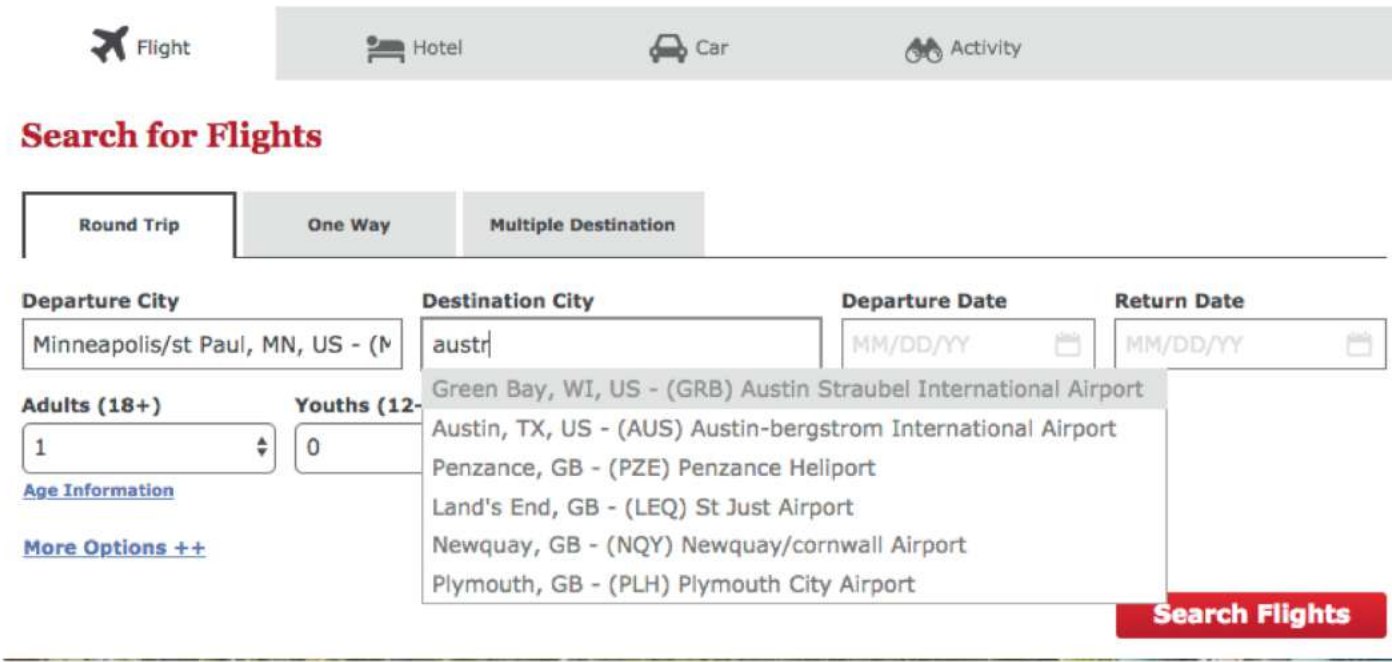
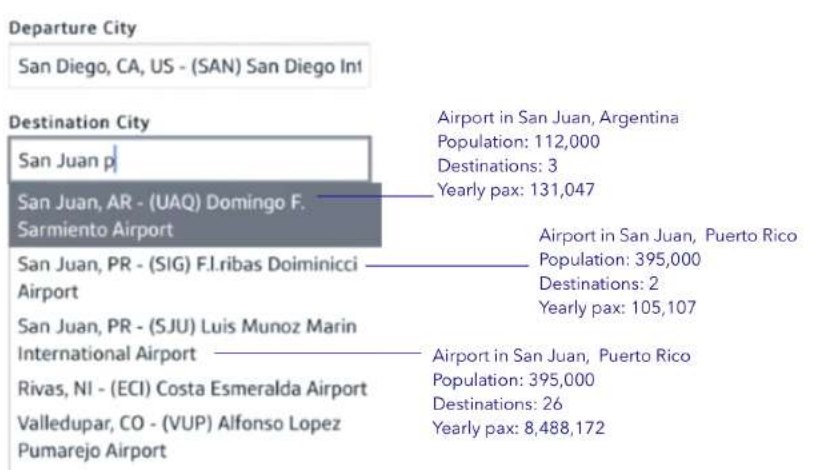
Auto-suggest matched text, not intent. Typing “austr” offered Green Bay and Austin before any Australian airport, and small airports ranked above major hubs.
5 min 26 ssearching for Sydney before giving up. Another participant spent 3 min 24 s looking for Greece.
The study’s verdict: “We lose the customer.”
ORXe 2.0 · Study 2. No Australian airport appears.
Problem 2
Points, the reason they came, were hidden
The balance sat inside the hamburger menu. Participants said knowing it upfront decides which flight they choose, and that they use as many points as they have.
Noneof the participants found the points balance without being prompted.
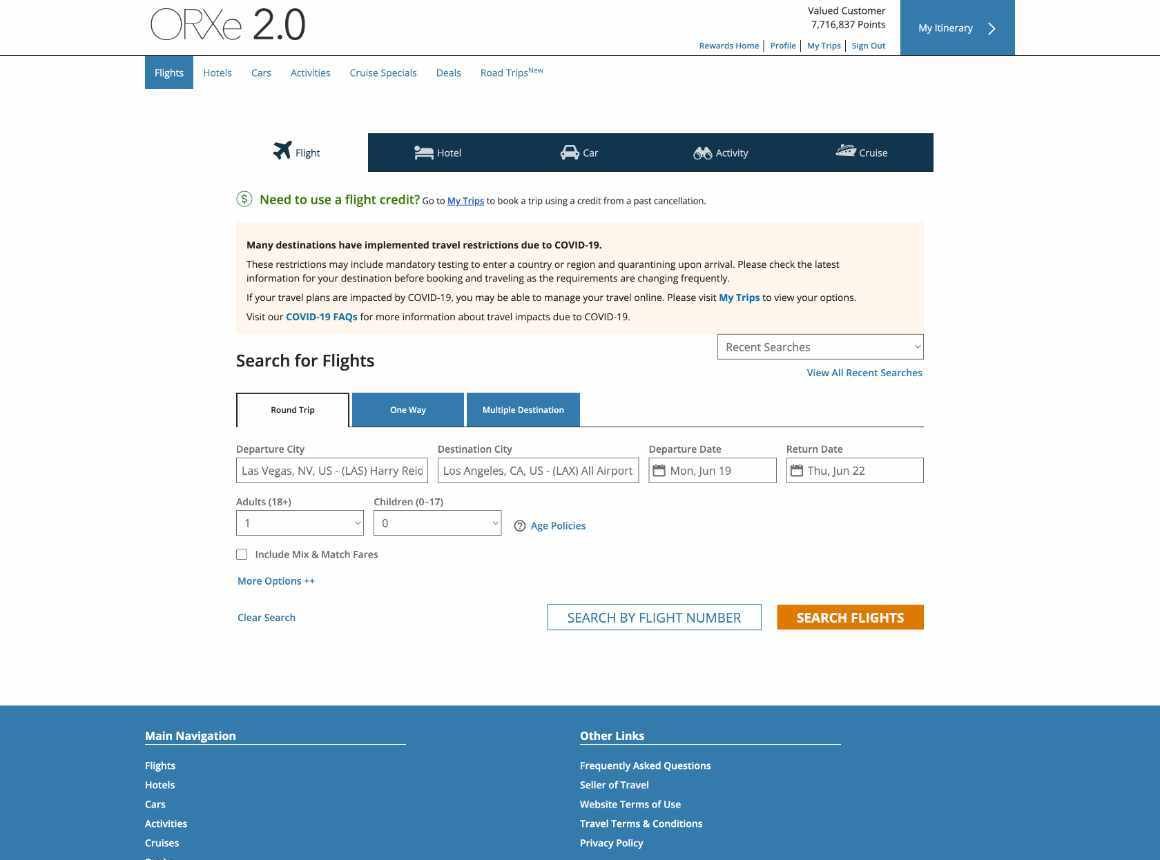
ORXe 2.0 search. The balance isn’t on the page.
Problem 3
Prices were misread, and “From” raised doubts
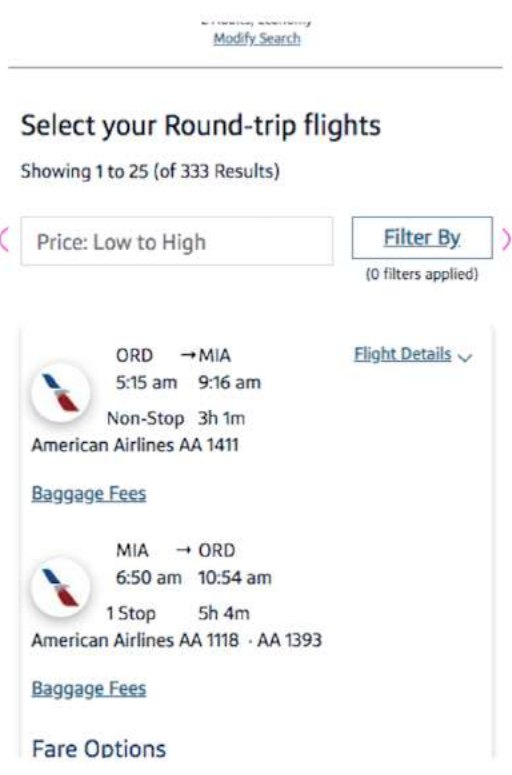
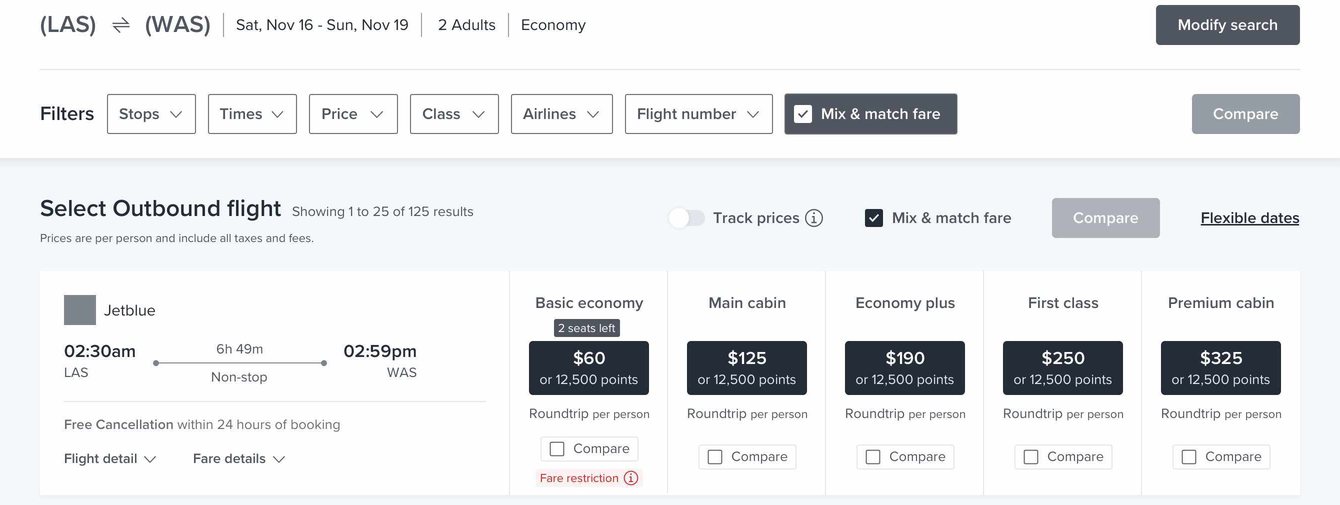
Round trips showed both legs in one card with one price. The word “From” before a points price made people wonder what was coming next.
2 of 8mobile participants read a round-trip price as the price of one leg.
ORXe 2.0 mobile · Study 3.
Problem 4
Paying with points was a detour
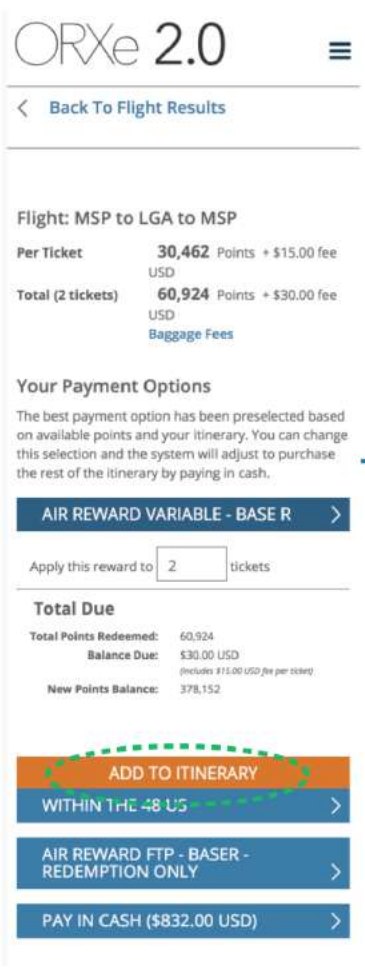
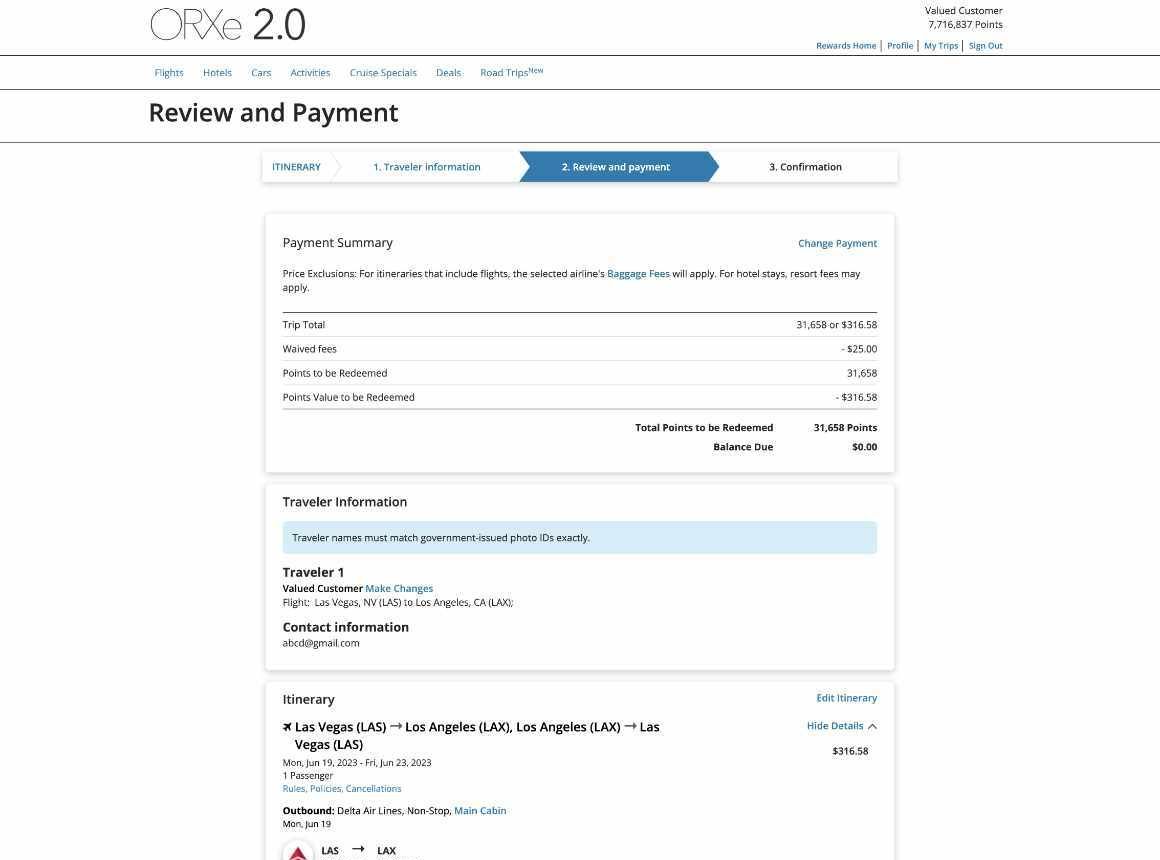
Choosing points, cash or a mix meant leaving the itinerary for a separate page of reward products with internal names.
“Less clunky”is how participants described choosing payment on the same page, in a tested iteration.
Label on the old page: “AIR REWARD VARIABLE - BASE R”.
ORXe 2.0 payment options, on their own page.
C
Competitor analysis
What users already expect
We compared how five booking platforms and airlines handle 17 search and booking capabilities, to find the ones our members would expect from any travel site.
Takeaway. Choosing the departure and return separately, comparing fares side by side and picking seats are table stakes. ORXe 2.0 fell short on several, starting with flight-by-flight selection.
D
Synthesis
What it all added up to
Interviews told us who we were designing for, usability studies showed where they failed, and competitors set the bar. Together they pointed at four problems, ranked by their risk to a completed booking.
1
Search High risk
Members couldn’t find their destination
Auto-suggest matched text, not intent. One participant spent 5 min 26 s looking for Sydney before giving up.
Usability study 2
2
Points
The points balance was hidden
None of the participants found it unprompted, and in interviews members said they can’t tell what their points are worth.
Usability studies · Interviews
3
Price
Prices were misread and doubted
2 of 8 mobile participants read a round-trip price as one leg, and “From” before a points price raised doubts.
Usability study 3
4
Payment
Paying with points was a detour
Most trips mix points and cash, yet choosing the mix meant leaving the itinerary for a page of internal reward names.
Interviews · Study 1
How we prioritised. By risk to a completed booking. If members can’t find the destination, nothing else matters, so search came first, then points, then payment.
03 · Exploration
From paper to fare grids, and back again
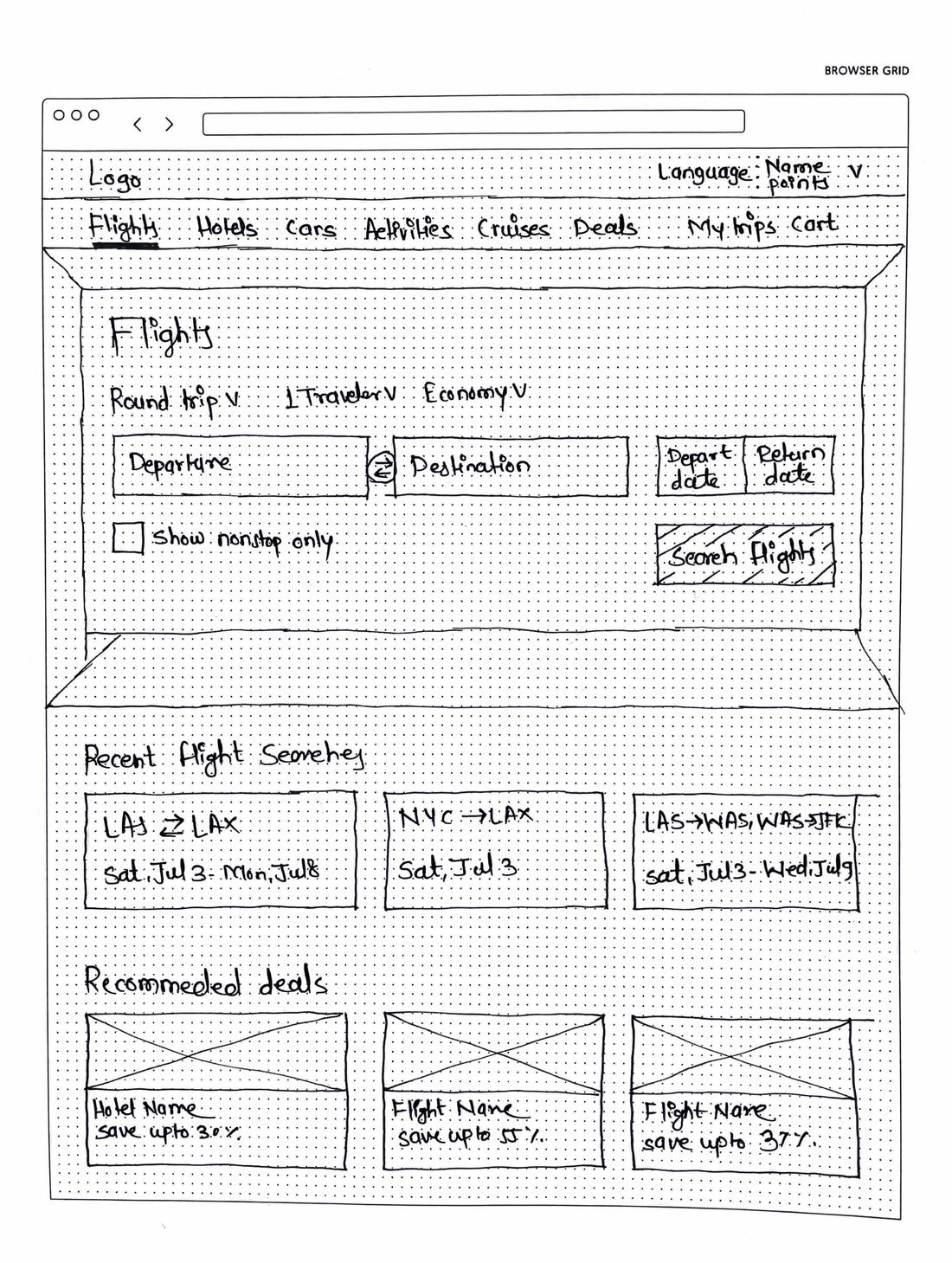
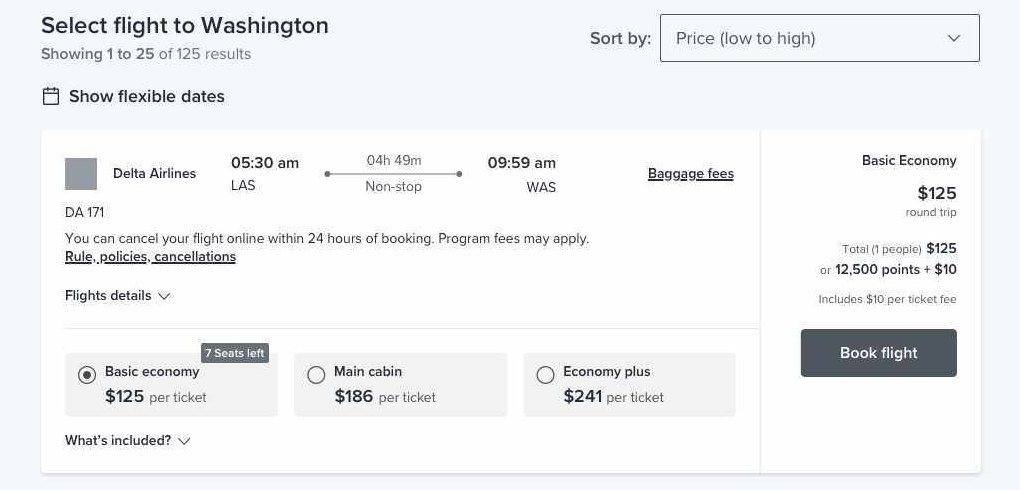
We sketched web and mobile on paper first, then moved to high-fidelity wireframes to test fare options, compare and mix-and-match fares, always with the cash price and points price shown together.
Low-fidelity sketch of the desktop search page.
Results wireframe: fare options per flight and the price in dollars or points.
Fare grid exploration. Every cabin shows dollars and points. Swipe to see all five.
The final solution
ORXe 3.0
Points first, mobile first, and built to be rebranded.
04 · Spotlight
Spotlight on a few features
Four parts of ORXe 3.0 that answer the research most directly.
New in ORXe 3.0 · Discounted Points Fares
The same seat for fewer points, visible from results to checkout
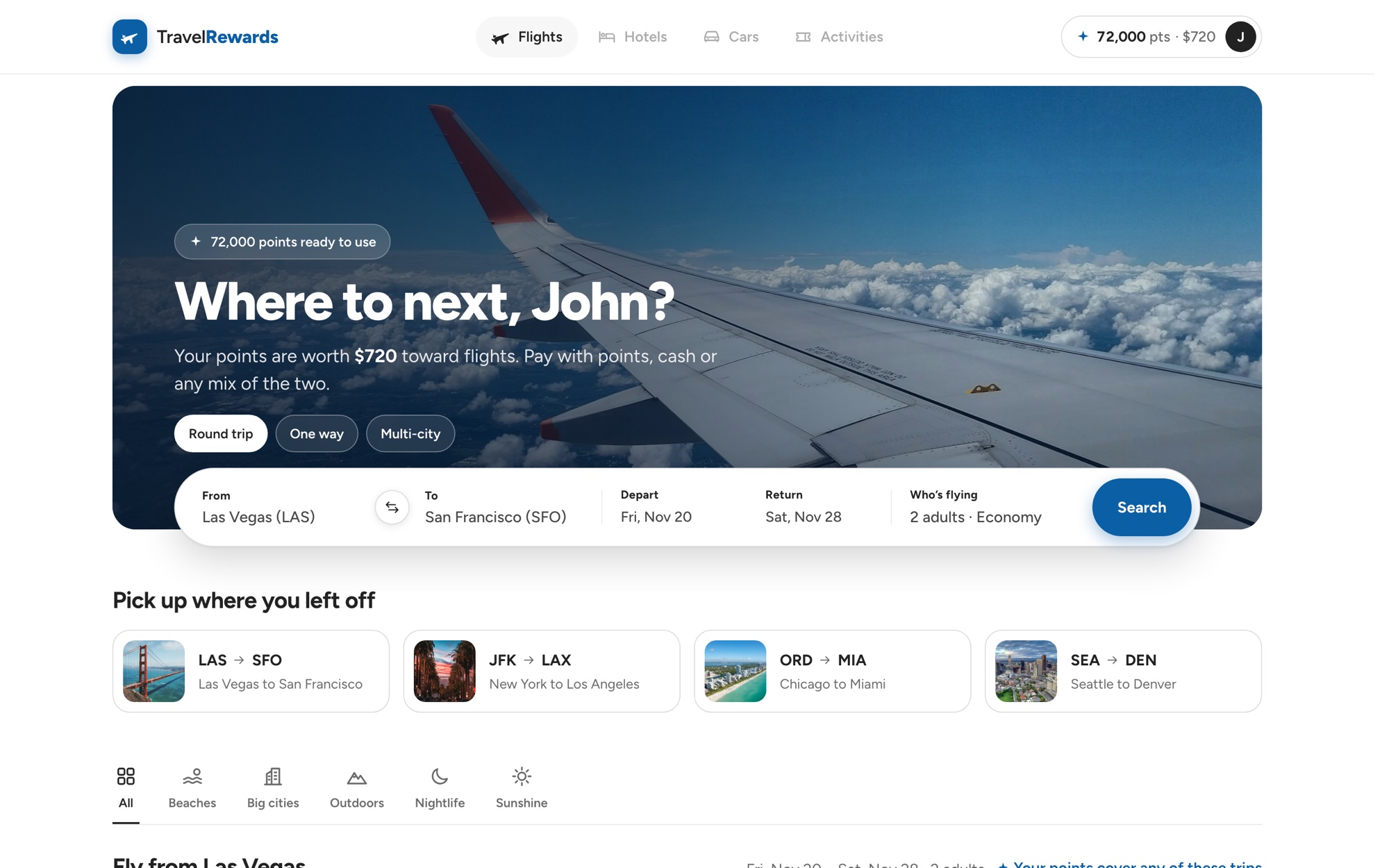
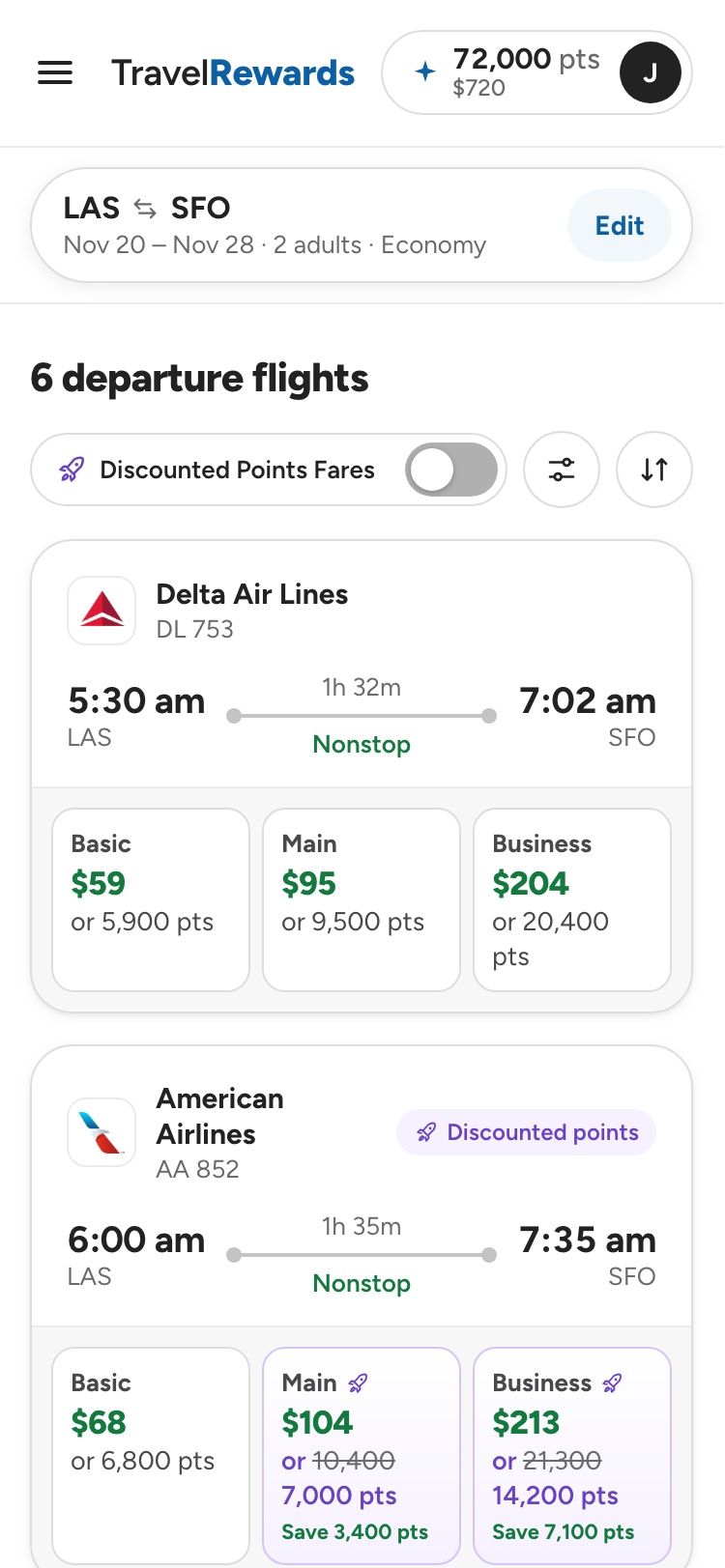
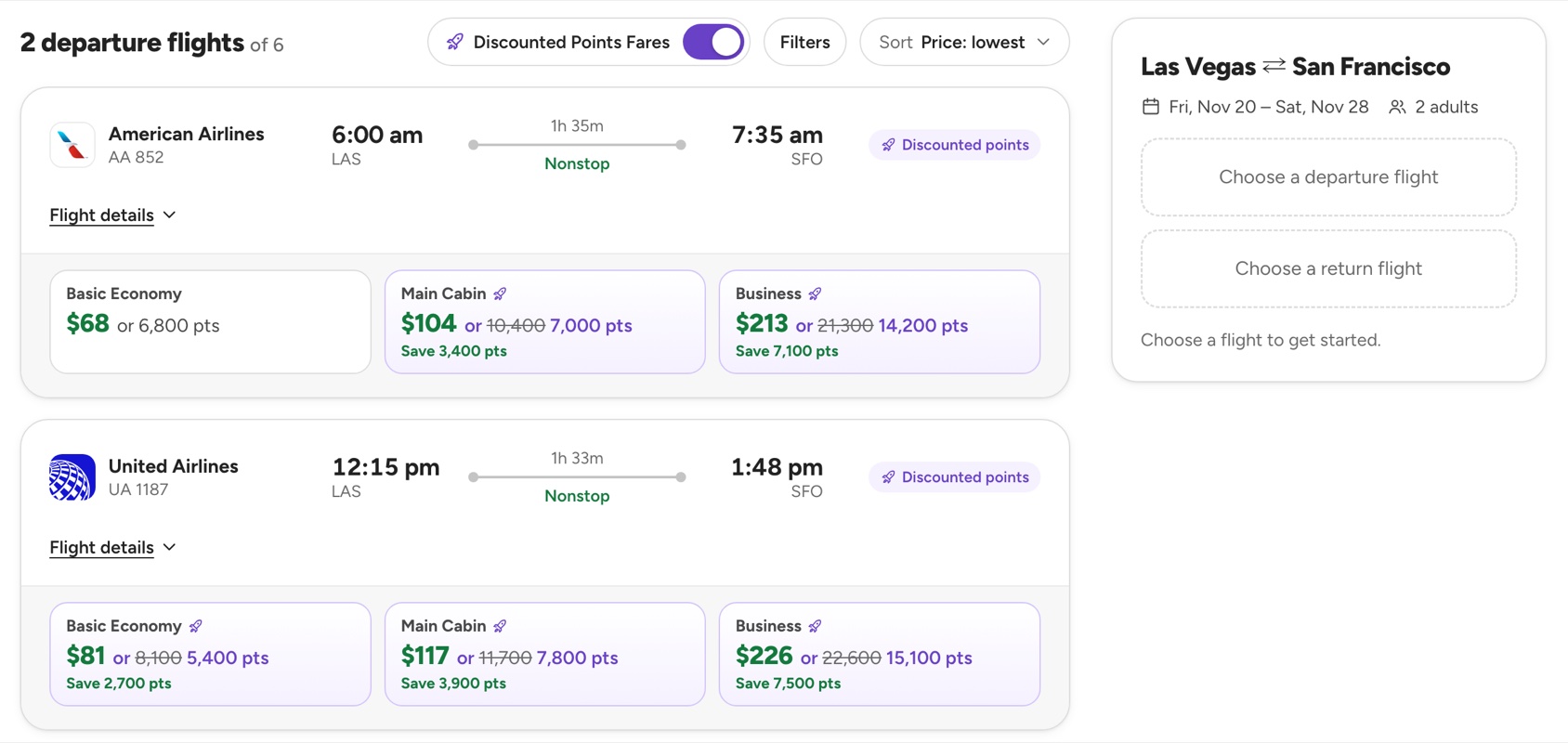
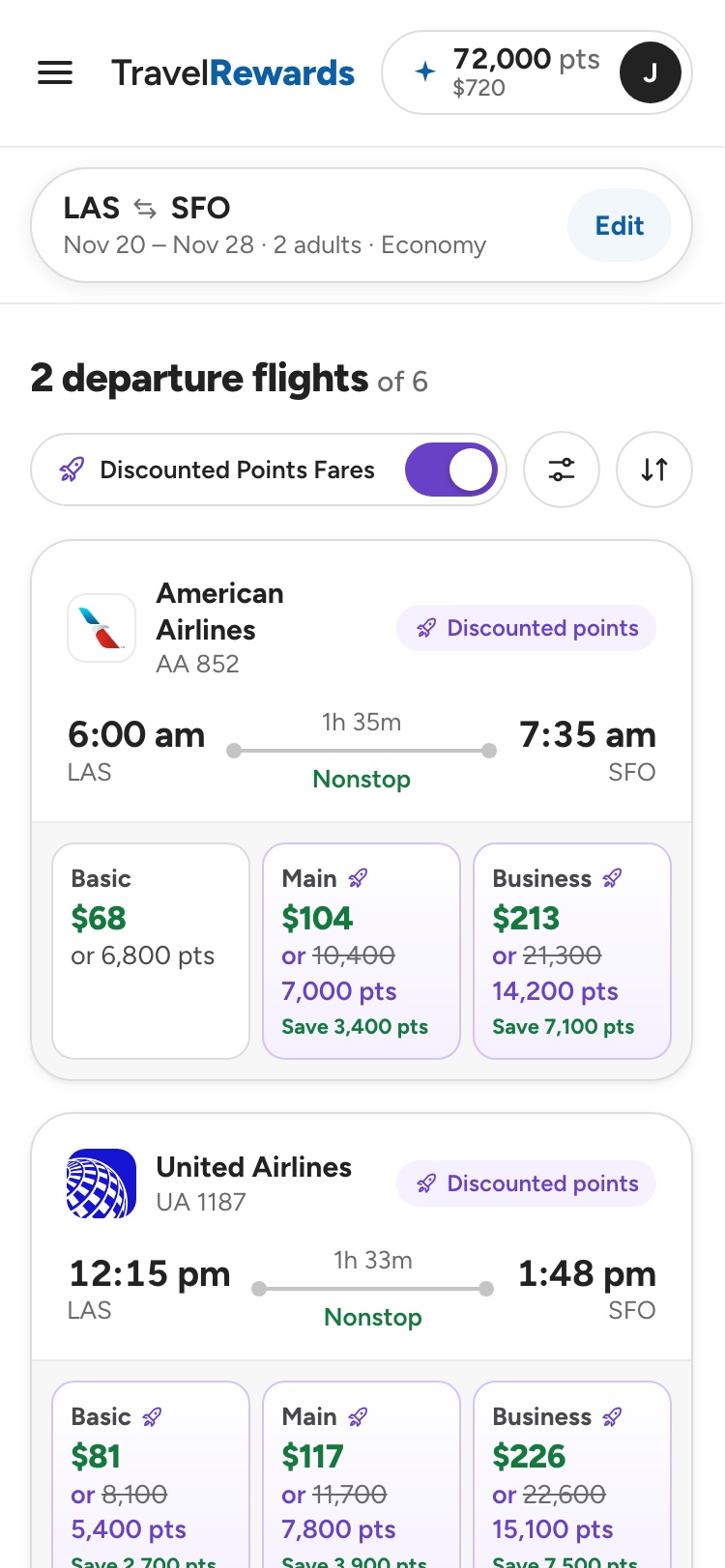
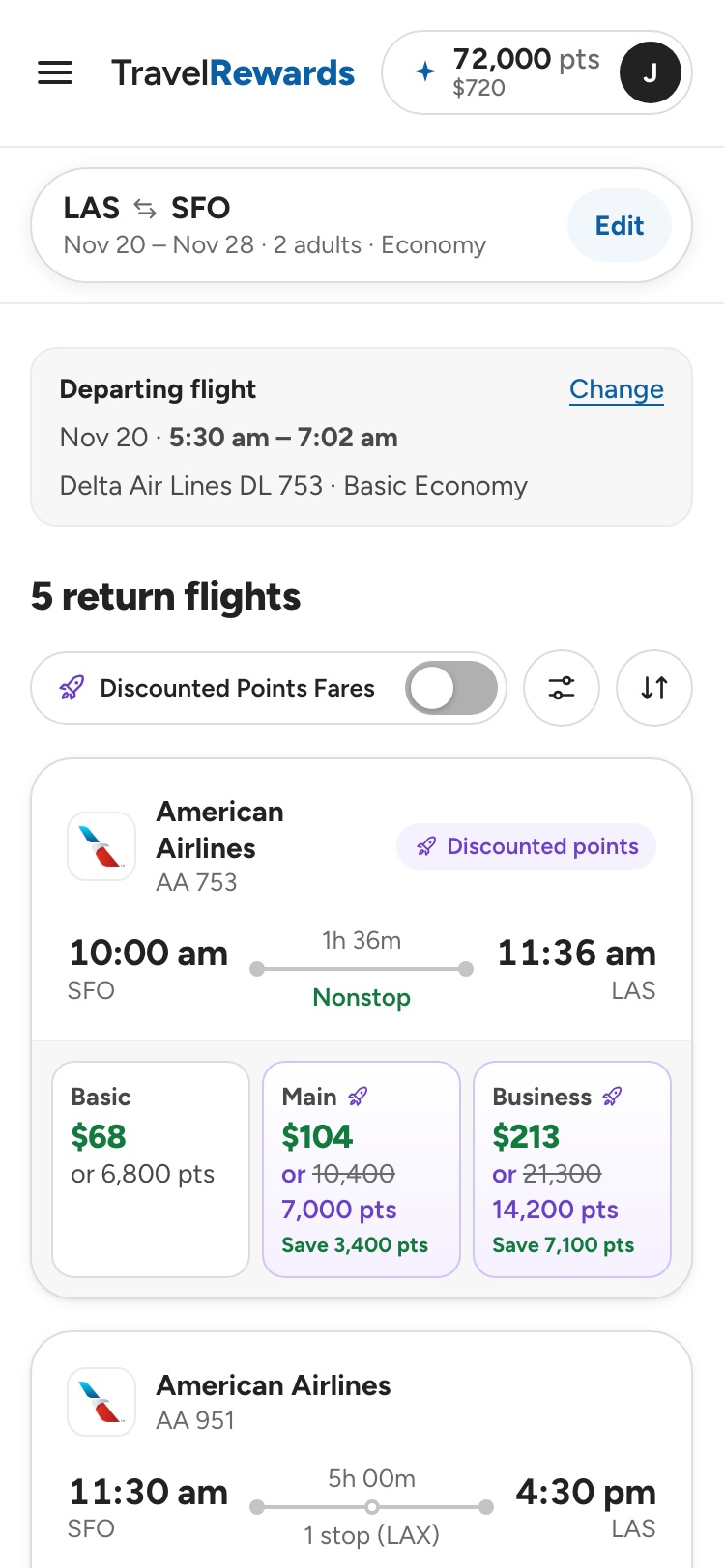
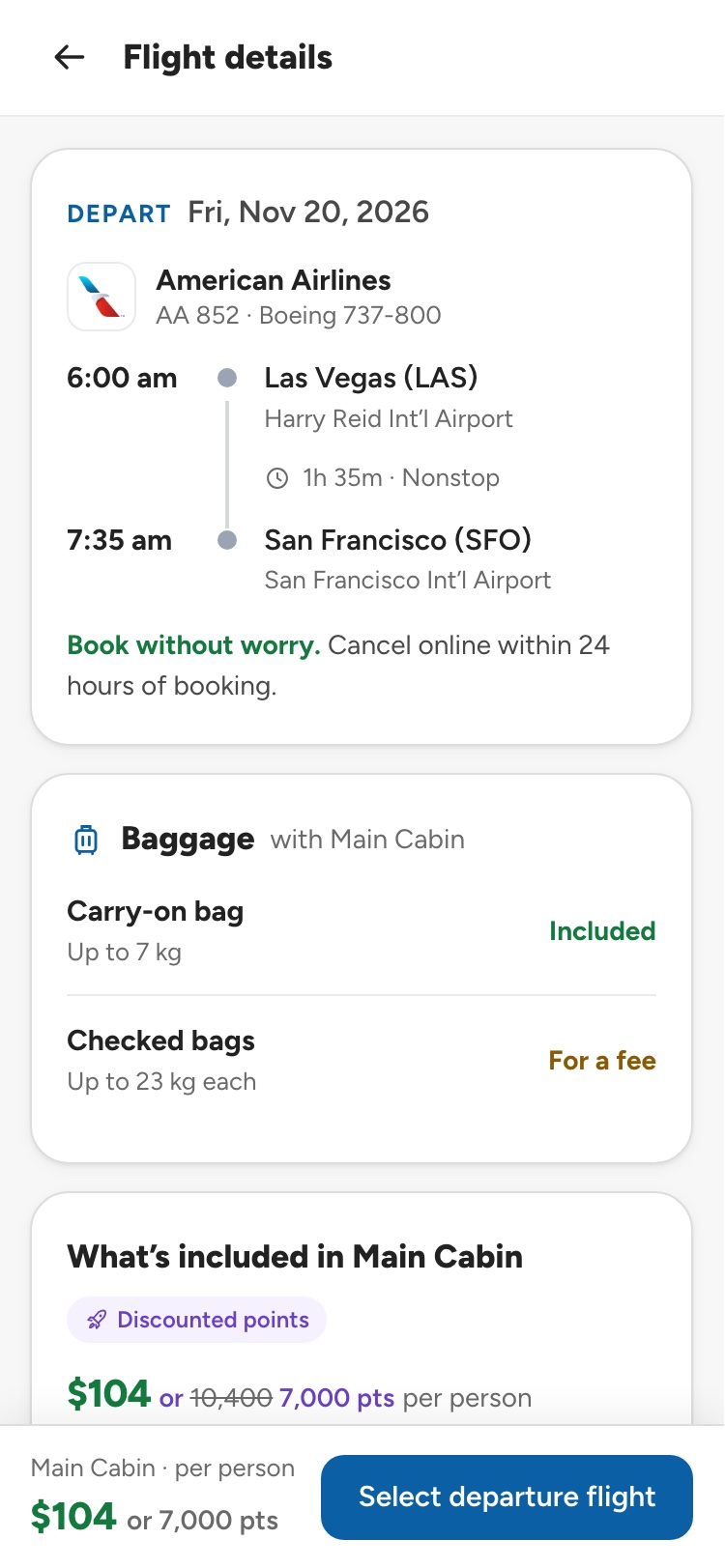
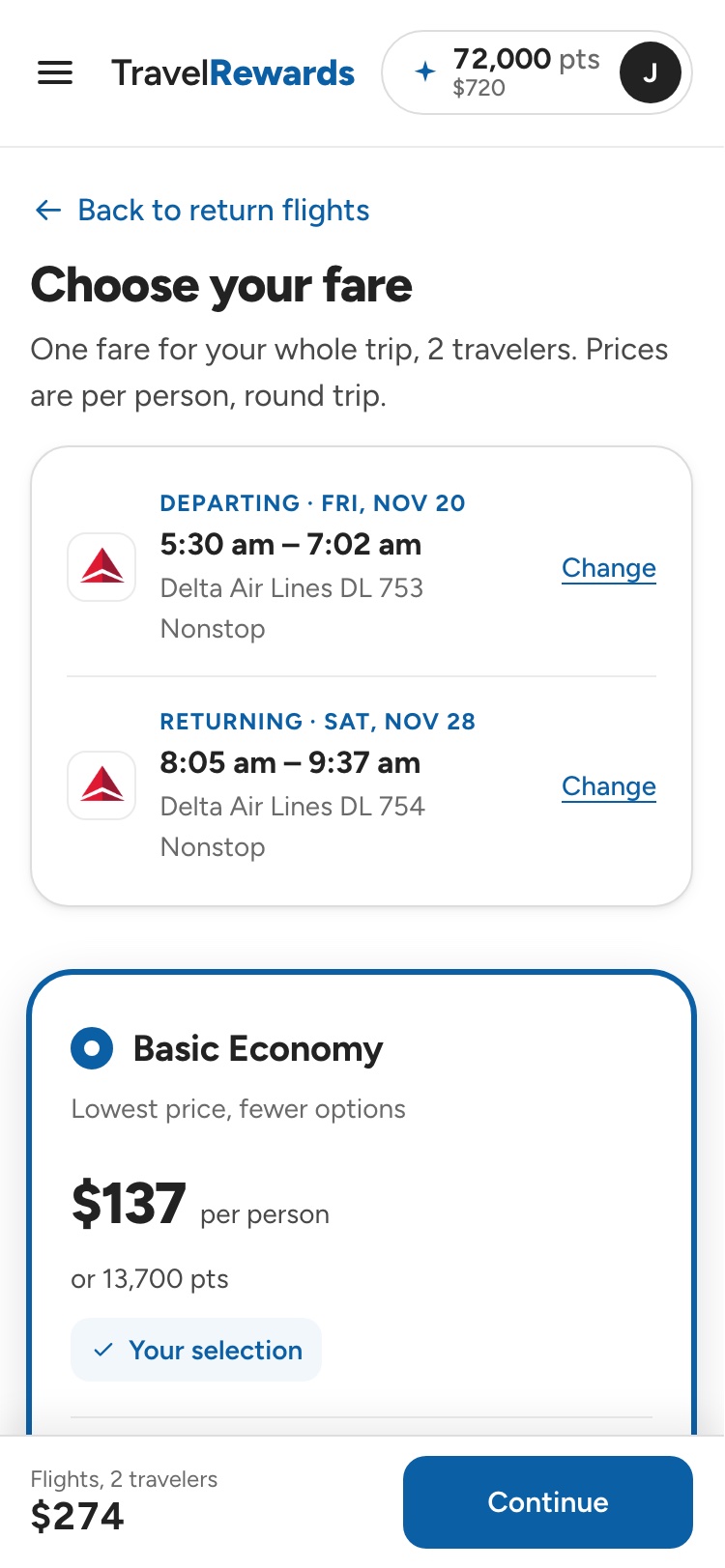
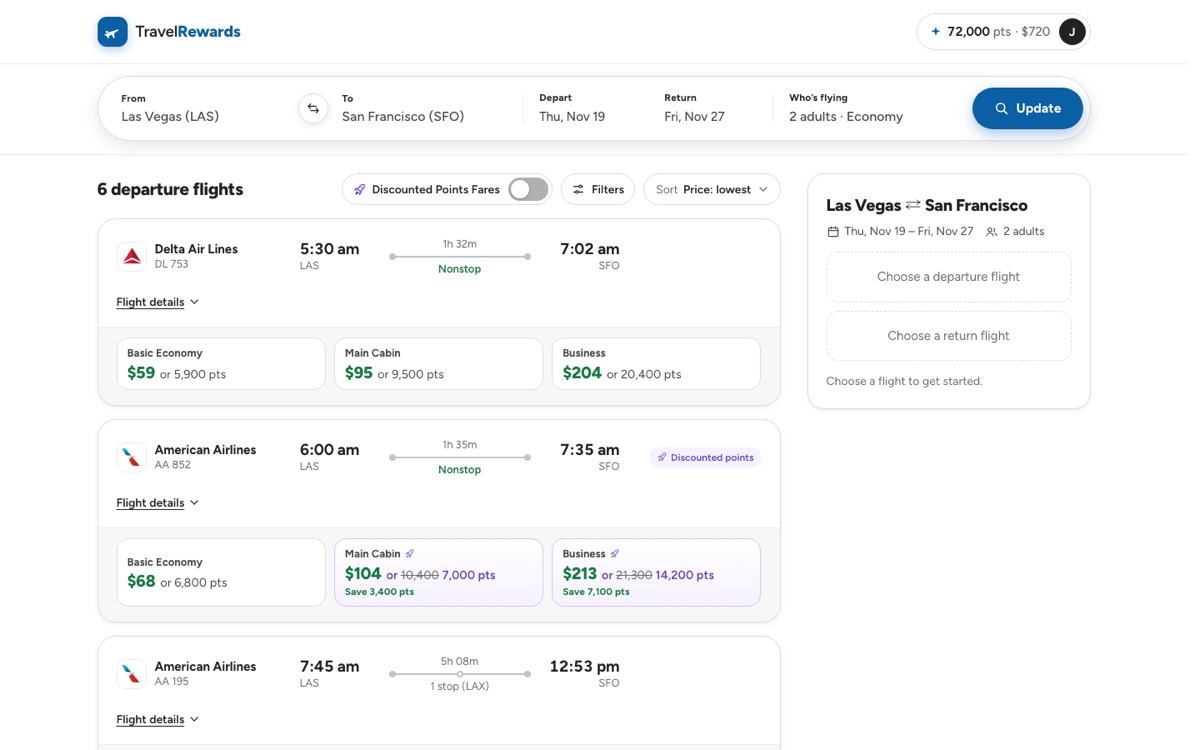
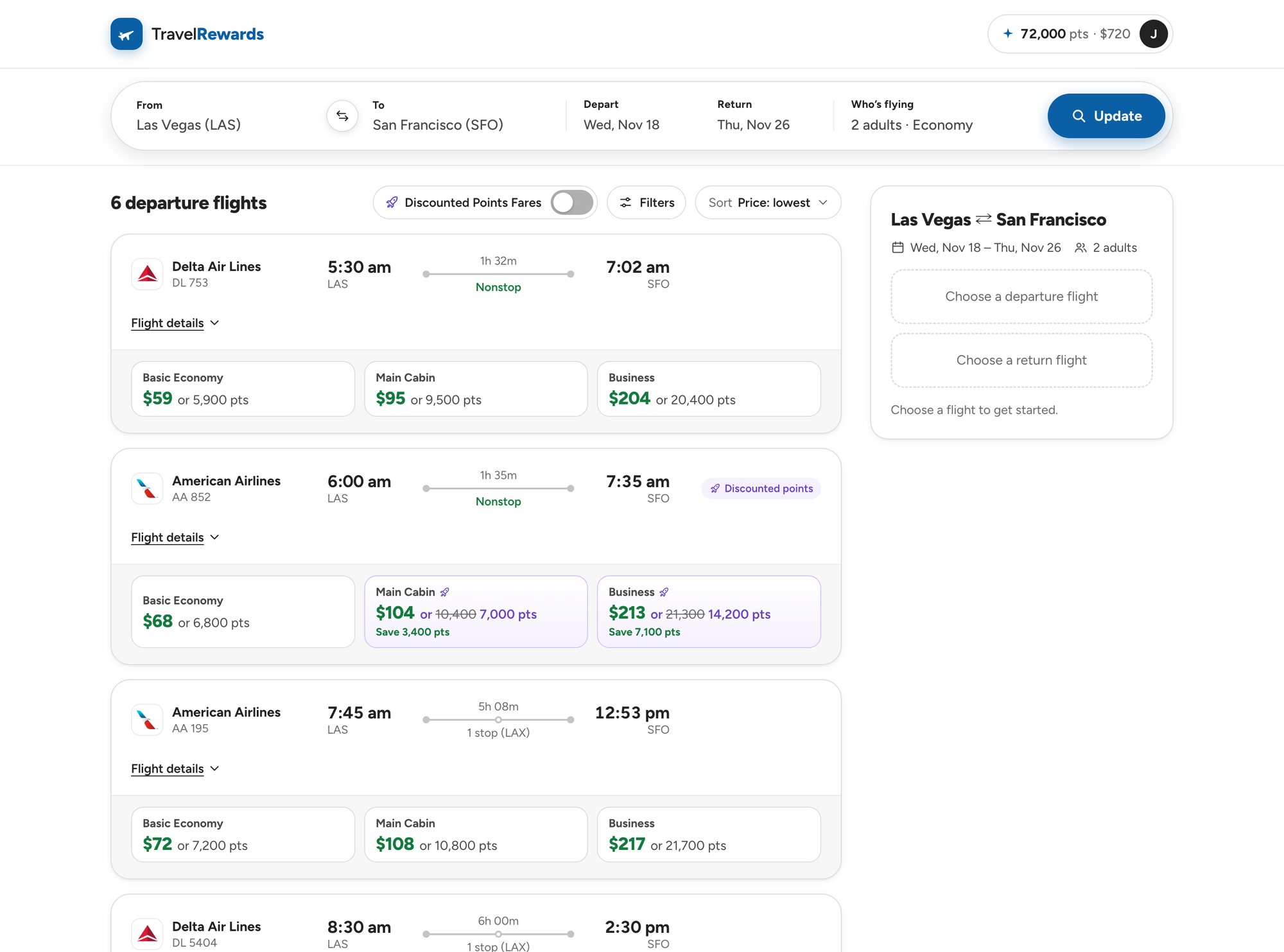
On some flights and fares, points go further. Each eligible fare carries a Discounted points tag, the original points struck through beside the reduced amount, and the saving stated. A Discounted Points Fares switch next to Filters and Sort narrows the list to those flights, here 2 of 6, and the saving is counted again at the fare step and in the trip cart.
Spot itTag, struck-through points and the saving on each fare
Filter for itOne switch shows only discounted flights
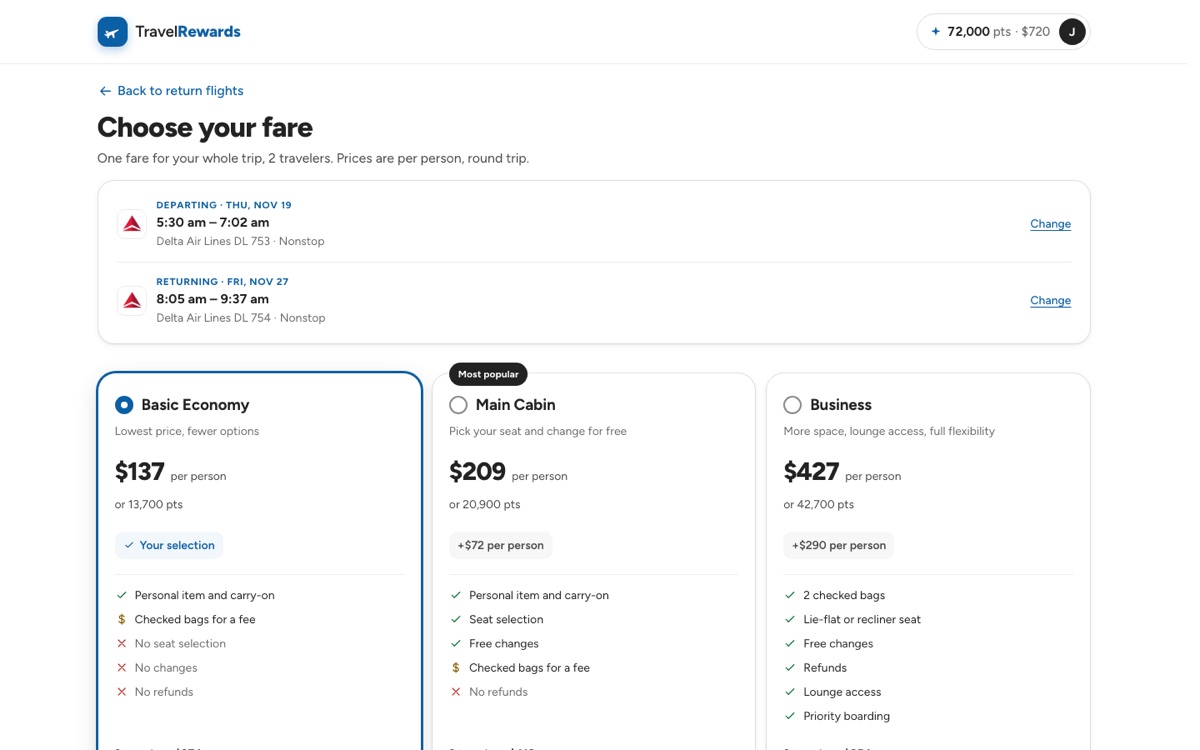
Keep itThe fare step says which flights each offer covers
Count itThe cart shows the total points saved
ORXe 3.0 · Desktop · Switch on Only flights with an offer, 2 of 6.ORXe 3.0 · Mobile The same switch and fares on mobile.
Answers problem 1 · Destination search
Search ranked for real travel
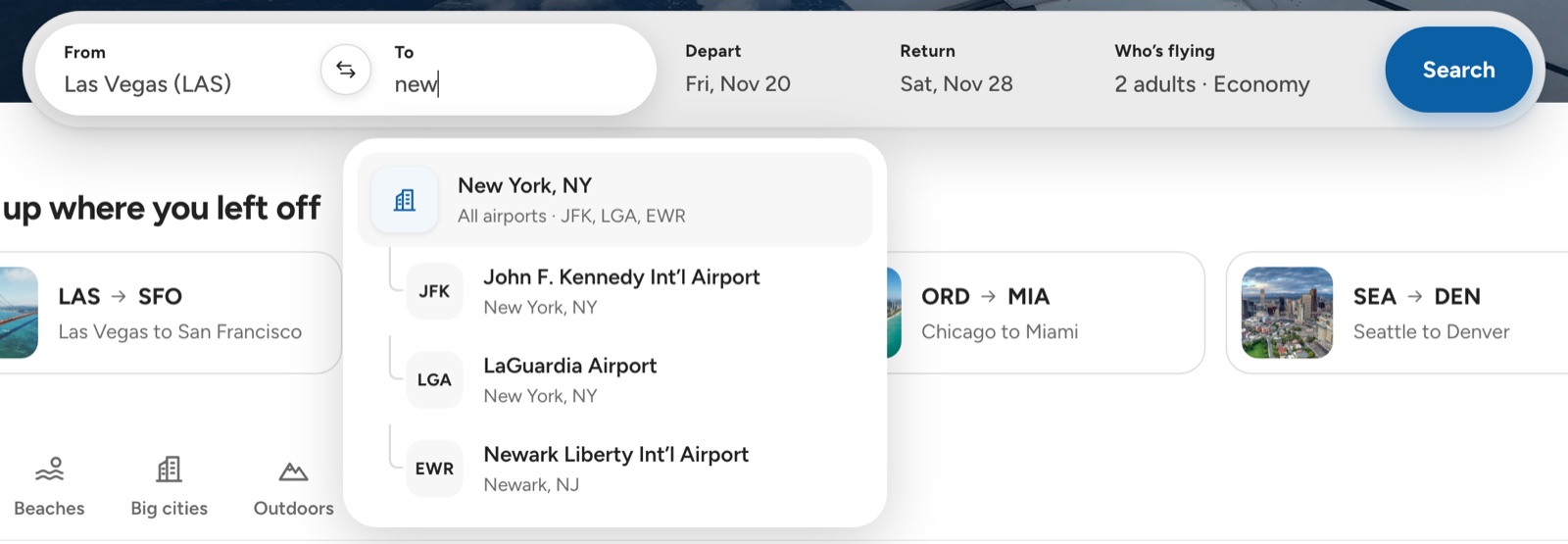
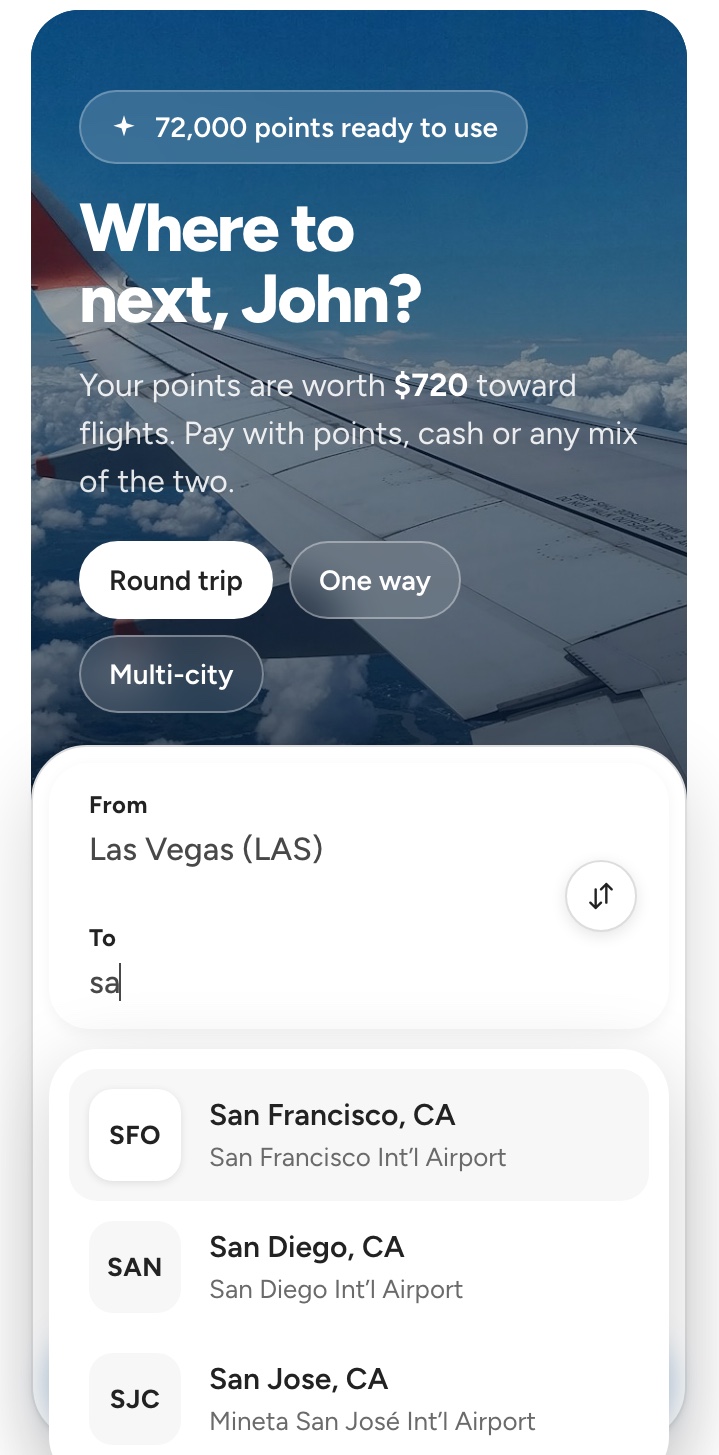
Auto-suggest now matches what members mean, not just the letters they type. Bigger, busier airports rank first, city names match directly, and a city with several airports gets one All airports row with each airport nested beneath it, so members can search the whole city at once or pick a specific airport.
Ranked by sizeTyping “sa” puts San Francisco above San Diego and San Jose
Whole city at once“New York” searches JFK, LaGuardia and Newark together
Airport under its cityEach airport shows its code, name, city and state
Exact codes still winTyping a code like SAN goes straight to that airport
ORXe 3.0 · Desktop One row for the whole city, its airports nested beneath.Before · ORXe 2.0 · Study 2 A 131,000-passenger airport ranked above one serving 8.5 million.
ORXe 3.0 · Mobile The busiest airport first.
From usability testing · Destination search
Nearby airport first, then recent searches
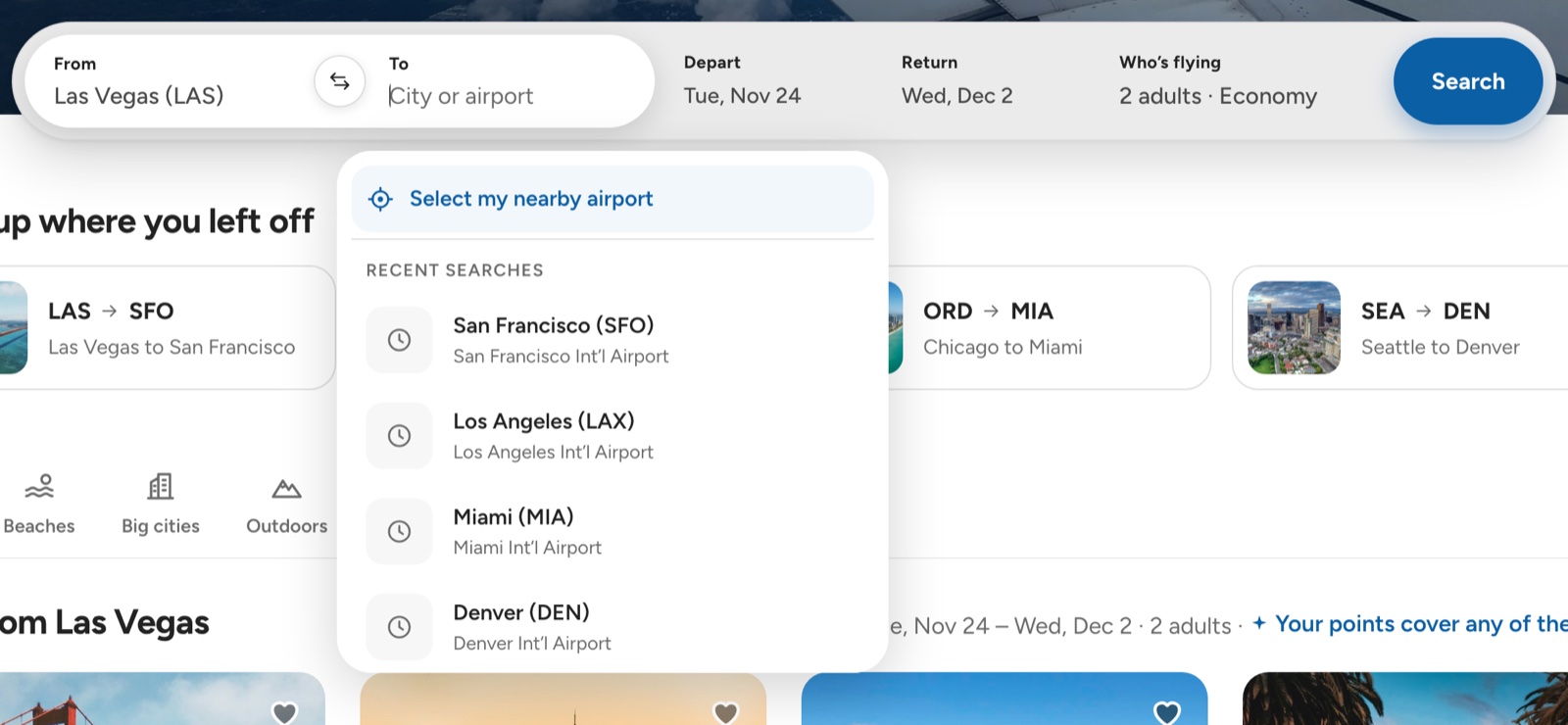
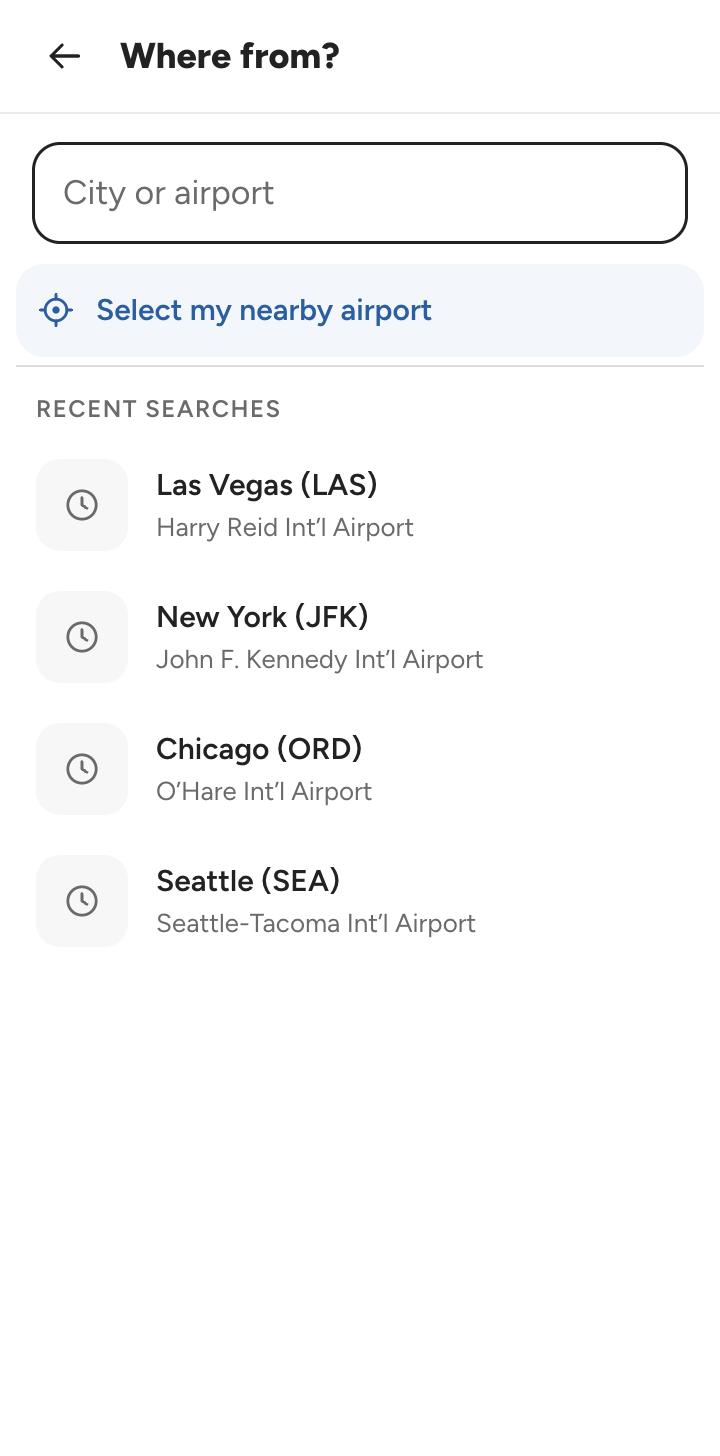
Most participants wanted their current location as the departure airport. Now an empty airport field opens with Select my nearby airport at the top, followed by the airports from recent searches. As soon as members start typing, the list switches to matching airports.
ORXe 3.0 · Desktop One click to the nearest airport, recent ones underneath.ORXe 3.0 · Mobile The same order on the full-screen picker.
Research → design · Study 3
Flight by flight, with the departure kept in view
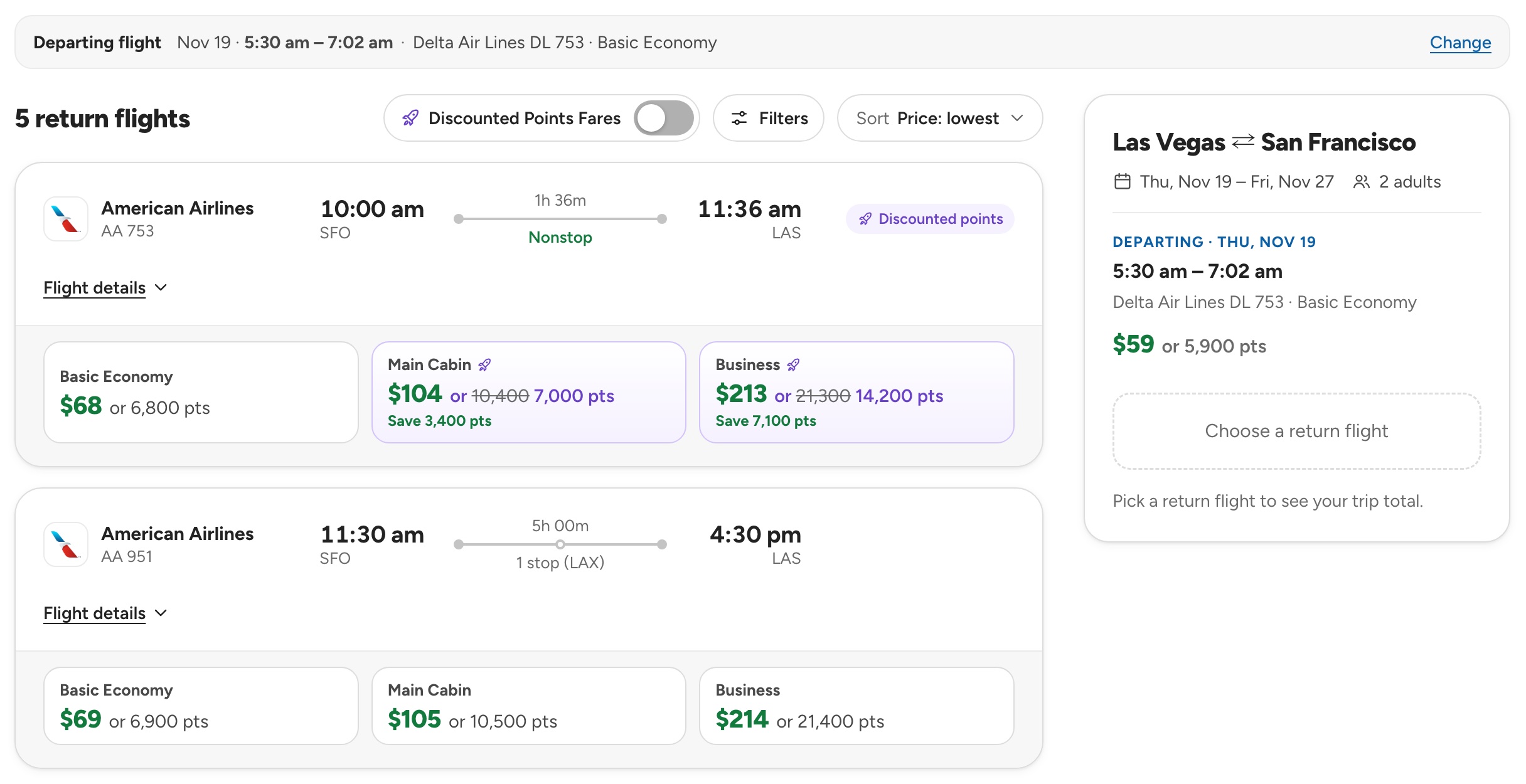
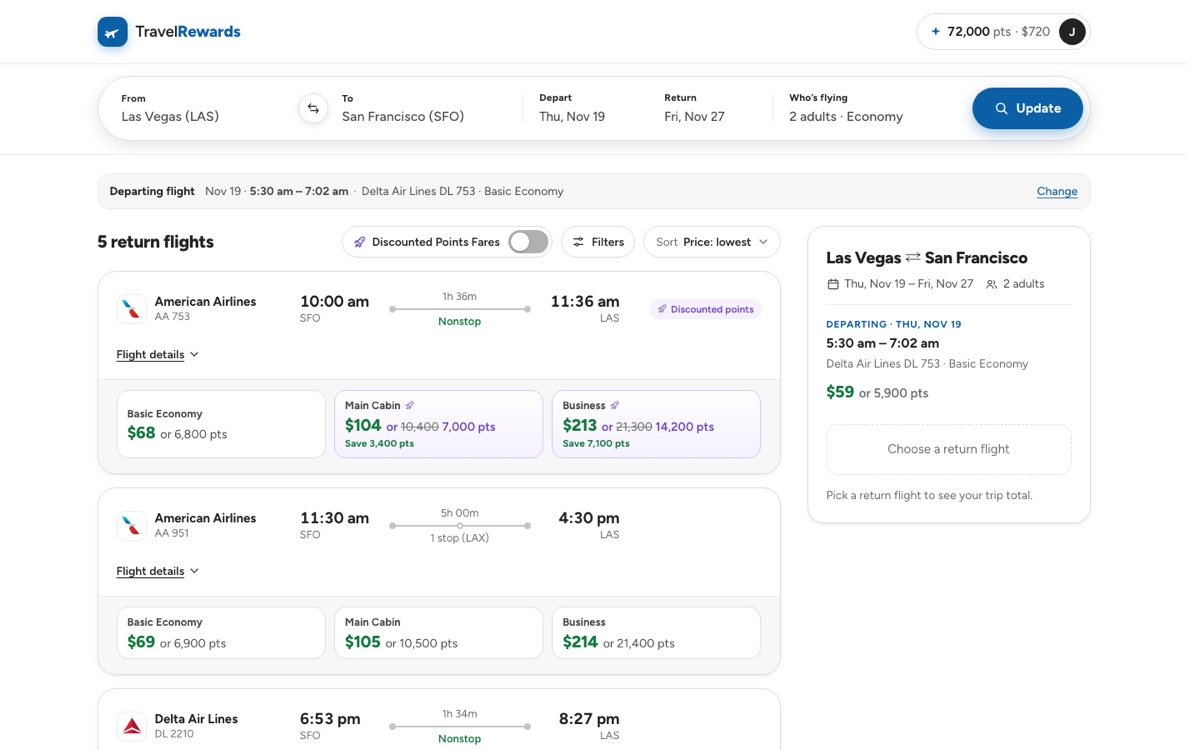
Members choose the departing flight, then the return, as Study 3 recommended. To answer the trade-off the research flagged, remembering the first choice, the return step carries a Departing flight strip with a Change link, and the trip summary beside the results keeps both choices and the running price in view.
ORXe 3.0 · Desktop · Step 2 of 2 The departure stays visible while members compare returns.ORXe 3.0 · Mobile The same strip on mobile.
The core feature
The points calculator
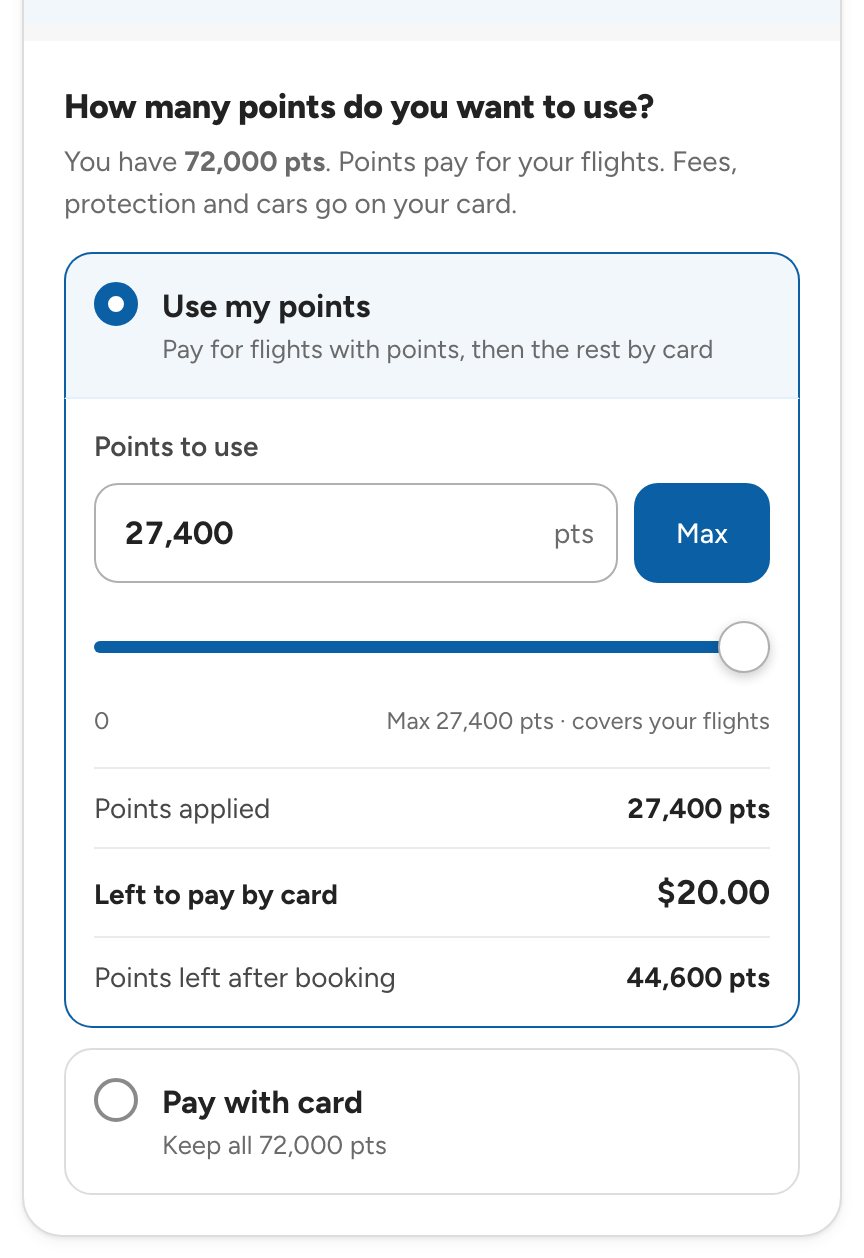
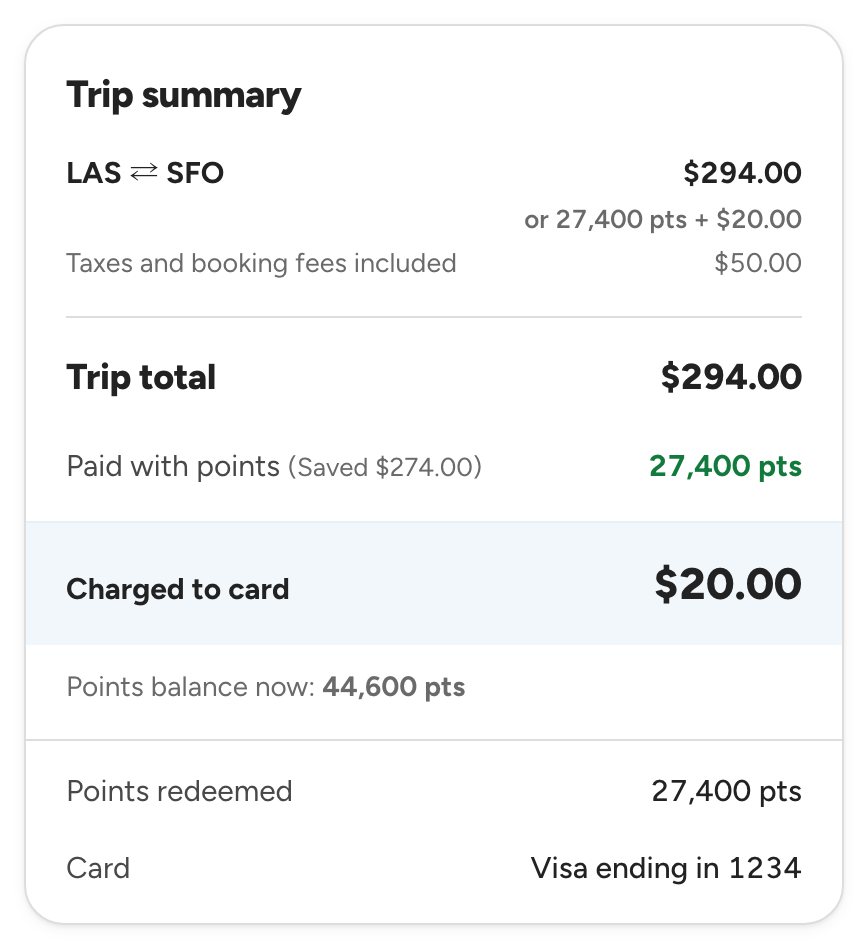
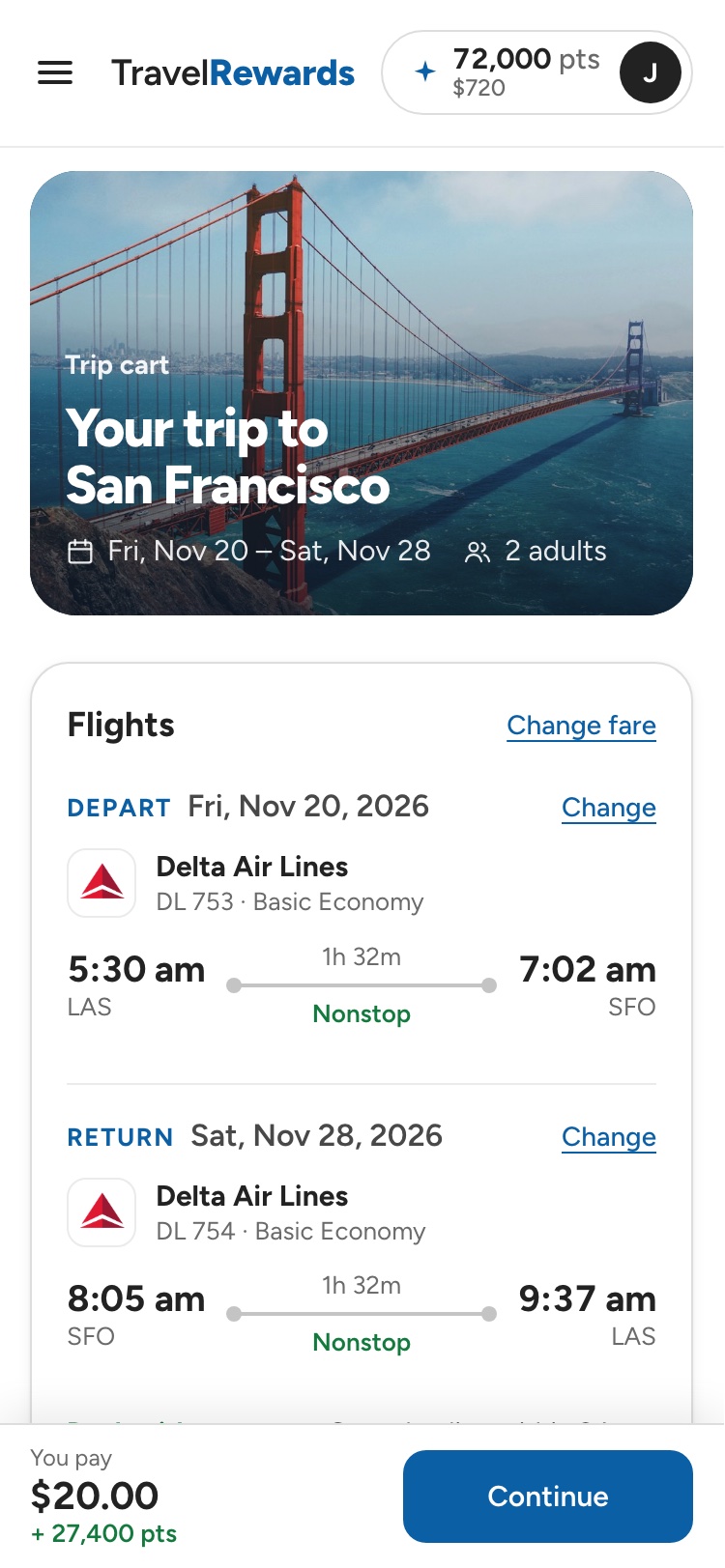
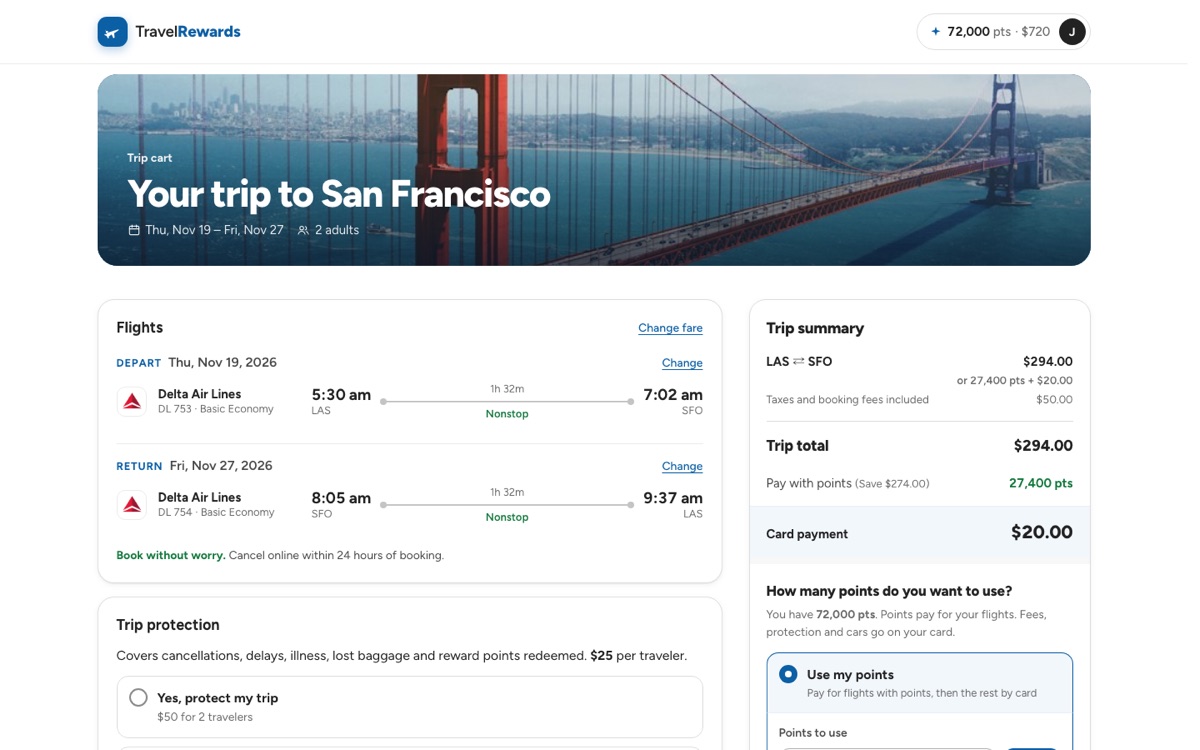
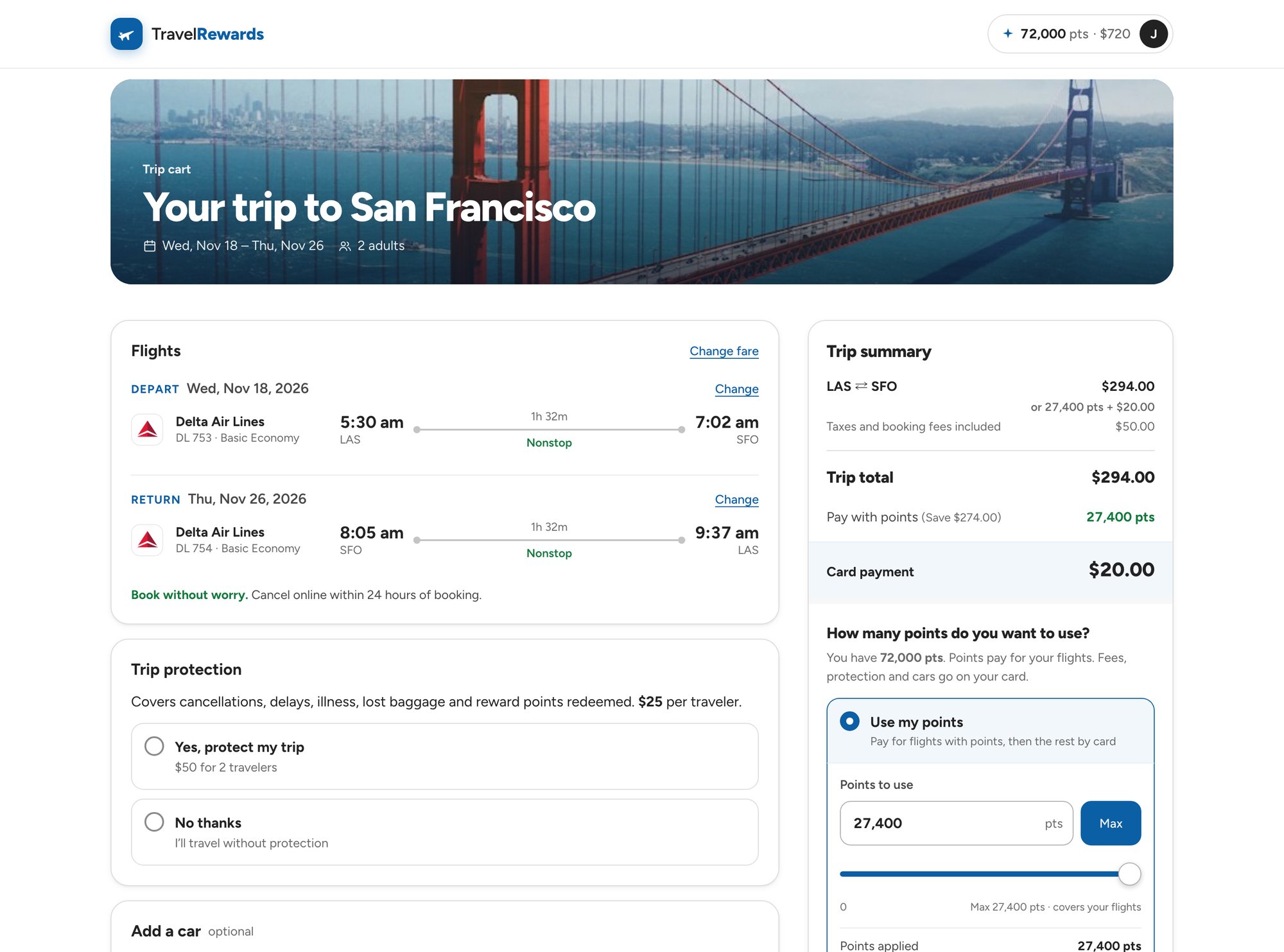
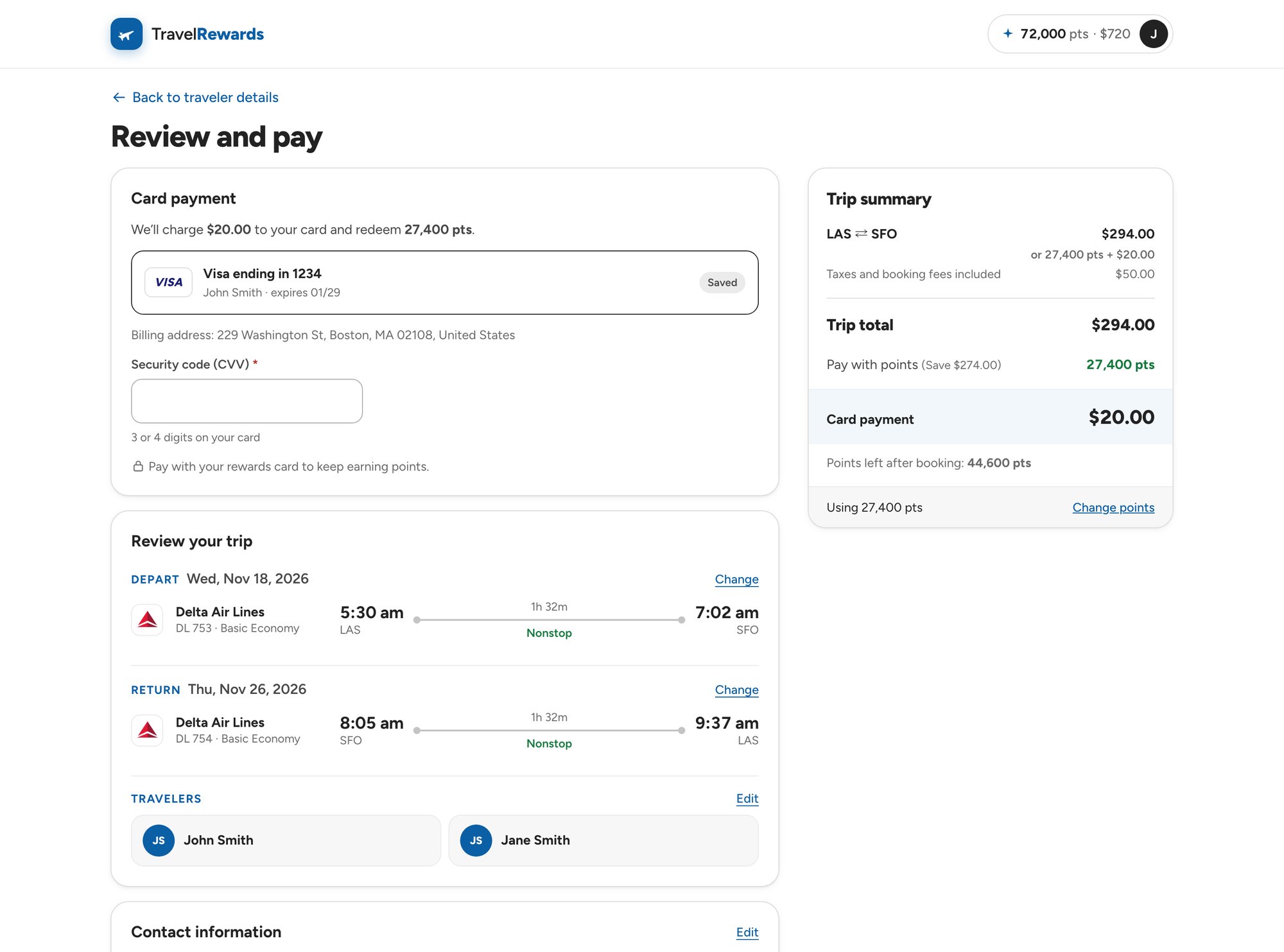
Members rarely have enough points for a whole trip. Right under the trip summary they choose: use their points, up to the maximum or an exact amount, or pay by card and keep them. Points cover the flights; fees and extras go on the card. What’s left to pay and the points remaining update with every change.
Try it
Example · 1 point = $0.01
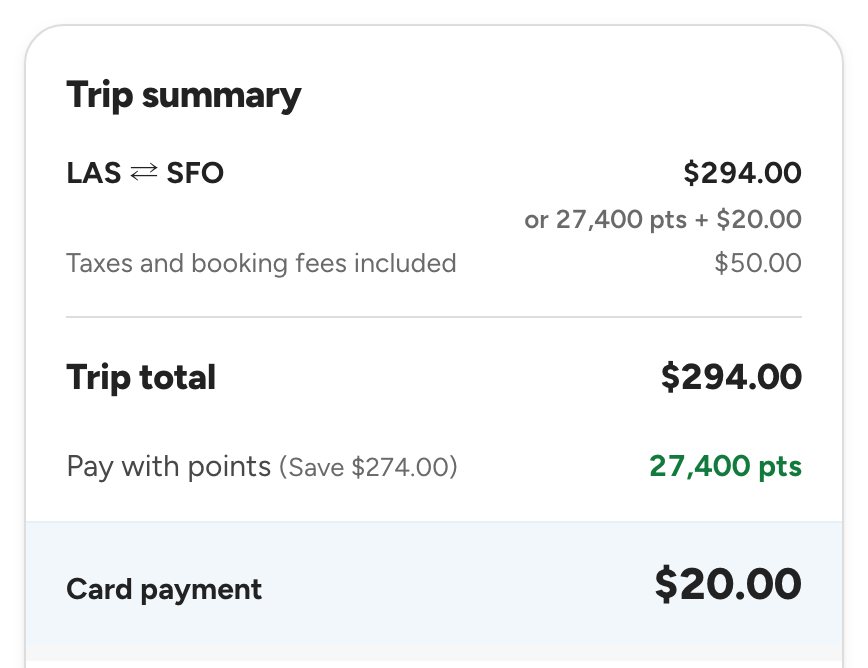
Las Vegas ⇄ San Francisco · 2 travelersTrip total $294.00
PointsCard
Available points
72,000
Points to redeem
27,400
Left to pay by card
$20.00
Points remaining
44,600
The real screens
How many points do you want to use, in the trip cartThe split, in the trip summary
05 · Solutions
Smaller fixes for frictions that added up over a long flow
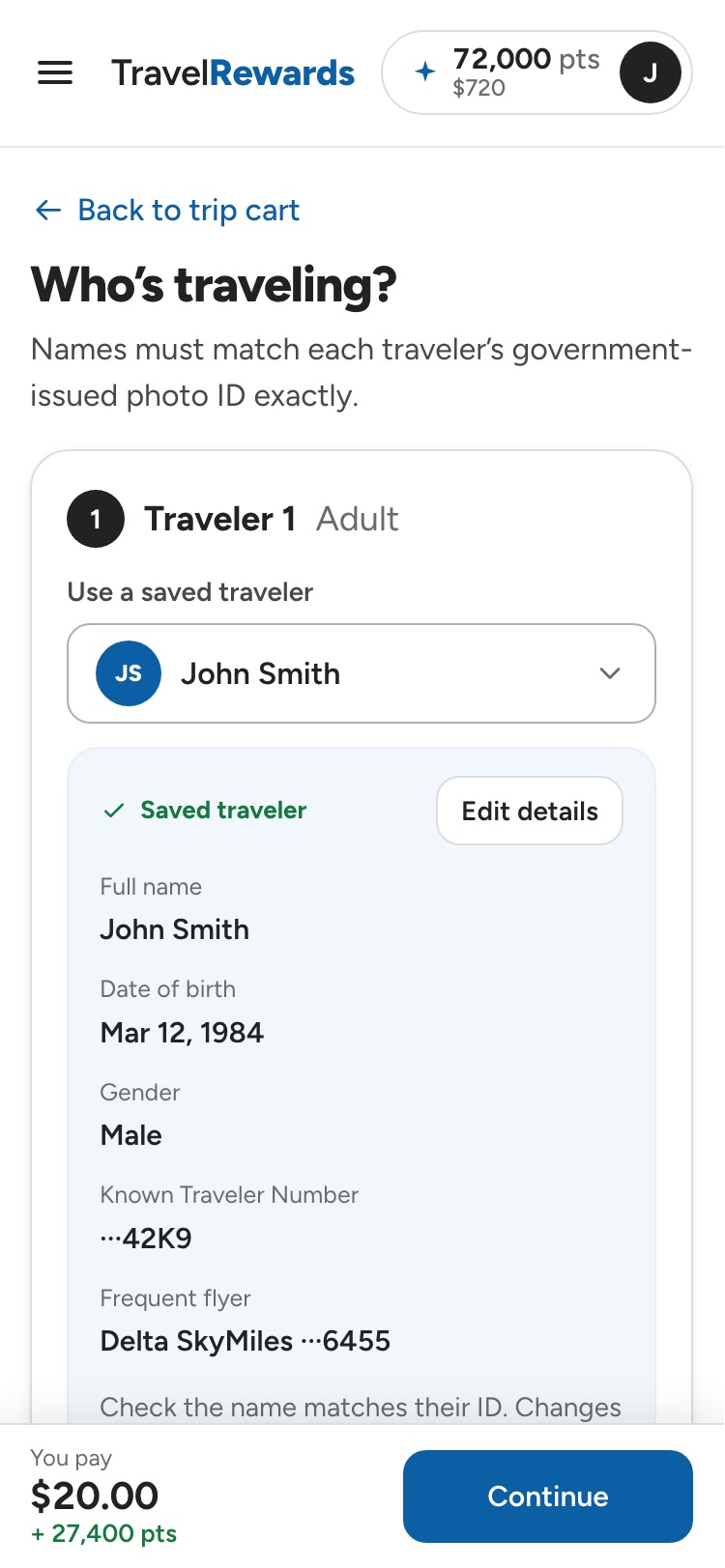
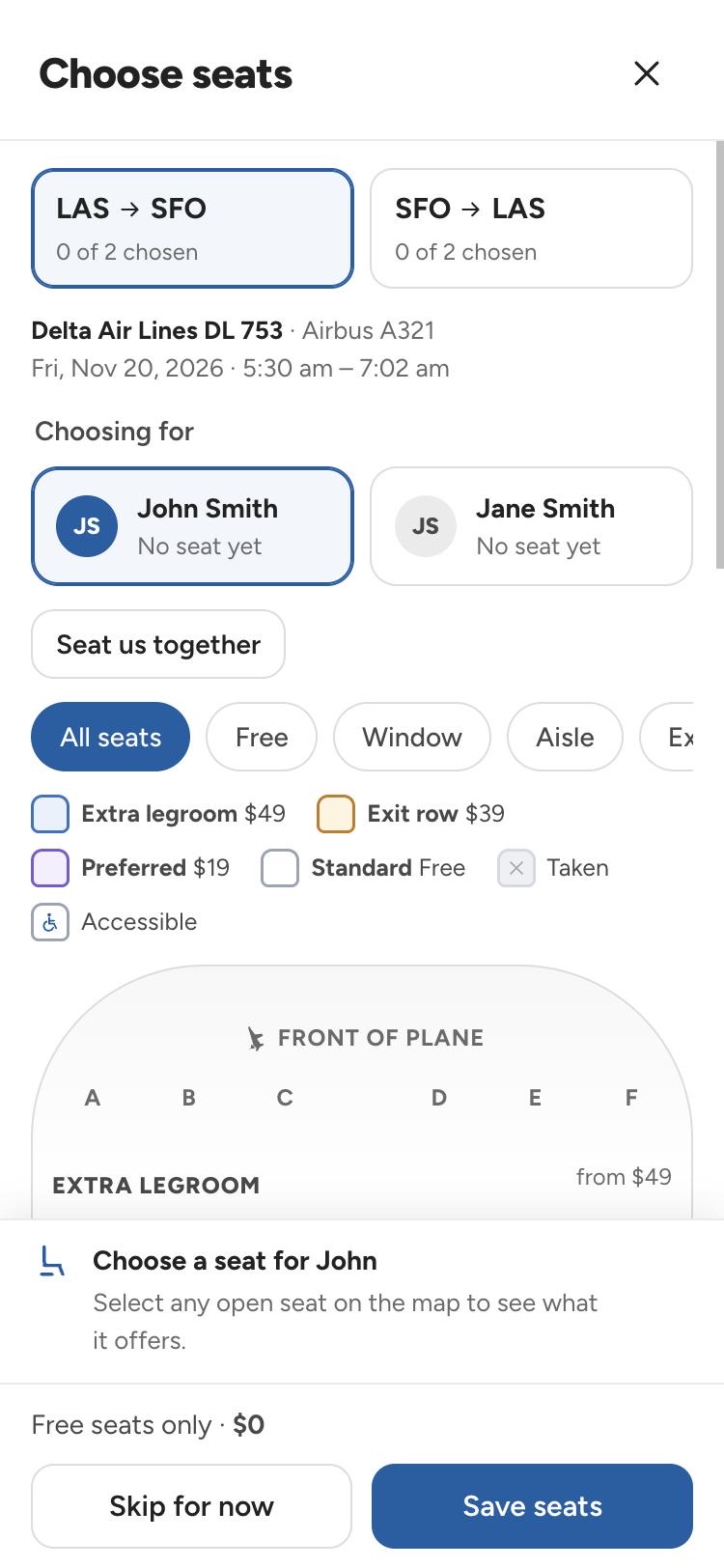
Saved travelers and cardsFilters and sort as visible buttons“What’s included?” on every fareSeat map right after booking
Your balance, on every page
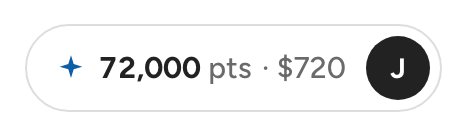
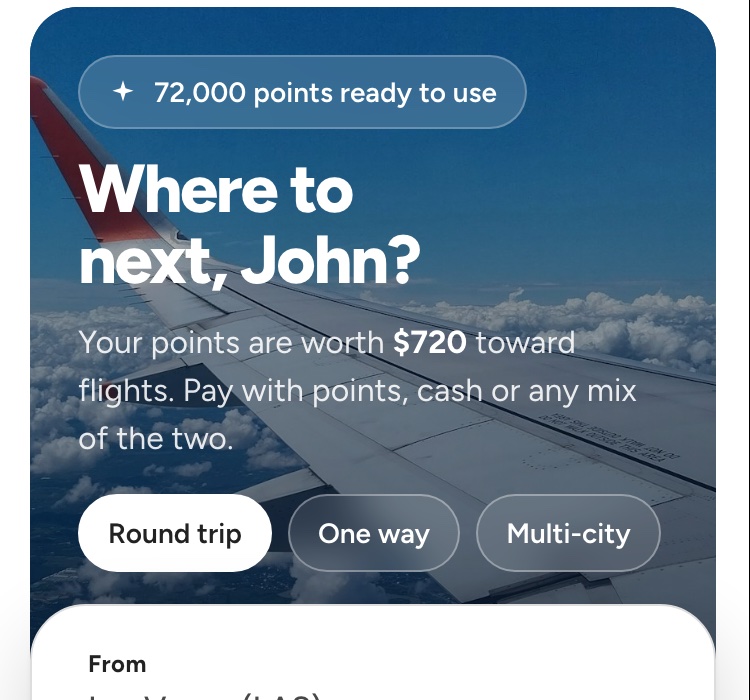
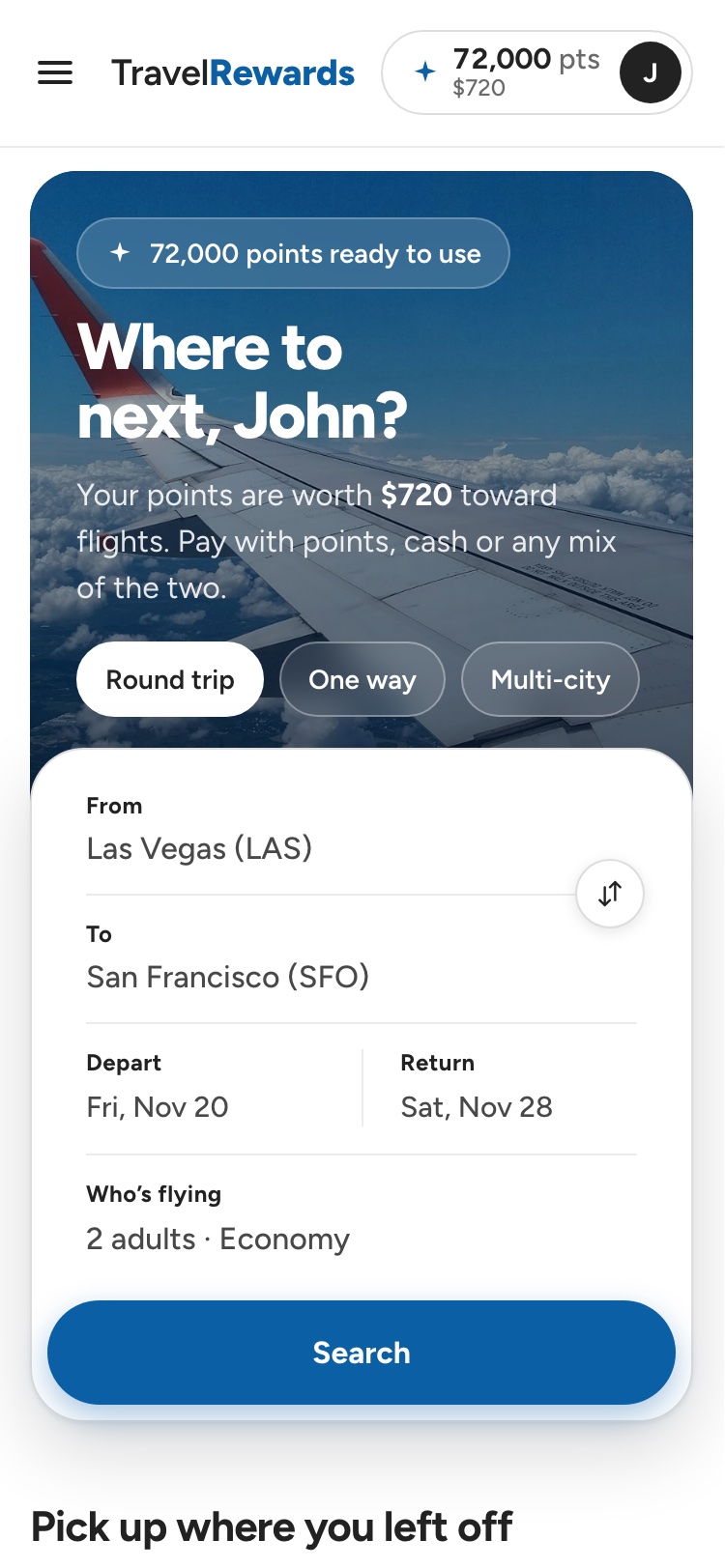
The header always shows the member’s points and what they’re worth. On the phone, the home screen leads with it.
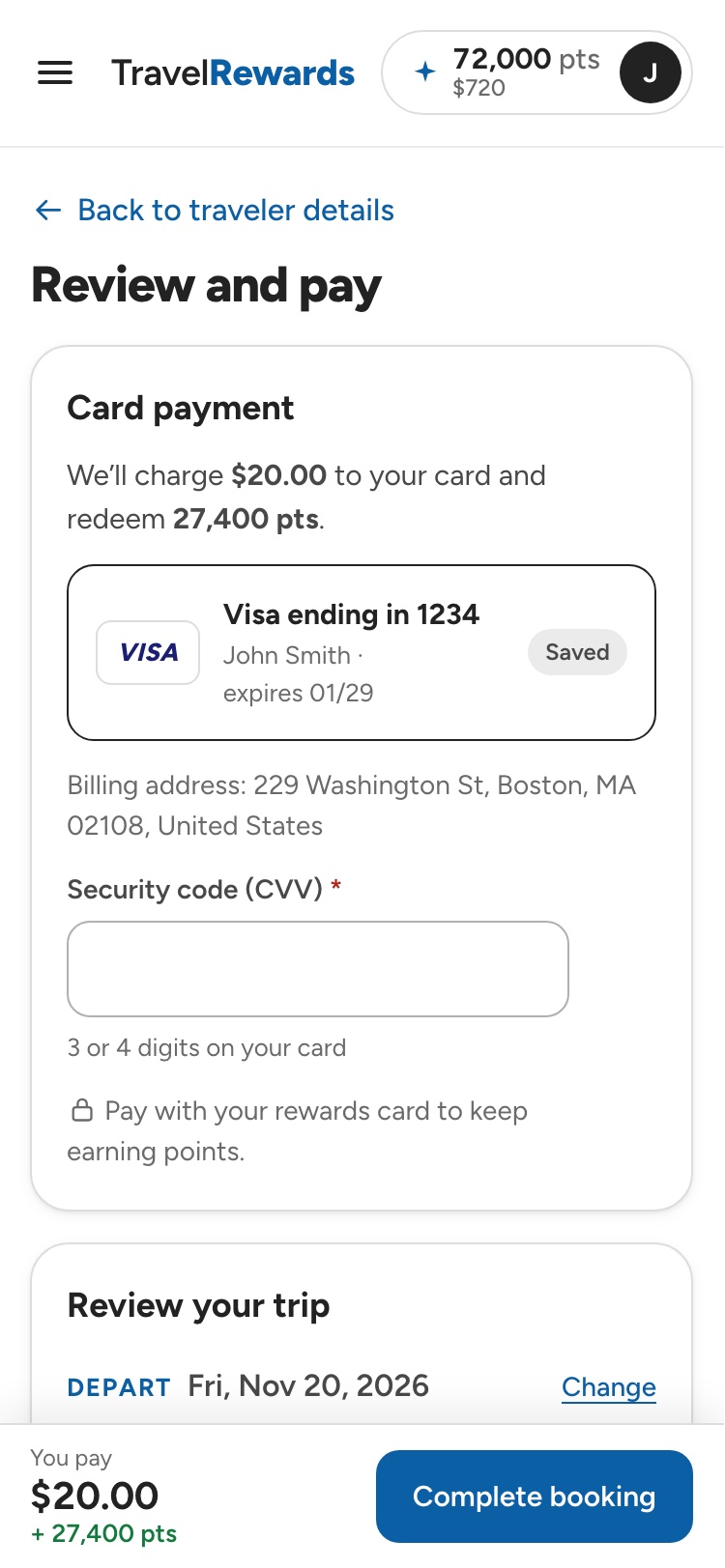
The split, restated before booking
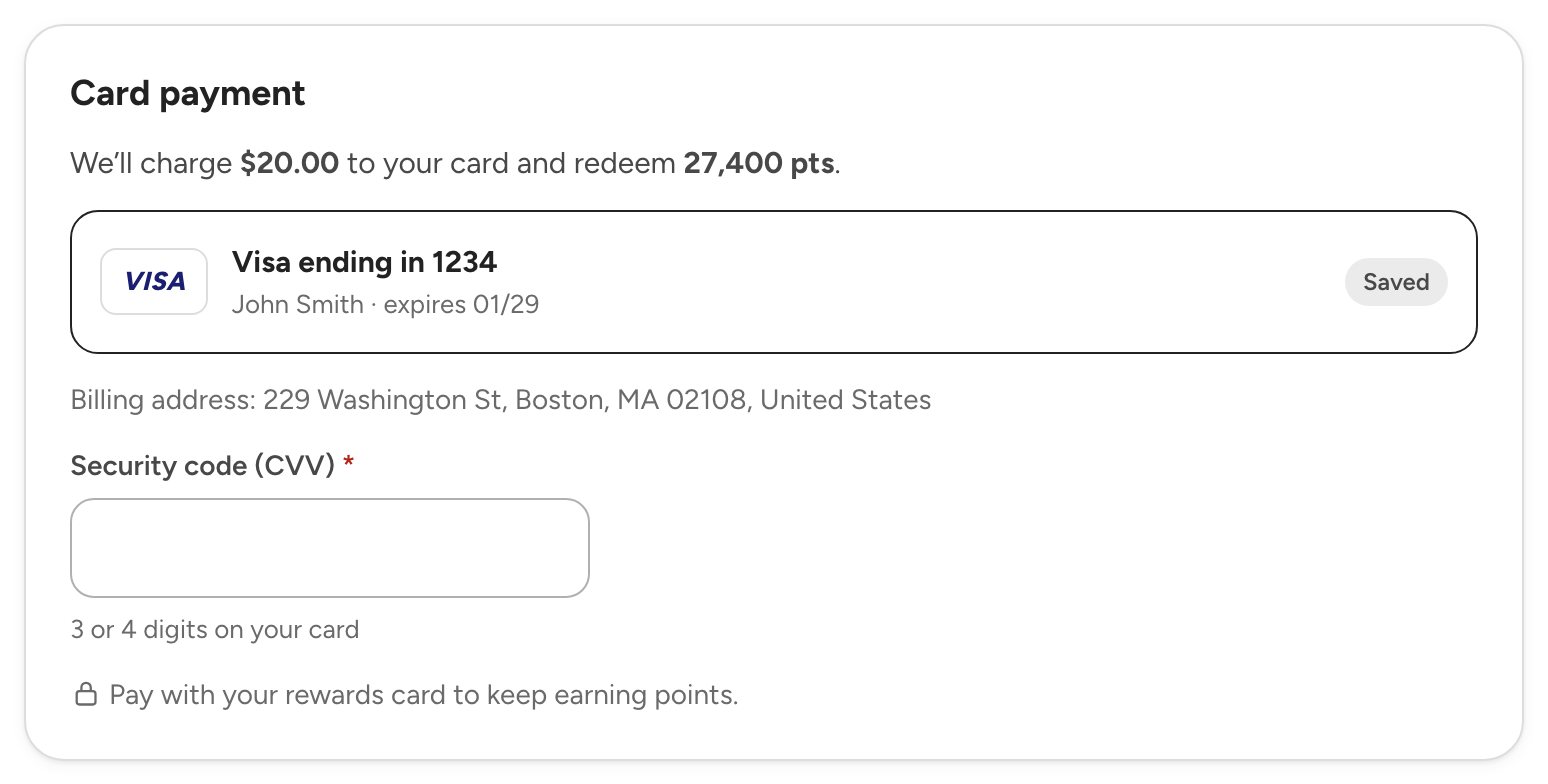
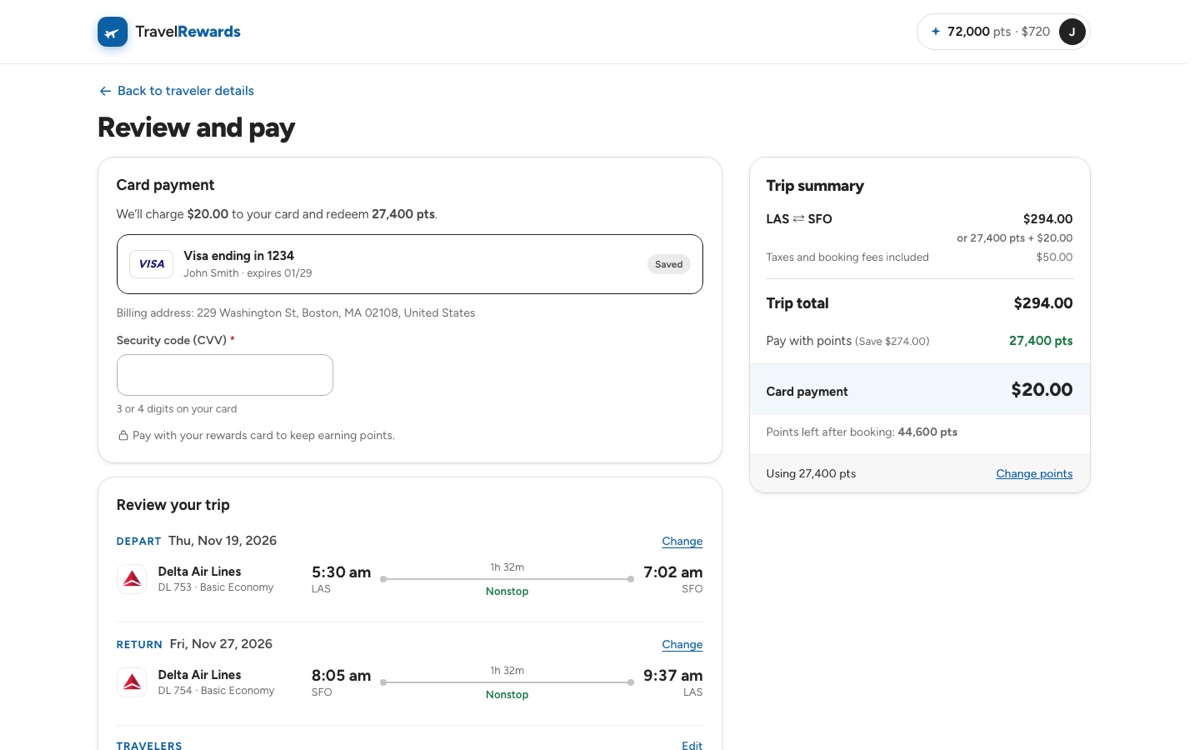
Payment repeats exactly what the card will be charged and how many points will be redeemed, with the saved rewards card ready.
One cart for the whole trip
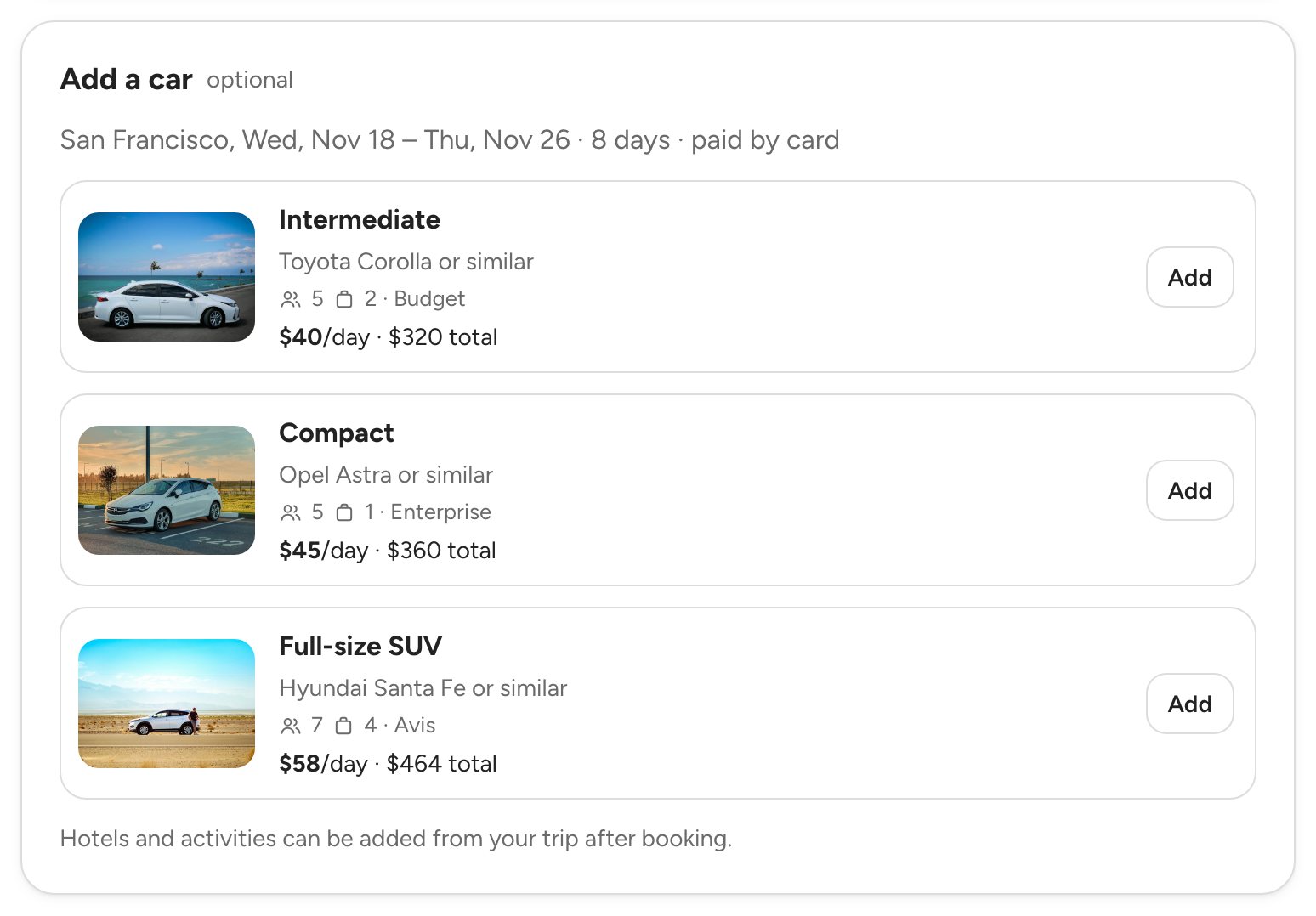
A rental car goes into the same cart as the flight, with photos and daily prices. Hotels and activities are added from the trip after booking.
The confirmation shows how it was paid
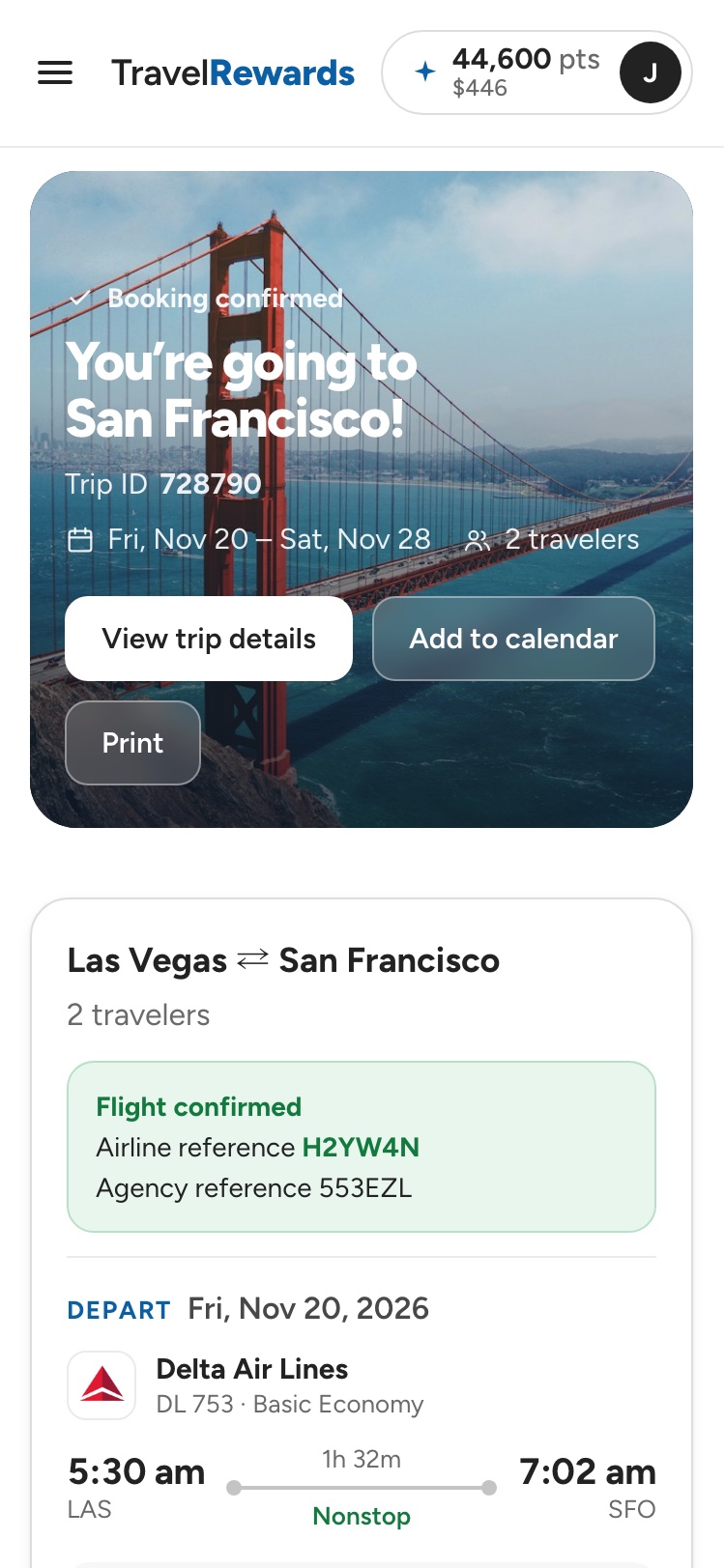
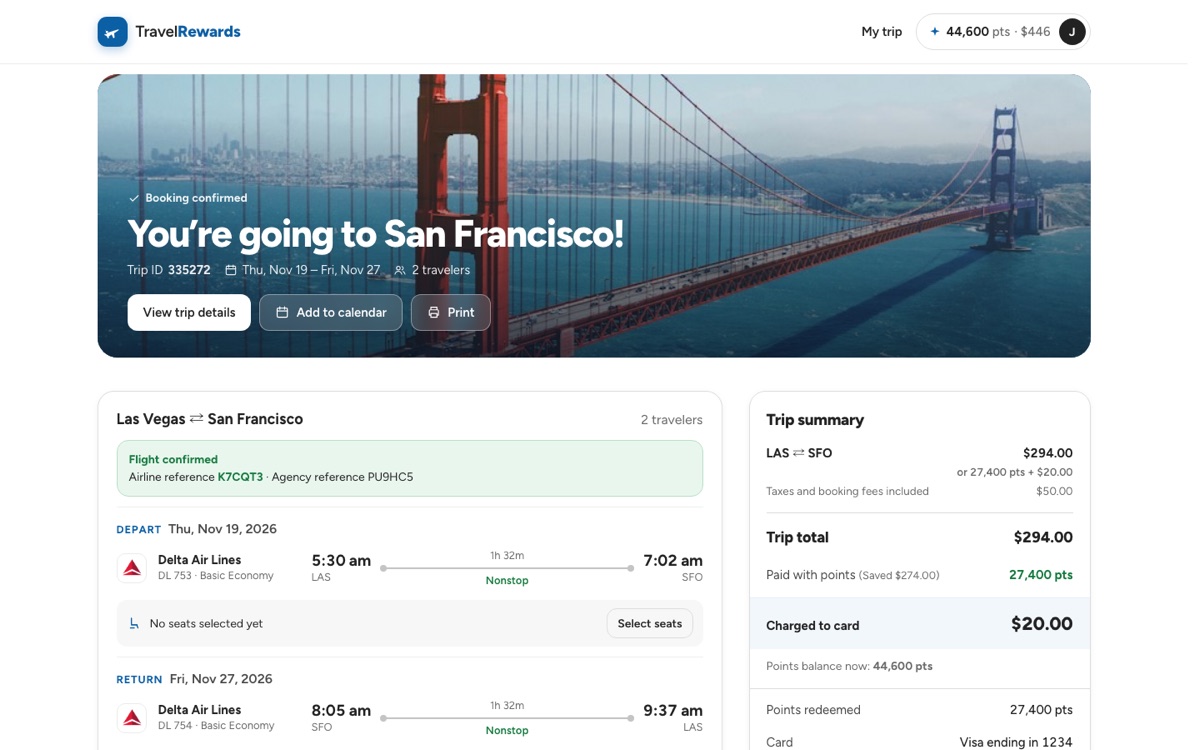
Every confirmation states the points redeemed, the amount charged and the new balance, with links to the trip details, the calendar and print.
Refunds in the currency you paid
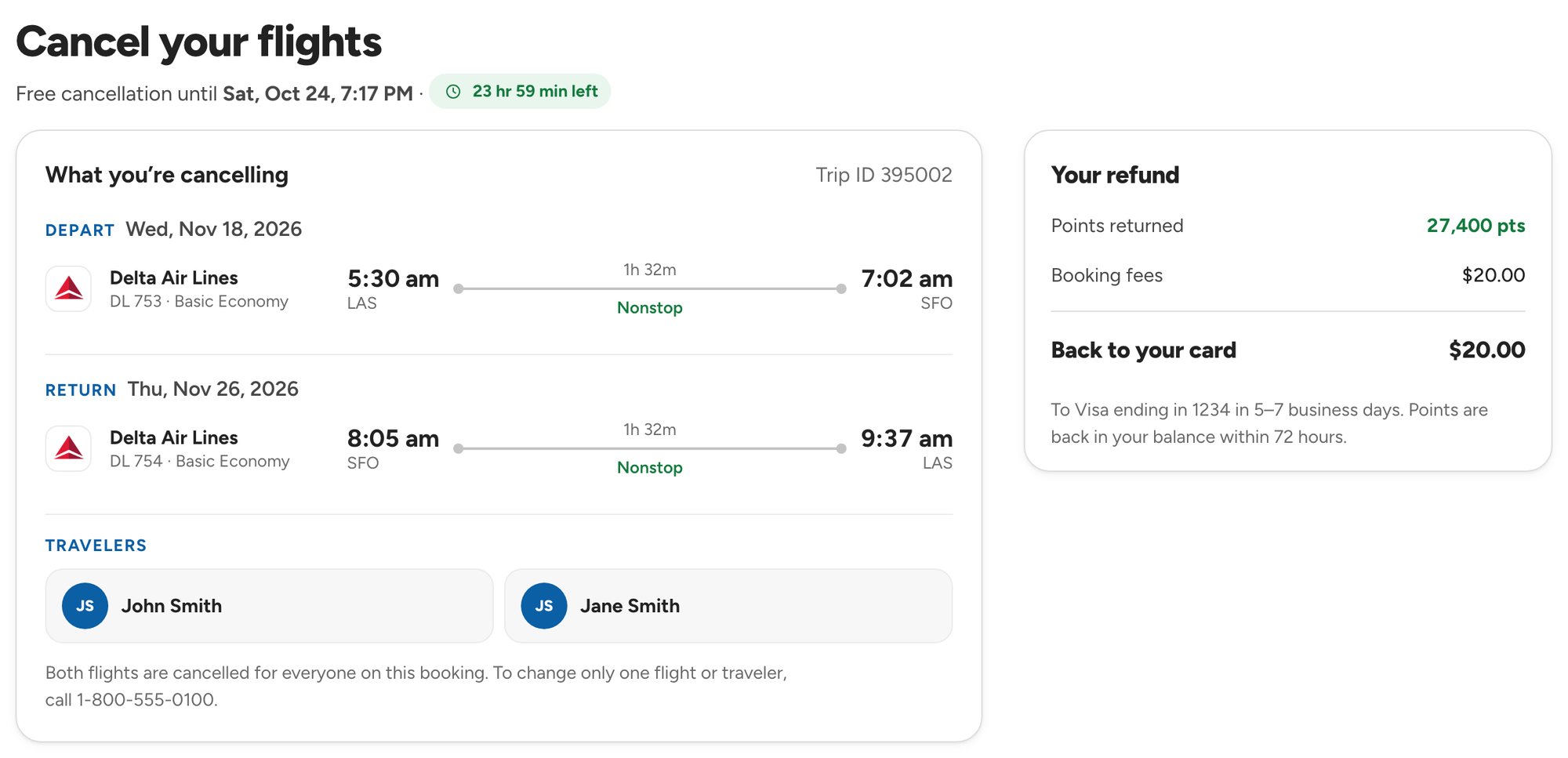
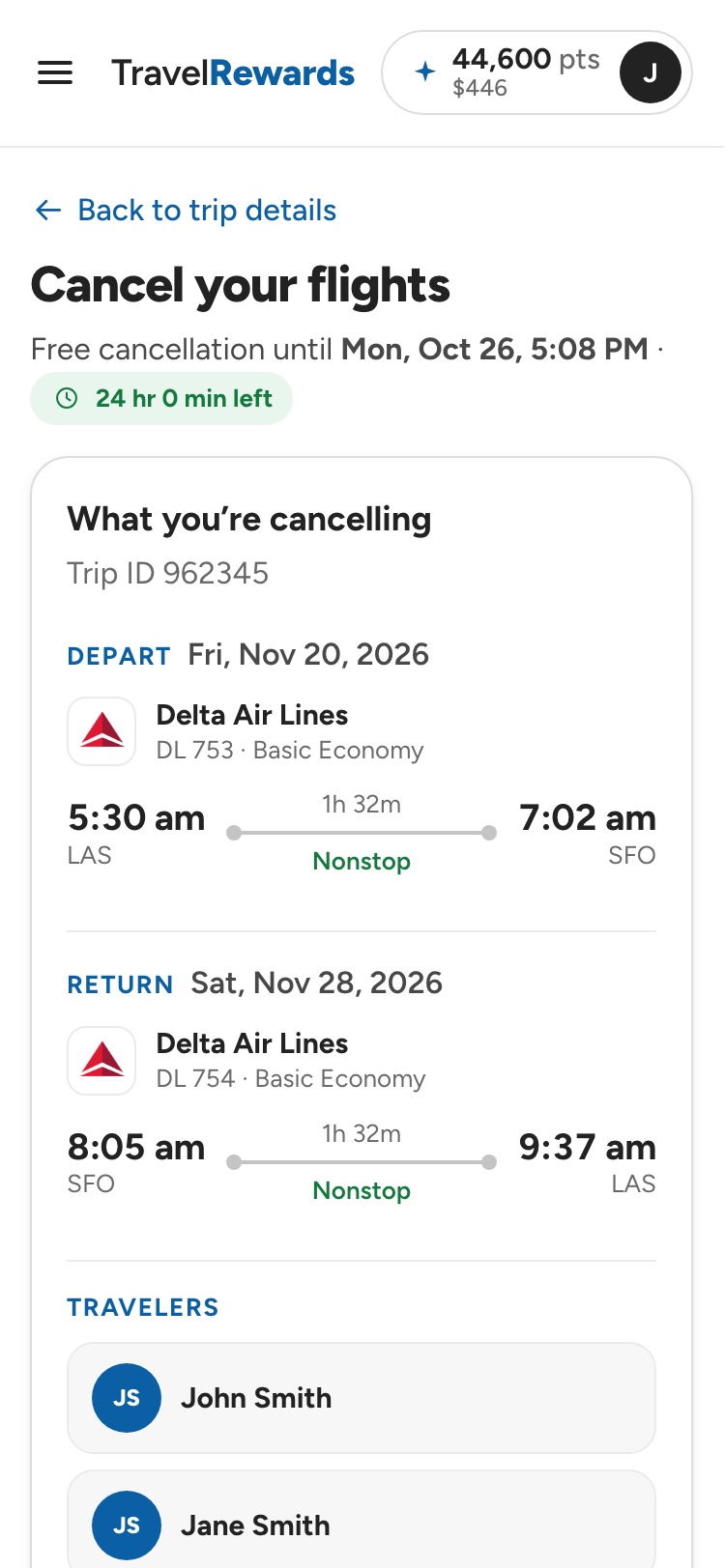
Cancelling within 24 hours shows exactly what comes back: the points returned to the balance and the cash refunded to the card.
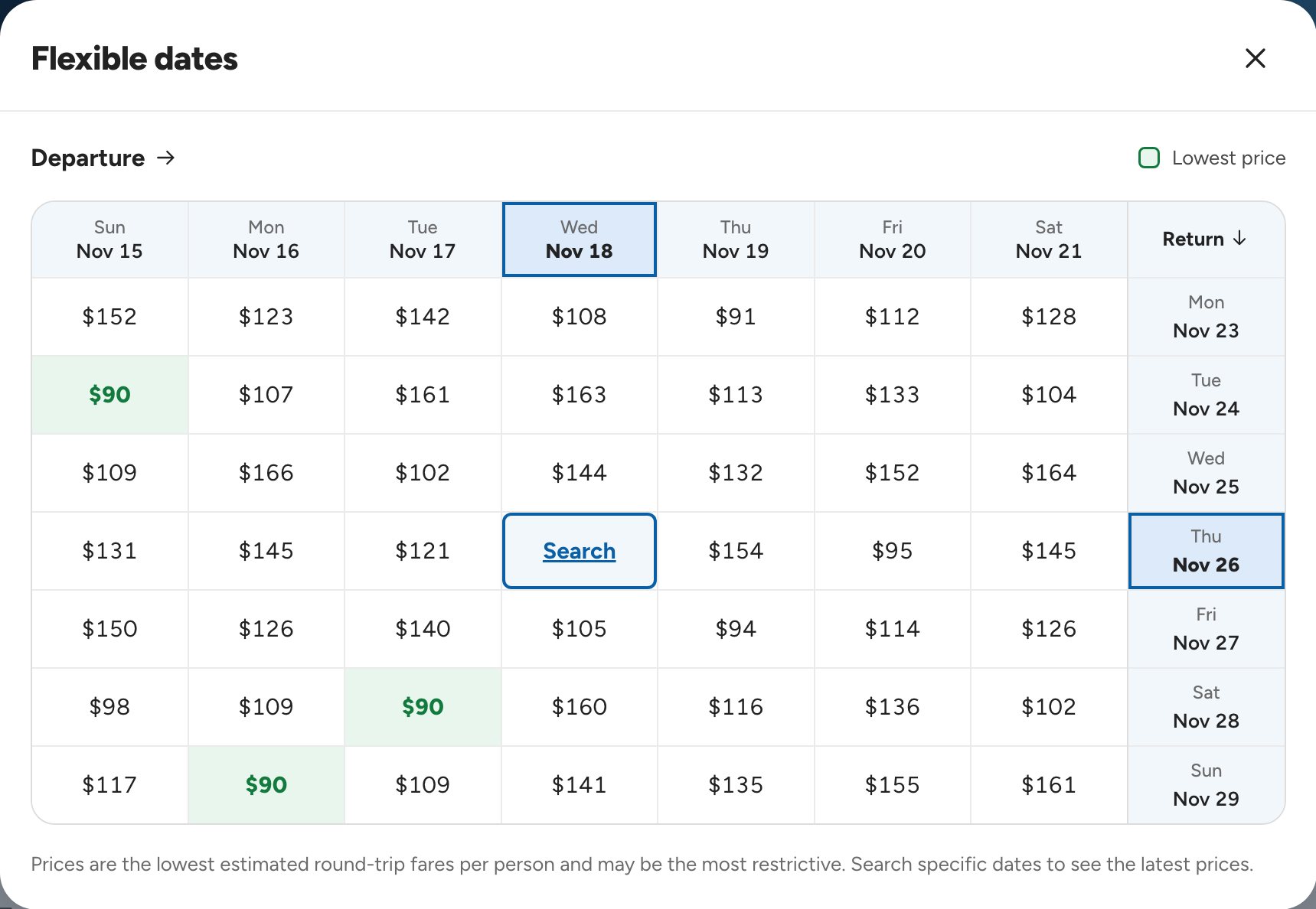
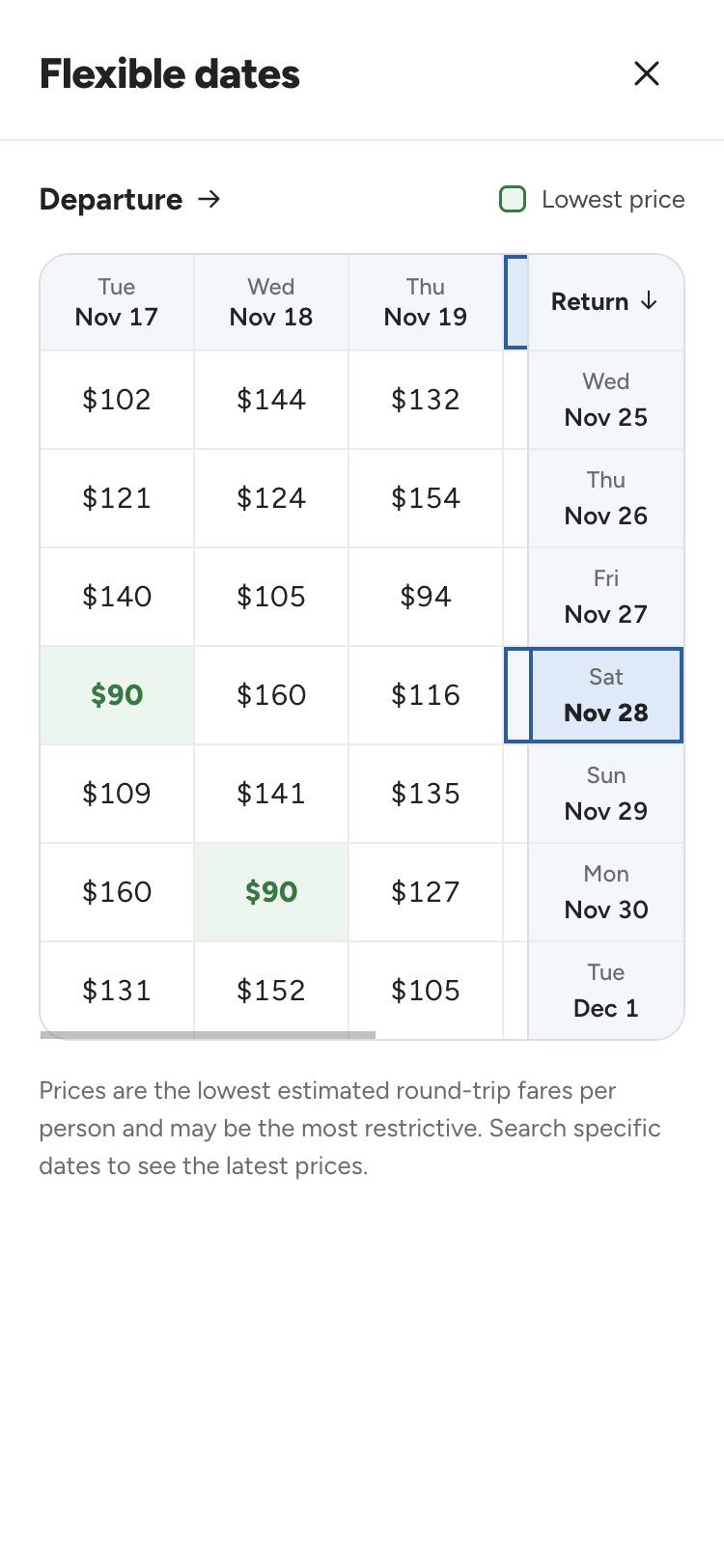
Flexible dates at a glance
A date grid shows the fare for every departure and return pair, so members can spot the cheapest combination.
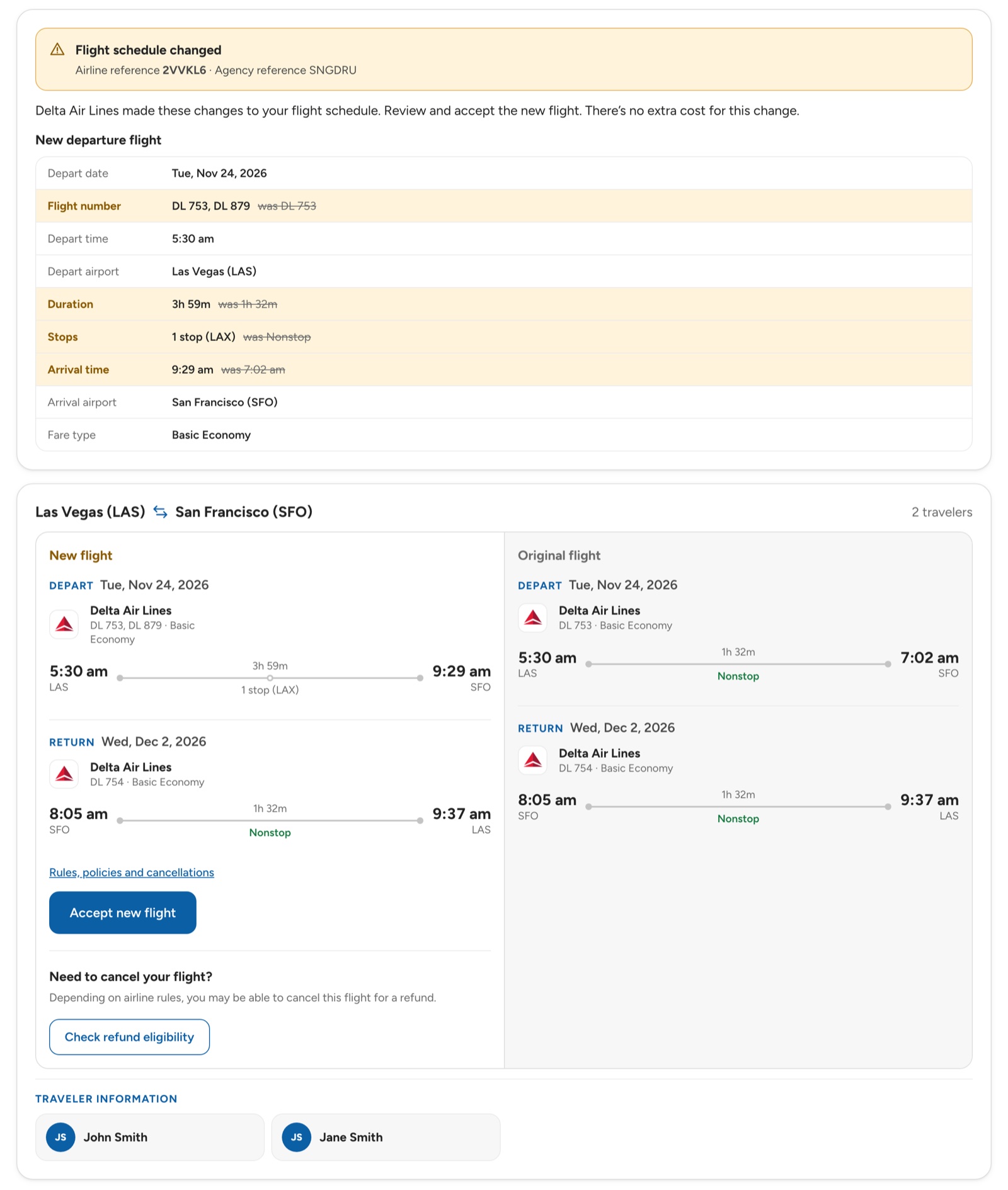
Schedule changes, summarised then side by side
When an airline moves a flight, a summary first lists what changed, with the old flight number, duration, stops and arrival time struck through. Below it, the new flight sits next to the original, so members can accept it or check whether they qualify for a refund.
06 · Mobile first
Designed for the phone, then scaled up
Every flow started at mobile width. Points stay visible at each step, from the first search to the seat map.
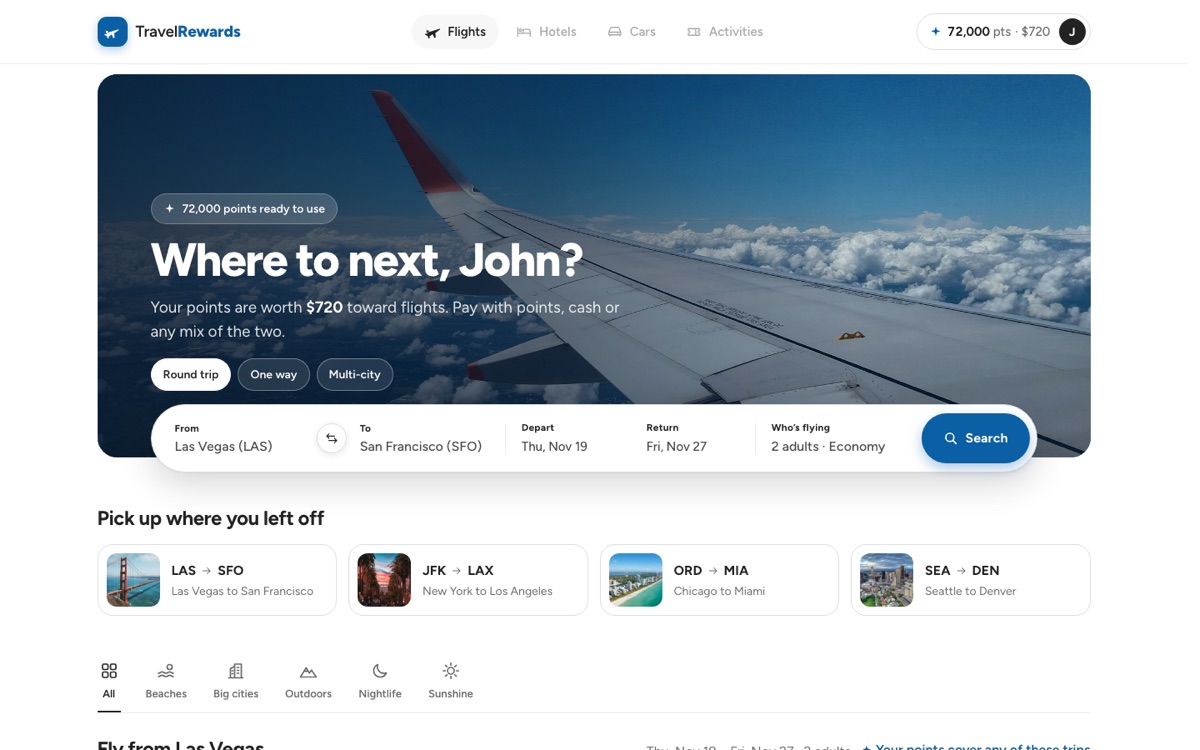
SearchPoints up front, one short form
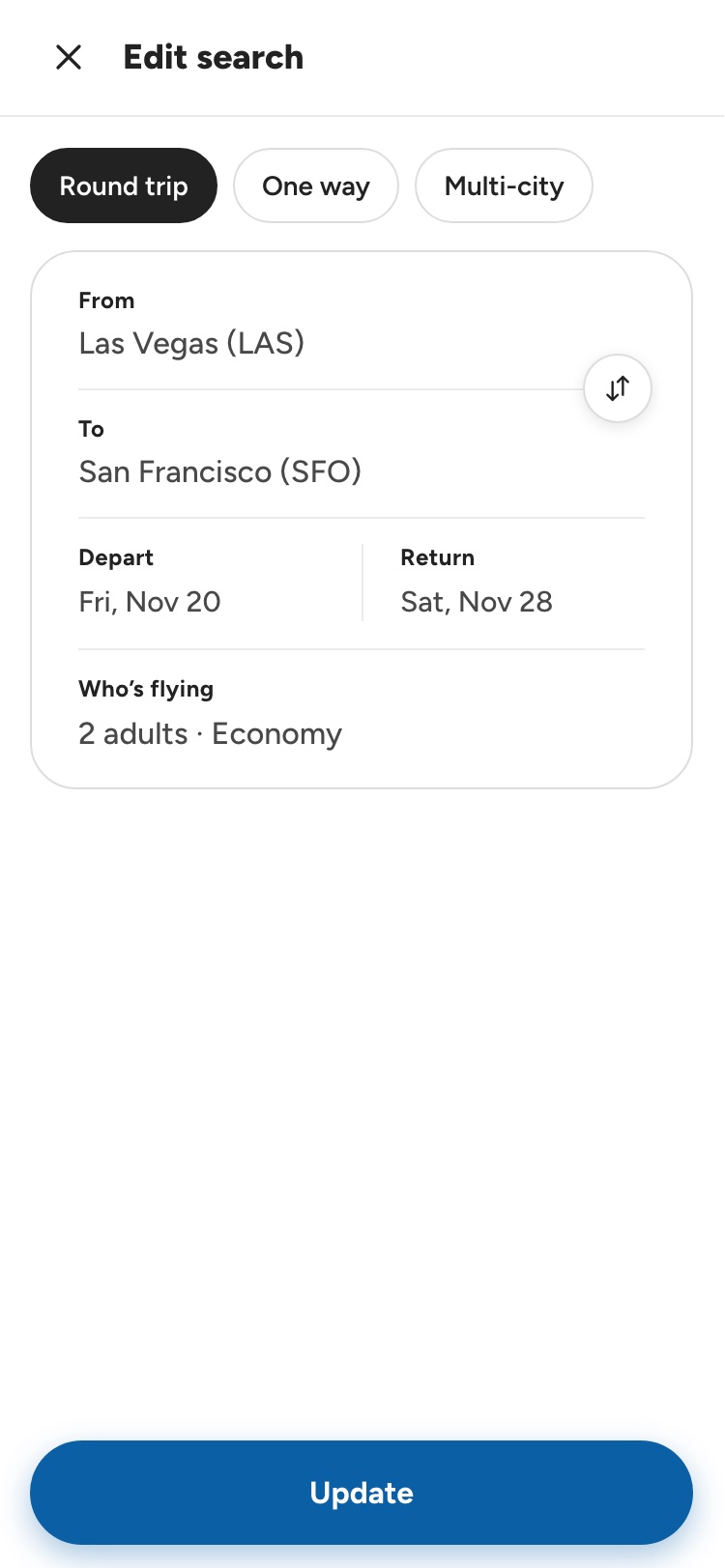
Edit searchA full page, like other travel apps
ResultsEvery fare in cash or points
Flight detailsOpens when a fare is tapped
ReturnDeparture kept in view
Flexible datesCheapest dates at a glance
FareOne fare for the whole trip
Trip cartPoints and card split
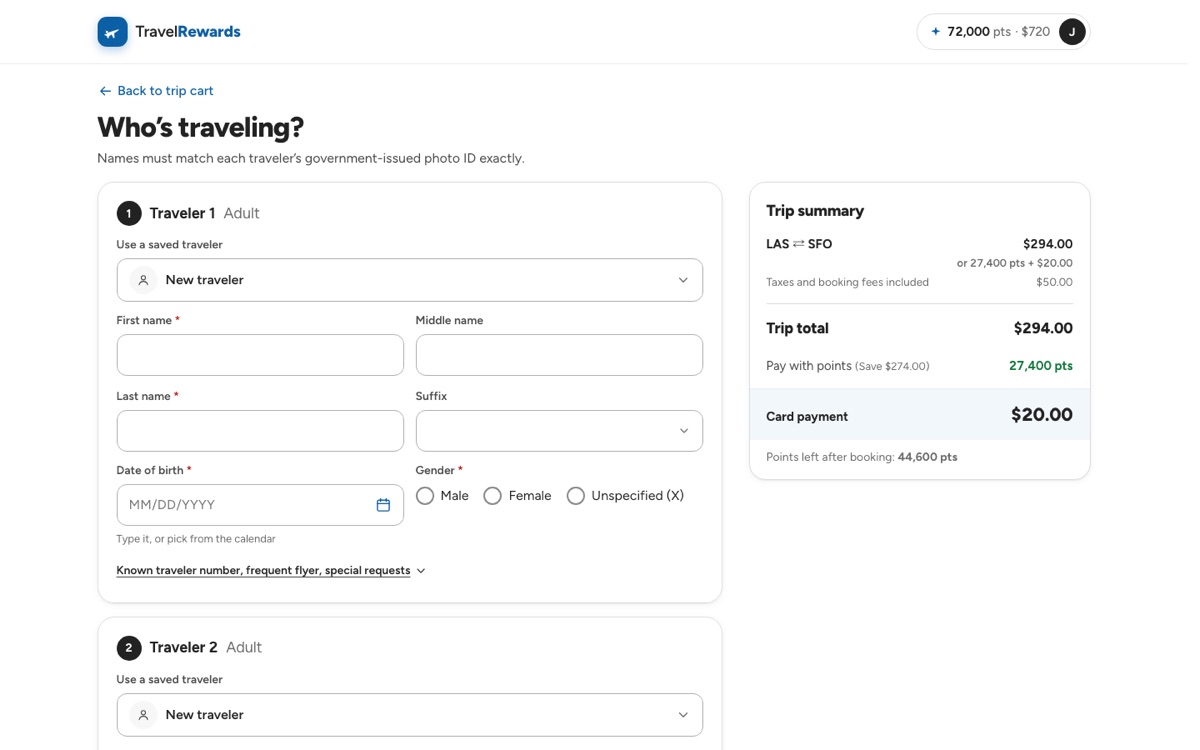
TravelersSaved profiles fill the form
PaymentThe split, restated
ConfirmationCalendar and print, one tap away
Seat mapSeats right after booking
CancelRefund in points and cash
Desktop
The same flow, scaled up
On desktop, the extra width goes to the trip summary, which sits beside every step from return flights to payment.
1. SearchPoints and search in one bar
2. Departing flightEvery fare in cash and points
3. Return flightDeparture kept in view
4. FareOne fare for the whole trip
5. Trip cartChoose how many points to use
6. TravelersSaved profiles fill the form
7. Review and payThe split, restated
8. ConfirmationHow the trip was paid
07 · Before and after
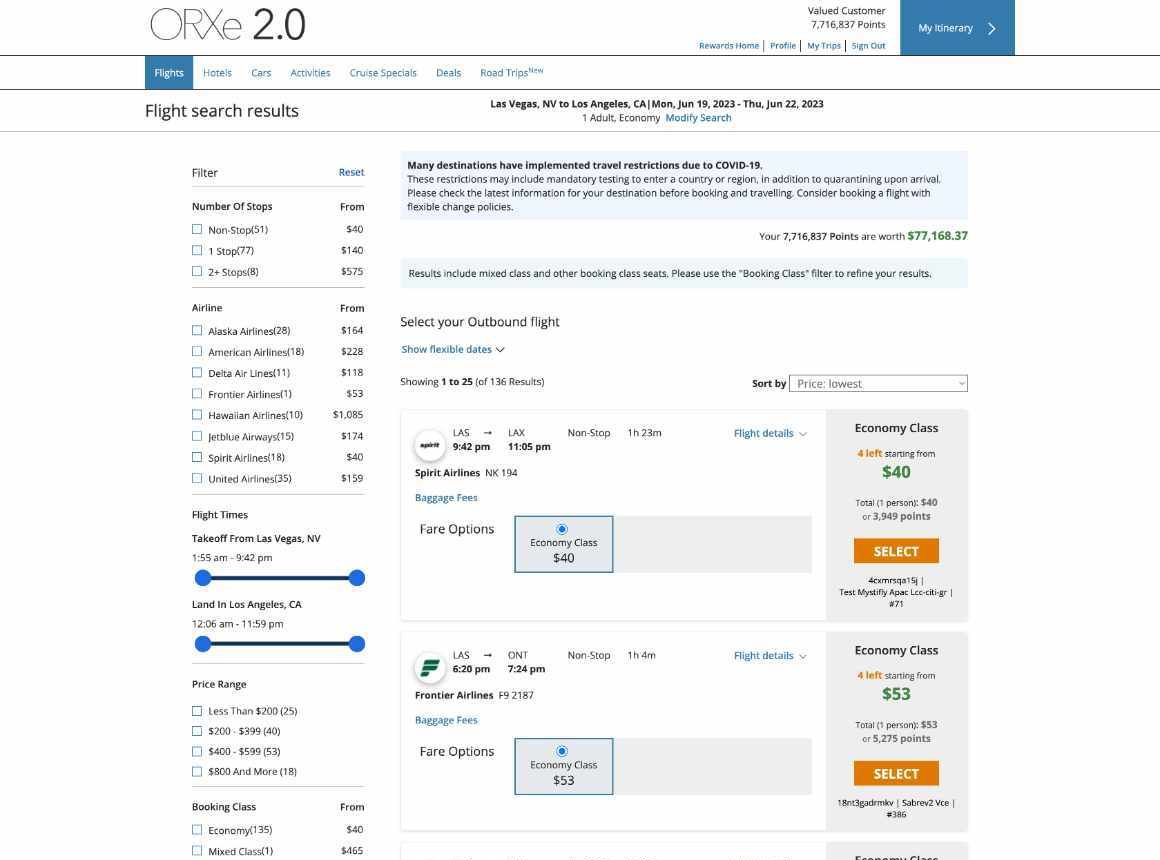
From ORXe 2.0 to 3.0
Drag the handle to compare the same screen in both versions.
ORXe 2.0ORXe 3.0
↔
Enlarge
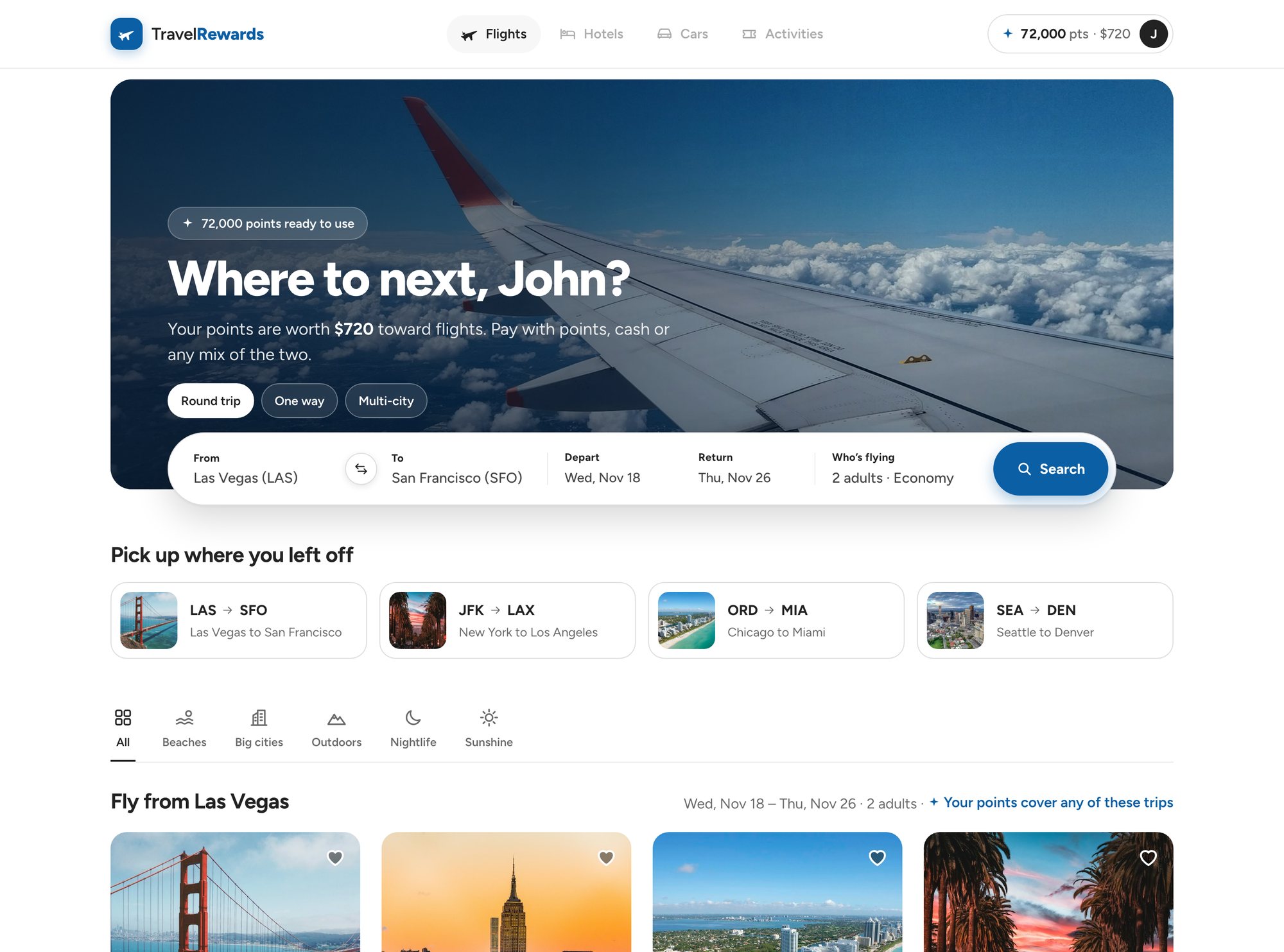
One clear taskA single search bar replaces stacked tabs, notices and secondary links.
Faster repeat searchesRecent searches sit right under the form.
Inspiration belowDestination cards show each trip’s lowest price in cash and points.
ORXe 2.0ORXe 3.0
↔
Enlarge
Fare options per flightBasic Economy, Main Cabin and Business sit side by side on each result.
Points on every fareEach fare shows its points price, and discounted fares show the saving.
Flight by flightMembers pick the departure first, then the return.
ORXe 2.0ORXe 3.0
↔
Enlarge
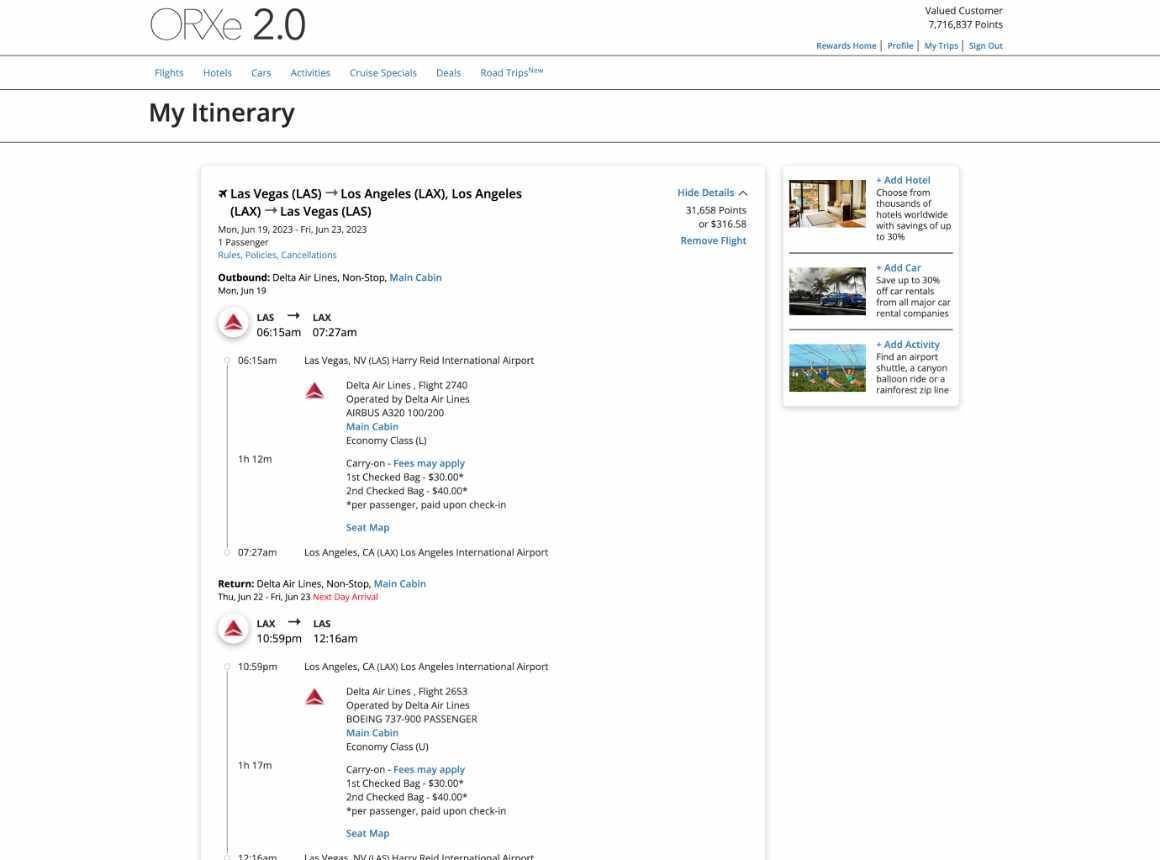
A real cart“My Itinerary” becomes a trip cart that holds the flights, trip protection and a car.
Summary always in viewThe trip summary shows the points and cash split next to the trip.
Points in context“How many points do you want to use?” sits right under the summary, before checkout.
ORXe 2.0ORXe 3.0
↔
Enlarge
Grouped into cardsBilling, trip review, protection and contact details each get their own card.
Saved cardsMembers pick a saved card, with a reminder to use the rewards card to keep earning points.
One clear actionA single Complete booking button after the terms.
08 · Design system
Built to be rebranded
ORXe serves many bank clients, so every component needed a solid default plus a set of properties a client could change. We documented each component’s anatomy, behavior, properties and usage for designers and developers. The properties marked Custom are the ones a client can rebrand.
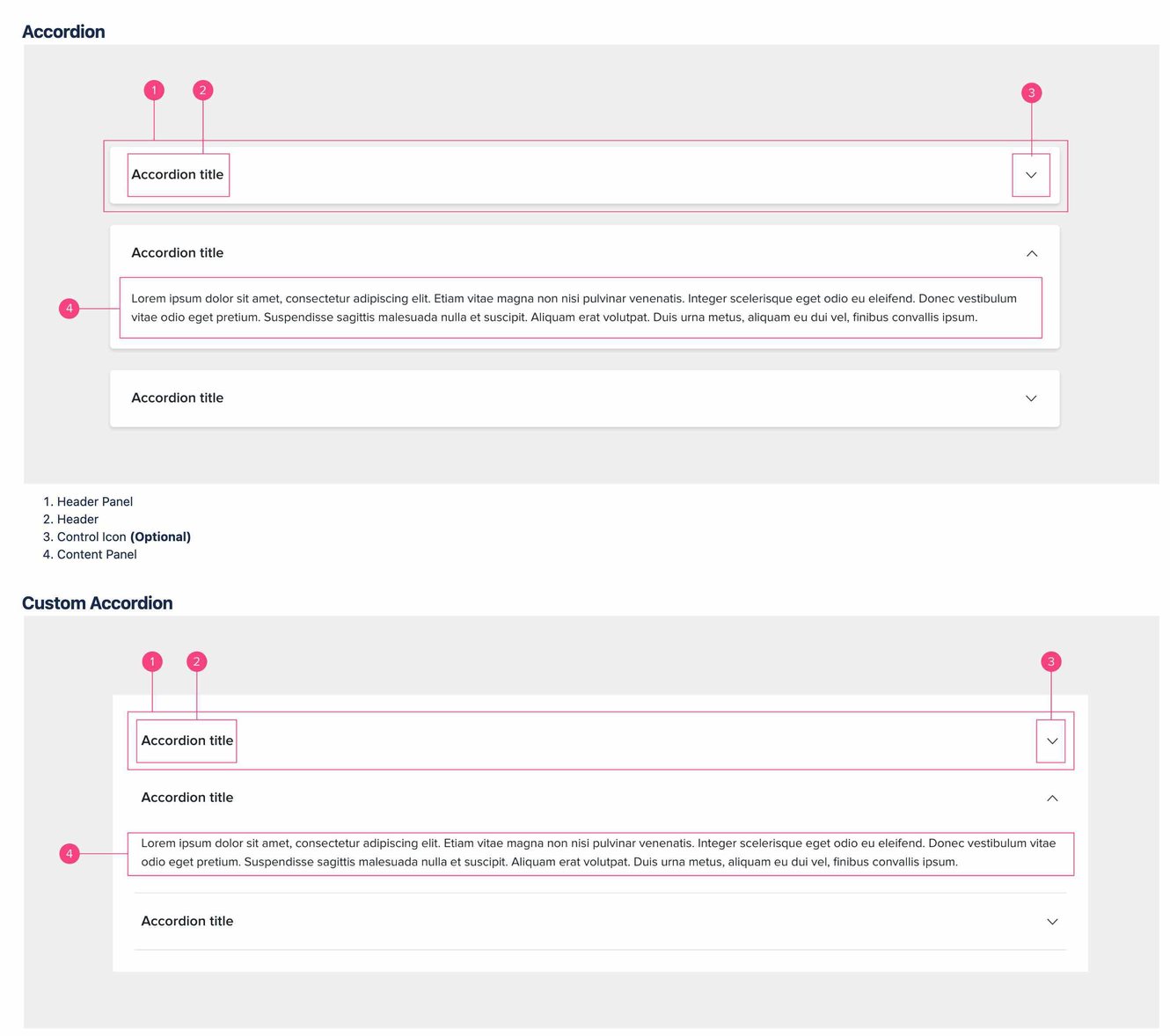
Accordion item properties
One of the documented components. Every other component followed the same format.
Property
Value
Min height (header)
64px
Max width
Mobile 100% of screen Desktop 100% of parent
Padding (header)
$spacing-06
Border Custom
None
Border radius Custom
Mobile none Desktop $border-radius-base
Shadow Custom
Type 2
Margin bottom Custom
$spacing-05
Background Custom
$neutral
Header font Custom
$text-md, Semibold
Header color Custom
$primary-text
Touch target
Container height
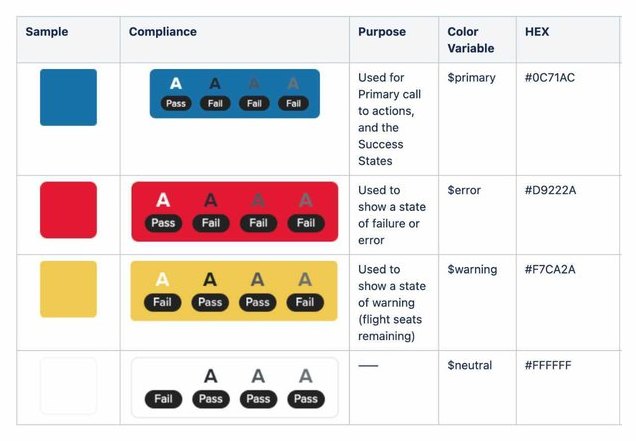
Global colors, each checked against WCAG at every text size.
Anatomy for the standard and custom accordion.
09 · Validation
Testing the 3.0 designs
Moderated remote sessions with four travel-rewards cardholders. Each one booked a round trip for two, Chicago to Los Angeles, with points, thinking aloud from search to confirmation.
 Ashish