 Ashish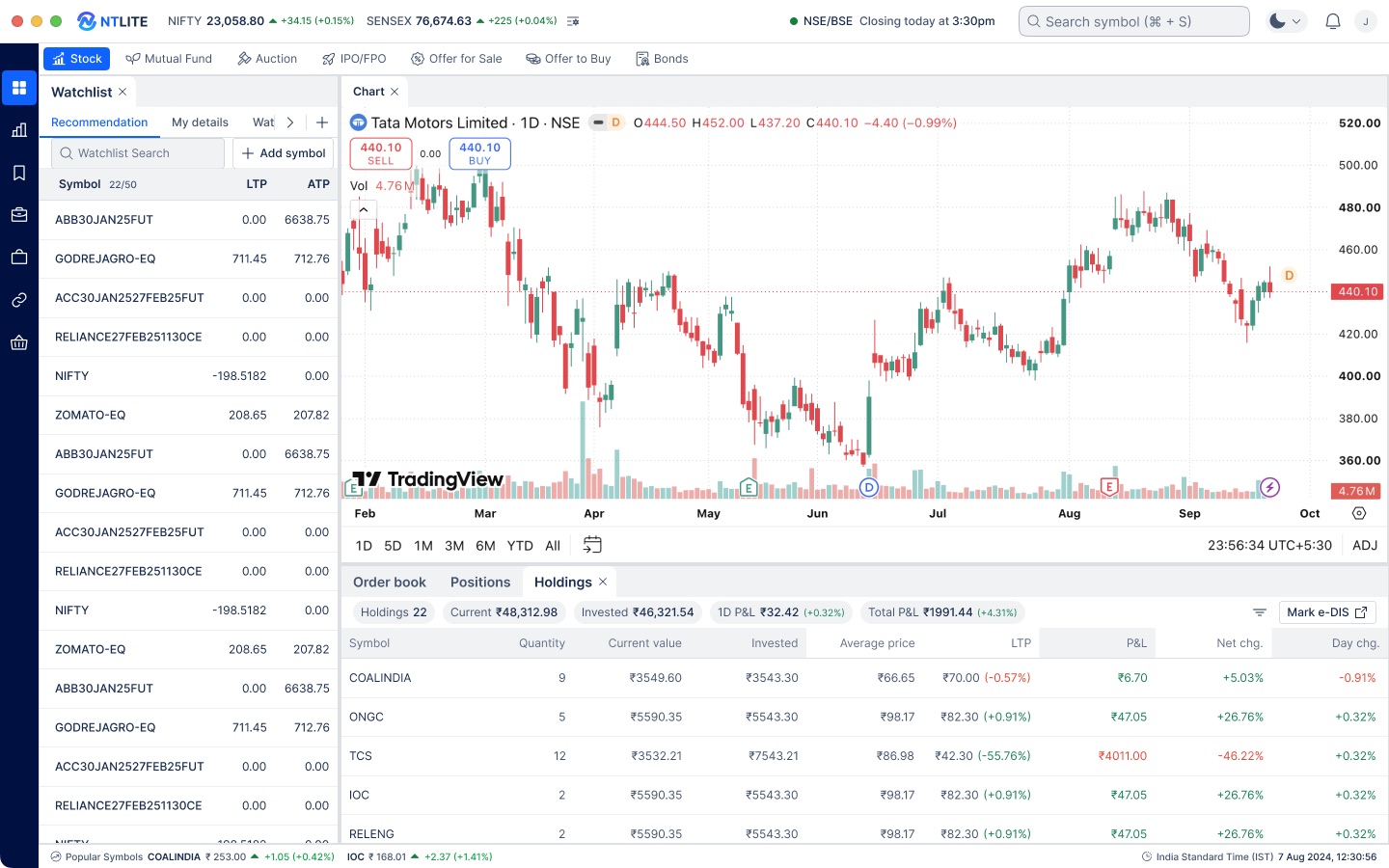
01
One workspace instead of a stack of windows
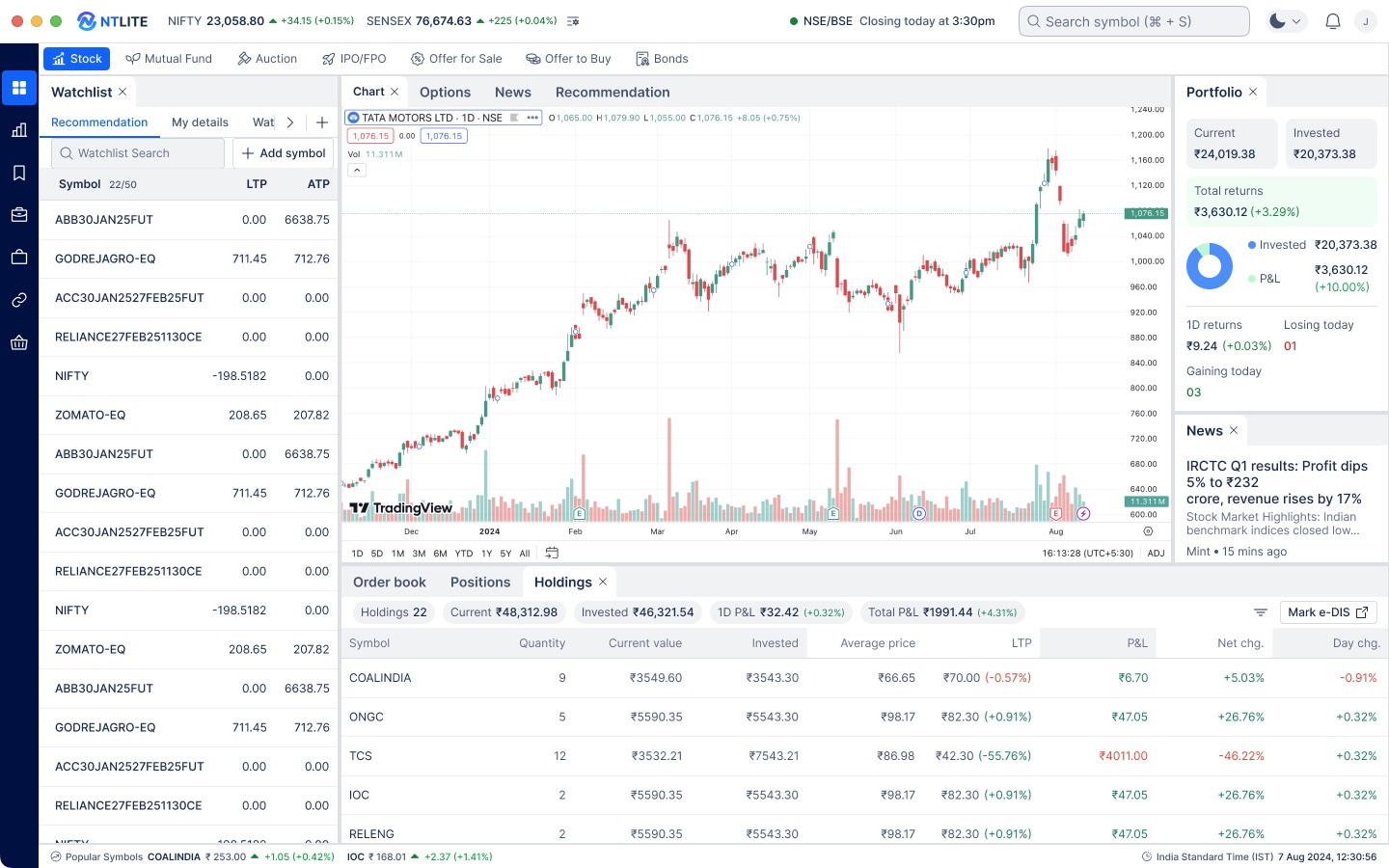
Watchlist, chart, portfolio and news, plus orders, positions and holdings, now sit as docked panels on one screen. Indices and market status stay pinned to the header.
OmneNEST · NT Lite · Trading terminal
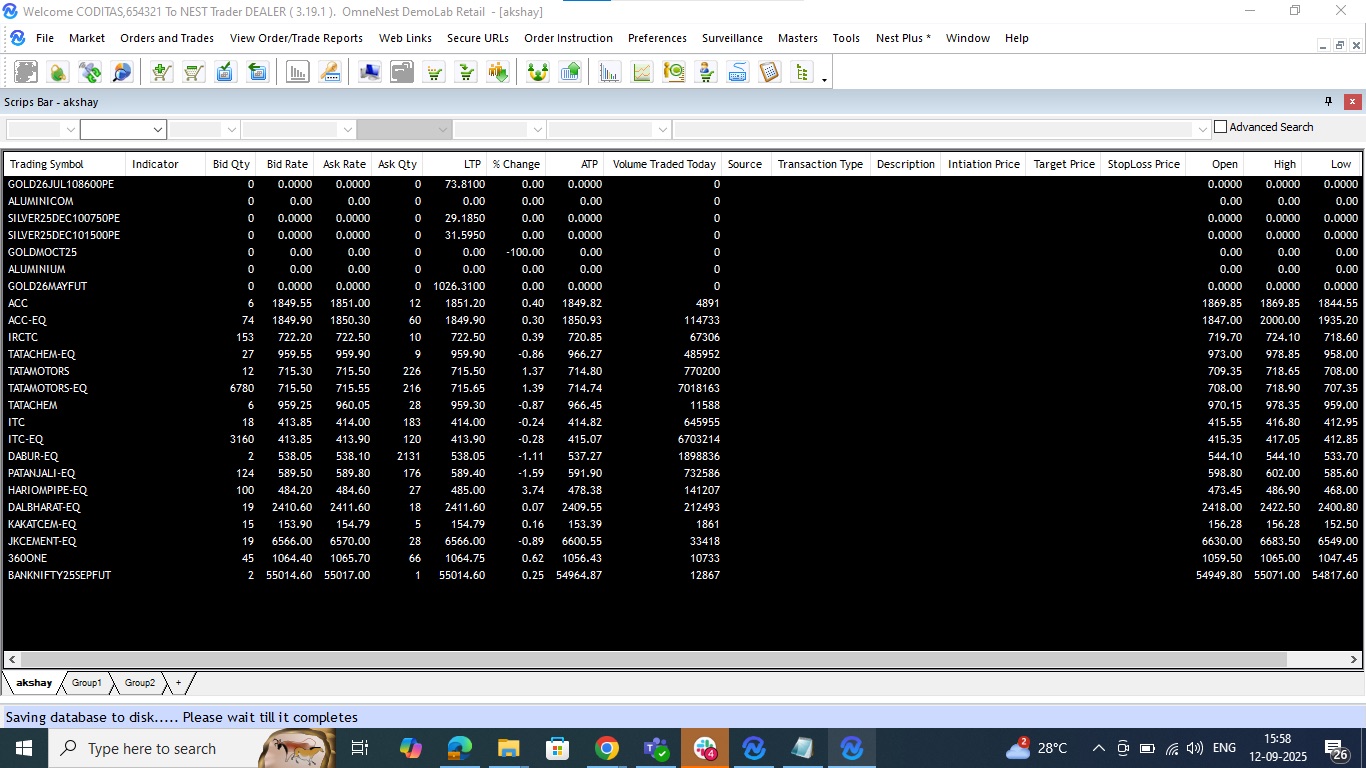
Redesigning NEST Trader, a dense Windows-era trading terminal, into NT Lite: one configurable workspace for active traders, long-term investors and first-time users.
01 · Problem
Problem statement
NEST Trader carries about 20% of India’s broker trade flows, but it was built for one kind of user: an expert at a Windows desktop. Dense grids and separate windows slowed every core task for active traders, while long-term investors and first-time users had no clear way to track a portfolio or place an order with confidence. Brokers couldn’t tailor it to their own clients, so new broker clients were slow to win.
Make NEST Trader a terminal users prefer, not one they tolerate.
Remove the friction that interrupts onboarding and order journeys.
Let each broker configure and theme the product without custom builds.
12 months (not to scale)
Research, competitive analysis and IA ran in the first sprint. The component library and high-fidelity screens followed from sprint two.
02 · Context
OmneNEST is one of India’s leading trading-technology firms. Brokers license its multi-asset NEST platform and put it in front of their own retail and institutional clients.
The platform was powerful but built for a different era. Stakeholders reported that its UI made it harder to onboard new broker clients and to keep existing users. That made the redesign a commercial problem, not just a cosmetic one.
03 · Users
Three segments with conflicting needs. The same segments were later recruited for usability testing.
View full user research


We ran semi-structured interviews with 9 users, 3 from each segment, and scored 20 pain points by severity and frequency.
Trader
“I have 3 monitors. I need charts on one, order book on another, F&O analytics on third.”
Users wanted to arrange their own workspace instead of one rigid screen.
Brokerage and levies were missing from the pre-order screen.
Lag and freezes on Budget day, RBI policy days and expiry.
Also raised: F&O analytics and multi-leg order entry (5 of 9).
Investor
“I have Groww for MFs and Zerodha for equity. I have to sum it all up manually in Google Sheets every month.”
Every investor wanted one view of equity, mutual funds and IPOs.
Upcoming IPOs, grey market premium and prospectus summaries all came from outside the app.
Also raised: self-serve tax P&L statements and in-app support.
New beginner
“Tell me: your money grew by ₹500. Not: portfolio return 2.3% CAGR.”
One participant lost ₹1,200 after choosing MIS by mistake.
New users wanted a calmer, simpler starting view.
Also raised: in-app support (one participant waited 45 minutes on hold), goal planning and regional languages.
04 · Research & scope
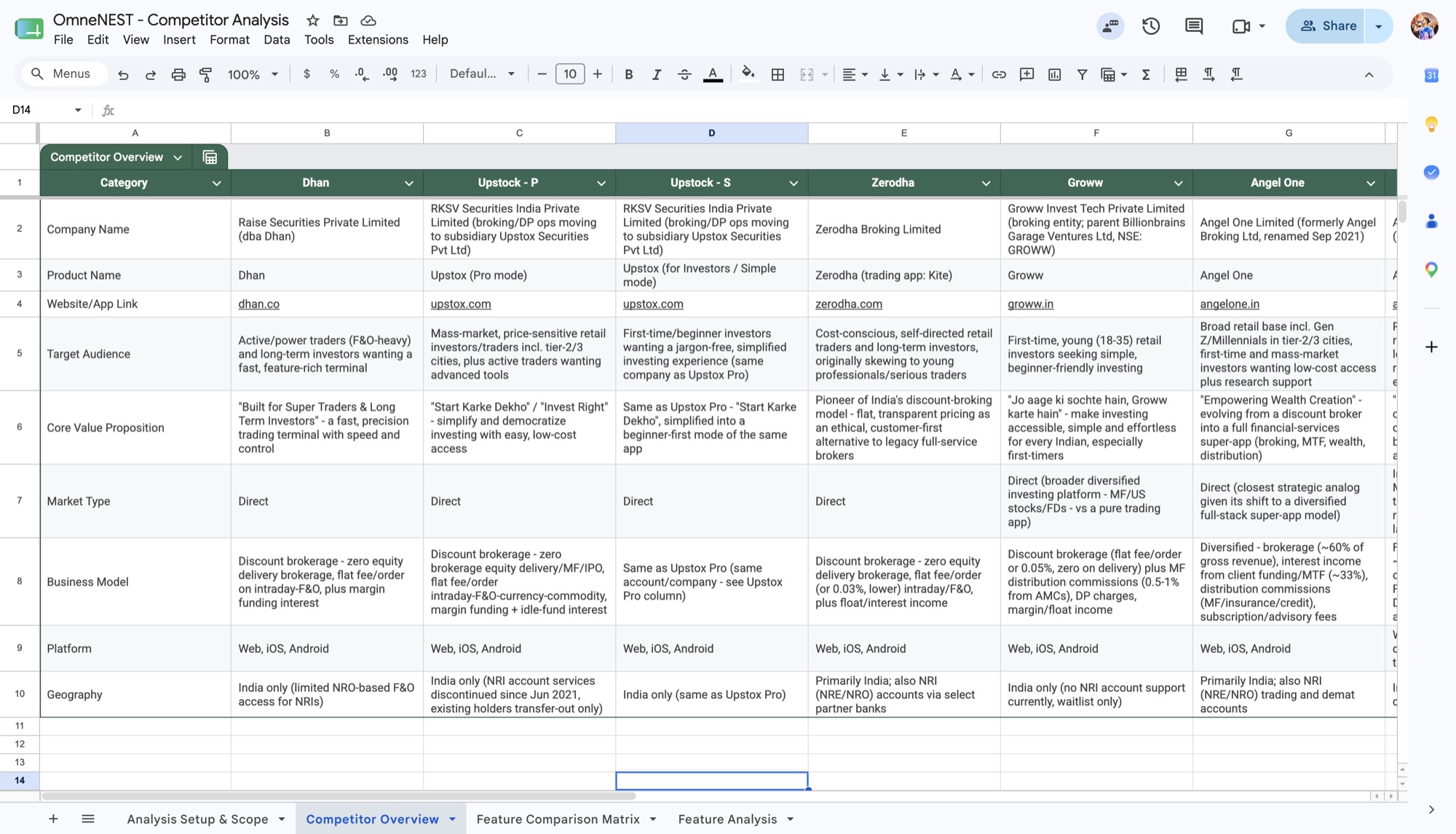
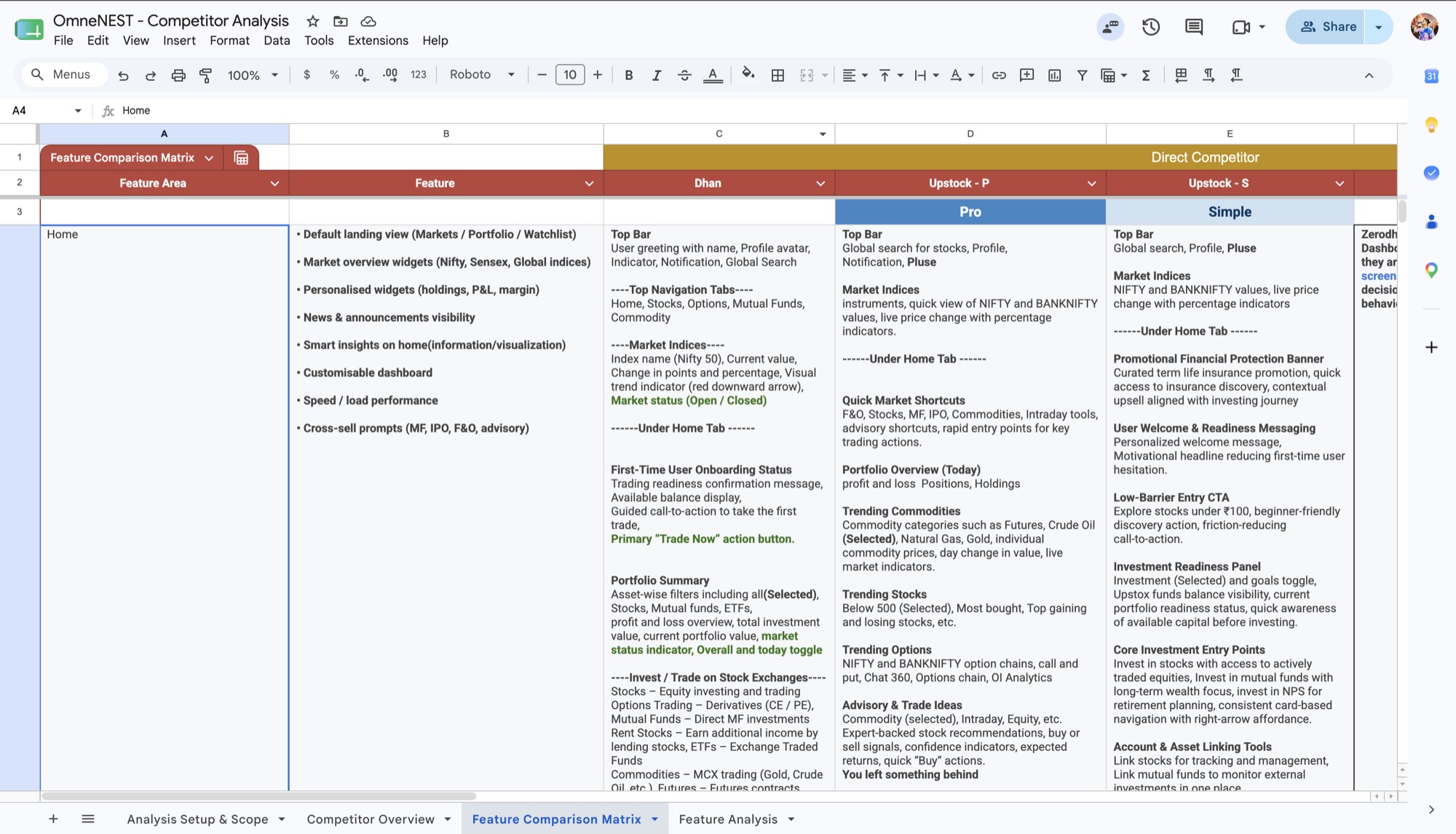
We benchmarked six platforms (Dhan, Upstox Pro, Upstox Simple, Zerodha Kite, Groww and Angel One) on audience, positioning and a feature-by-feature comparison of key areas such as the home screen.
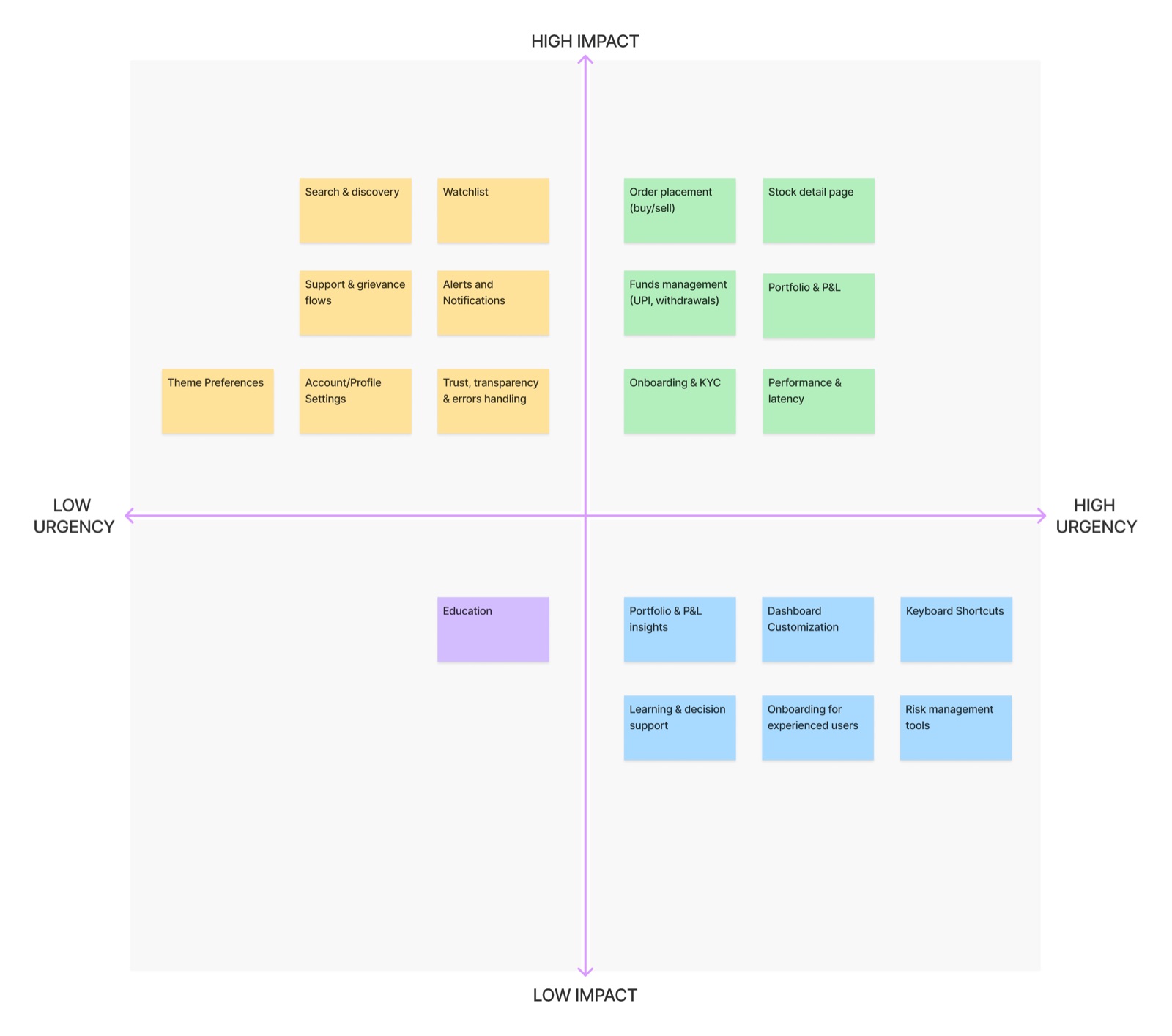
The backlog was too broad for one release. We mapped every feature area by user impact and business urgency to agree an MVP with stakeholders.
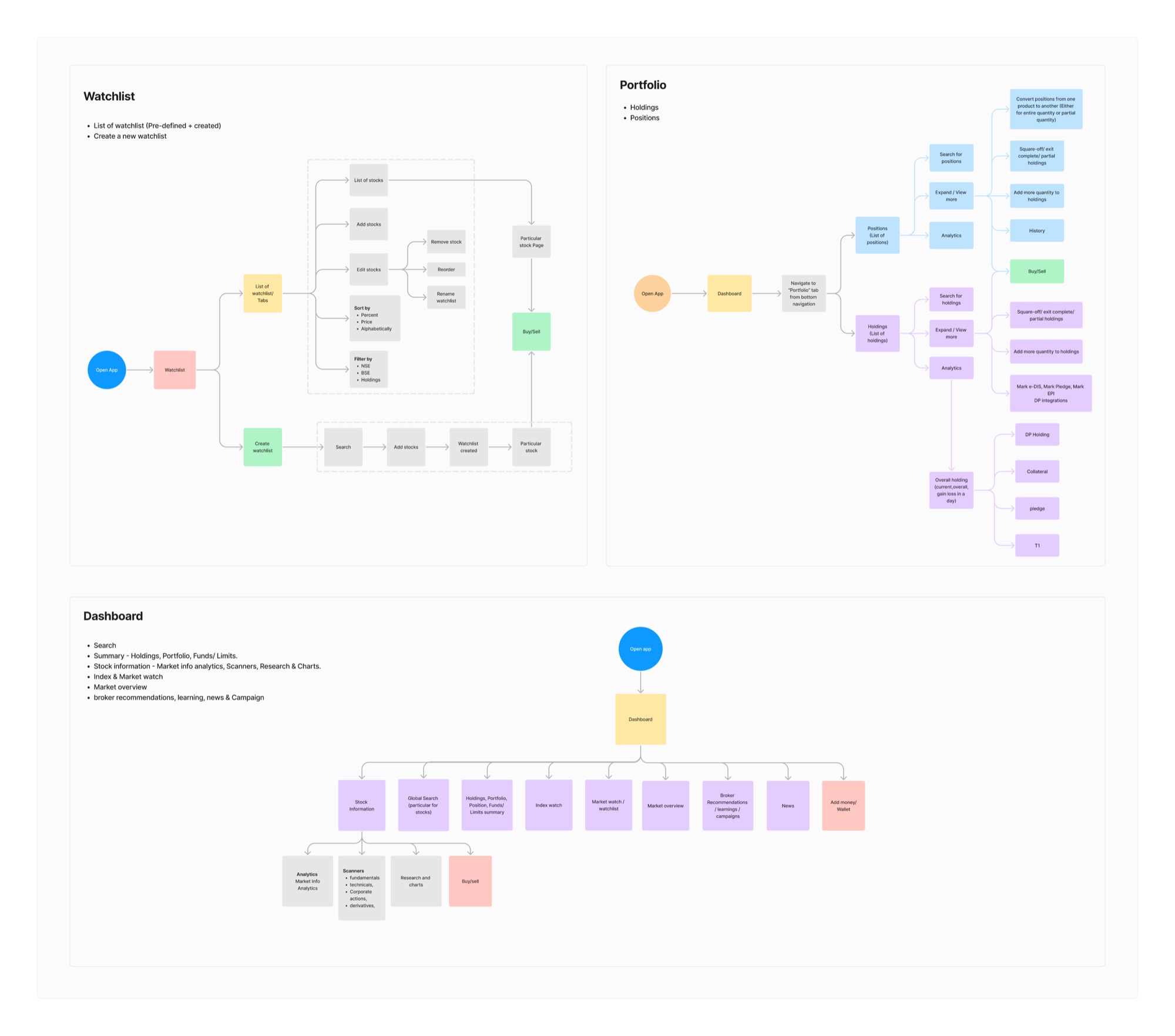
The legacy menus mirrored the system, not the user. We regrouped every function into eight task-based areas (Market, Trade, Portfolio, Funds, Analytics, Alerts, Account and More), then mapped the Watchlist, Portfolio and Dashboard journeys end to end.
View architecture and flows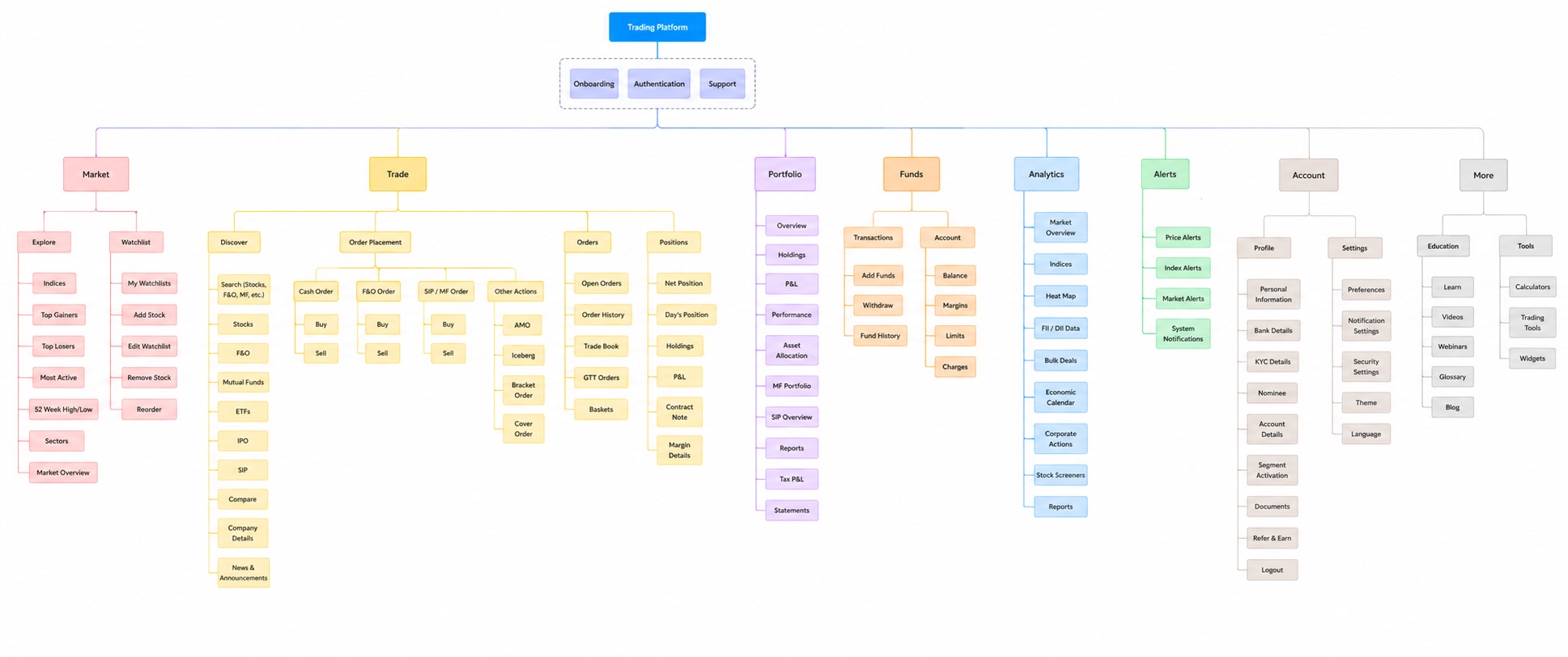
05 · Solution
Each decision traces back to a hypothesis. Screens shown are from the dev-ready prototype.
Watchlist, chart, portfolio and news, plus orders, positions and holdings, now sit as docked panels on one screen. Indices and market status stay pinned to the header.
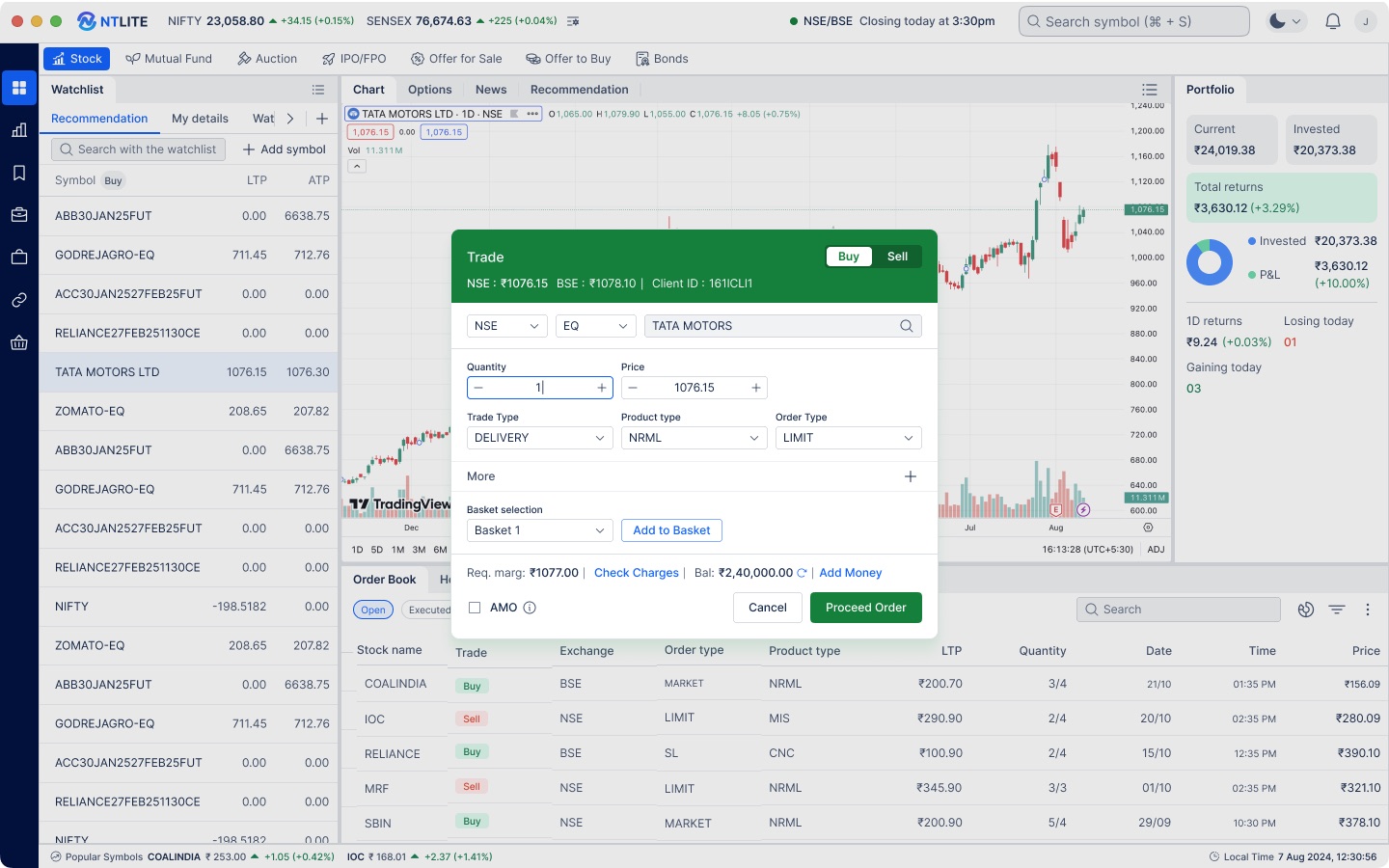
Users can place an order without leaving the context they are analysing. Required margin, charges and available balance appear before “Proceed Order”, so mistakes are caught before submission, not after. Baskets and after-market orders (AMO) live in the same ticket.
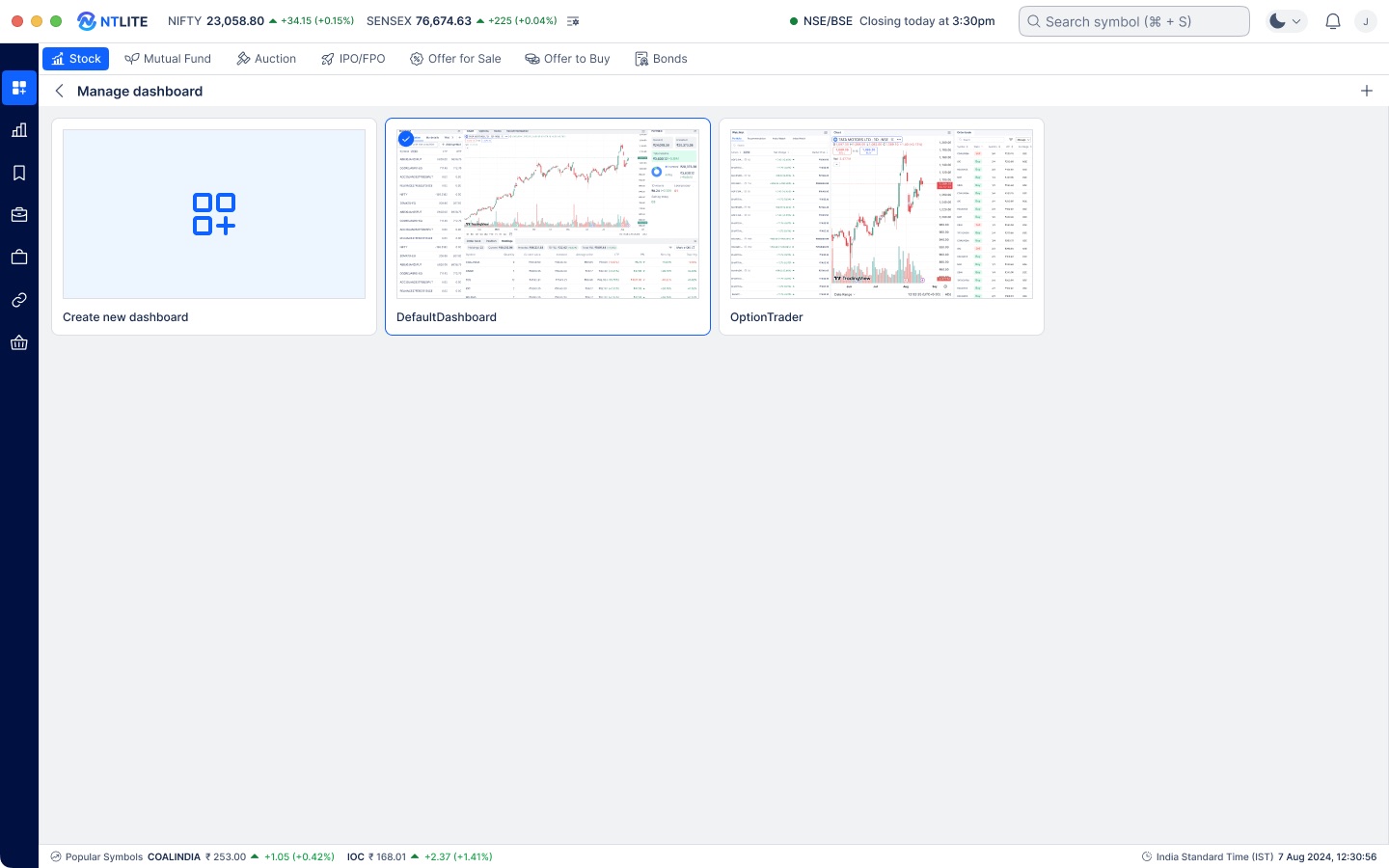
No single layout suits a day trader and a first-time investor. Users start from a preset such as Default or Option Trader, or build their own from the widget library.
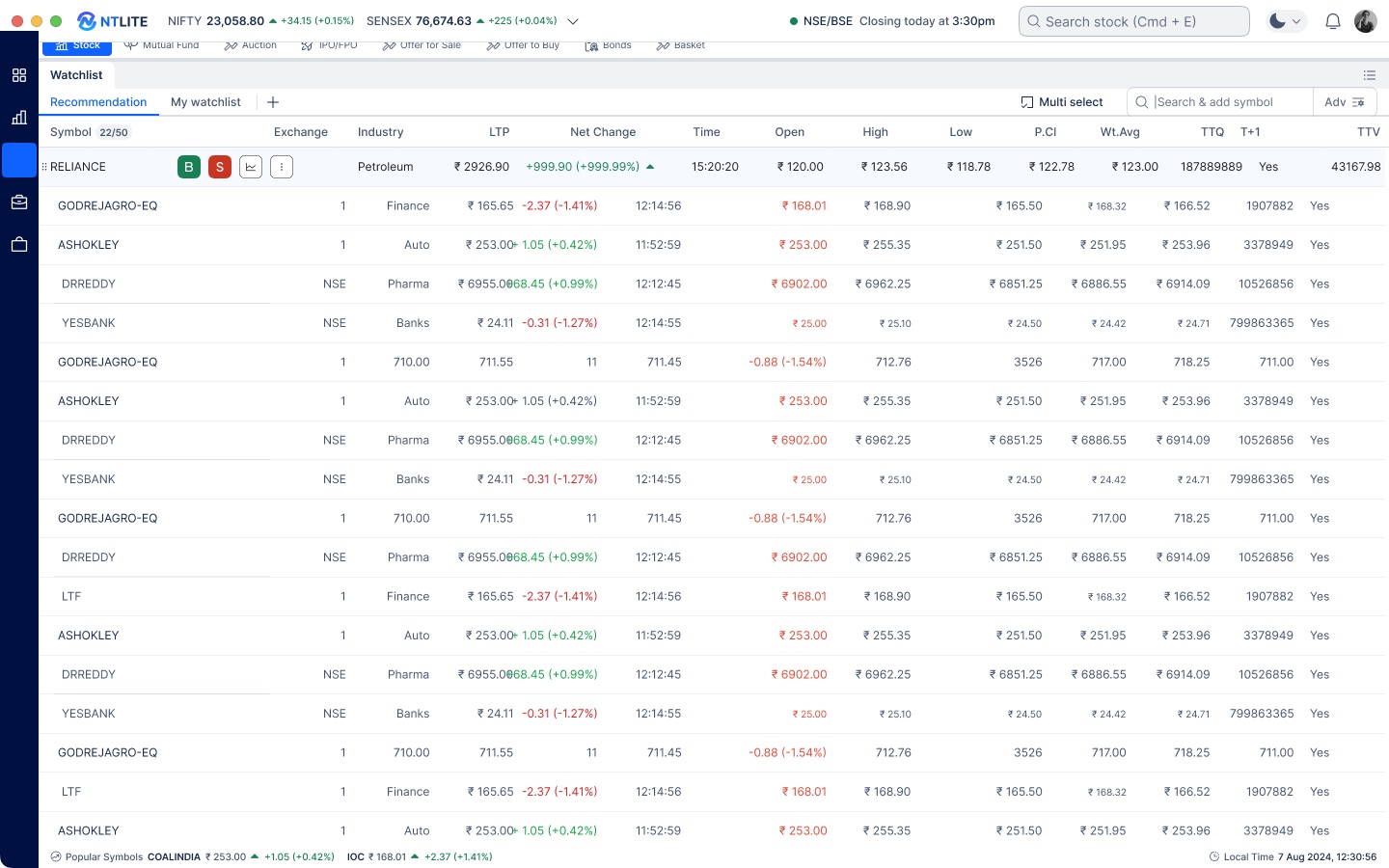
Active traders keep the dense data they rely on, now organised: aligned columns, colour reserved for price movement, and Buy and Sell available inline on every row.
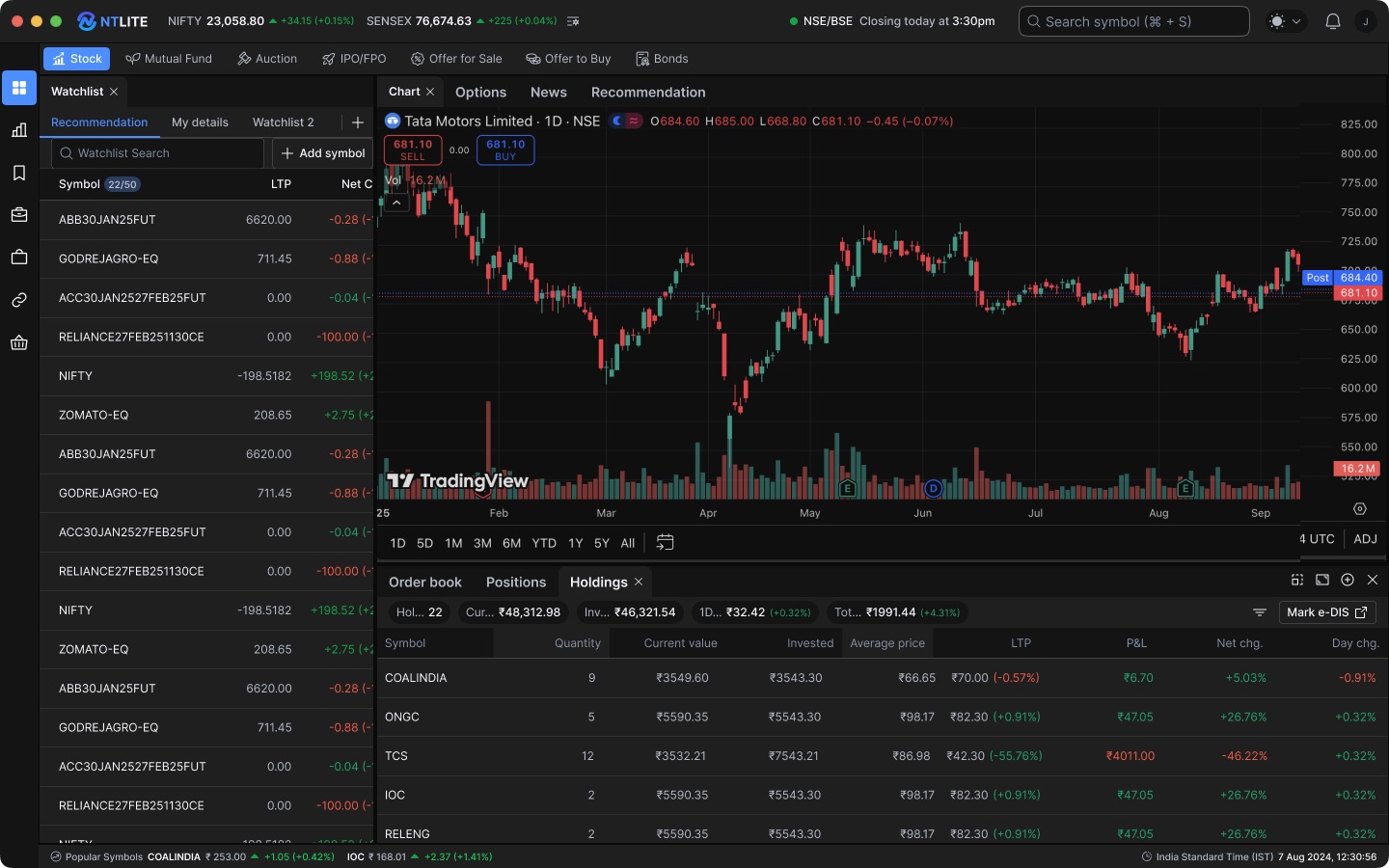
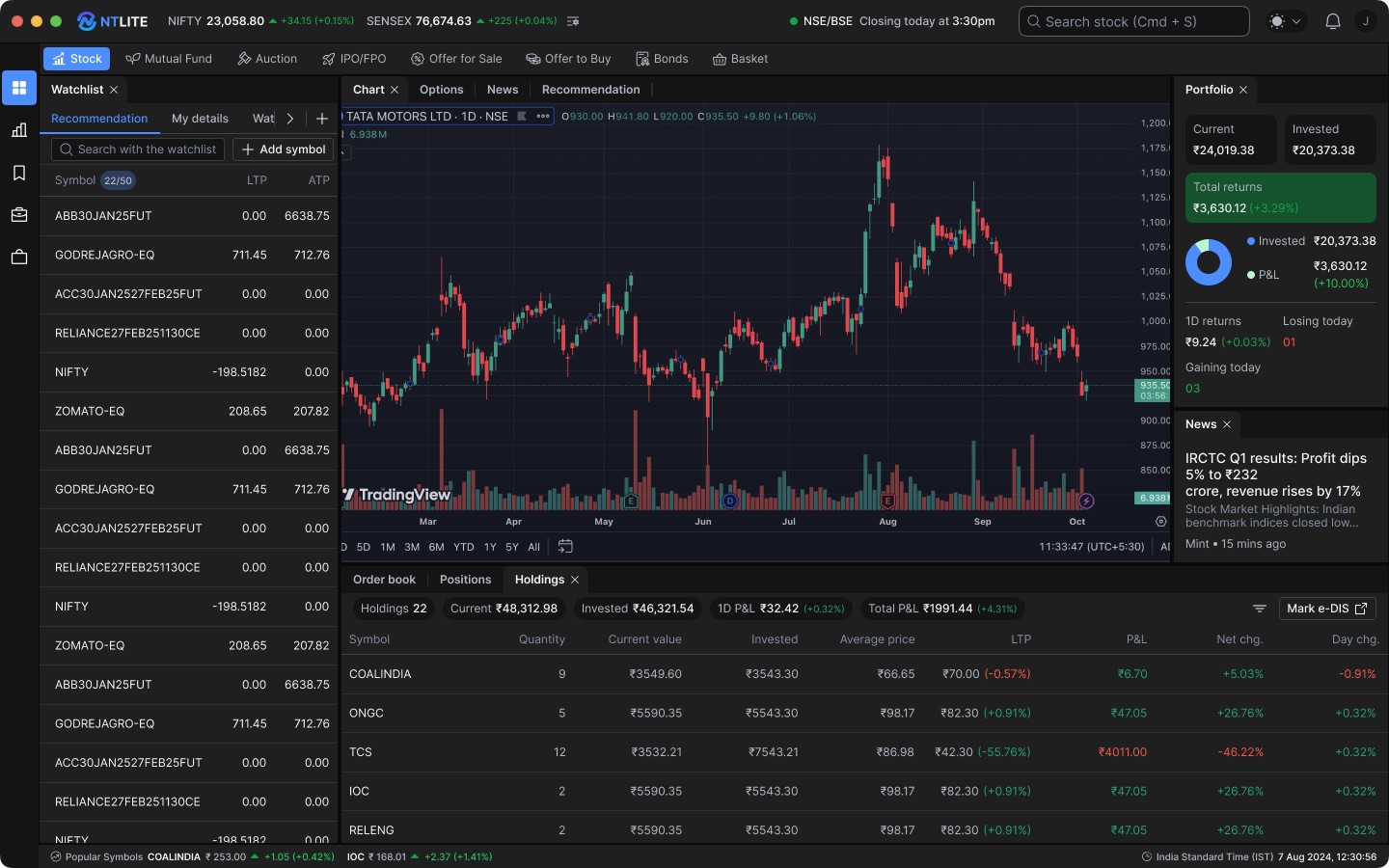
Both themes draw on a shared set of colour variables. That supports long trading sessions and gives brokers a foundation for applying their own brand.
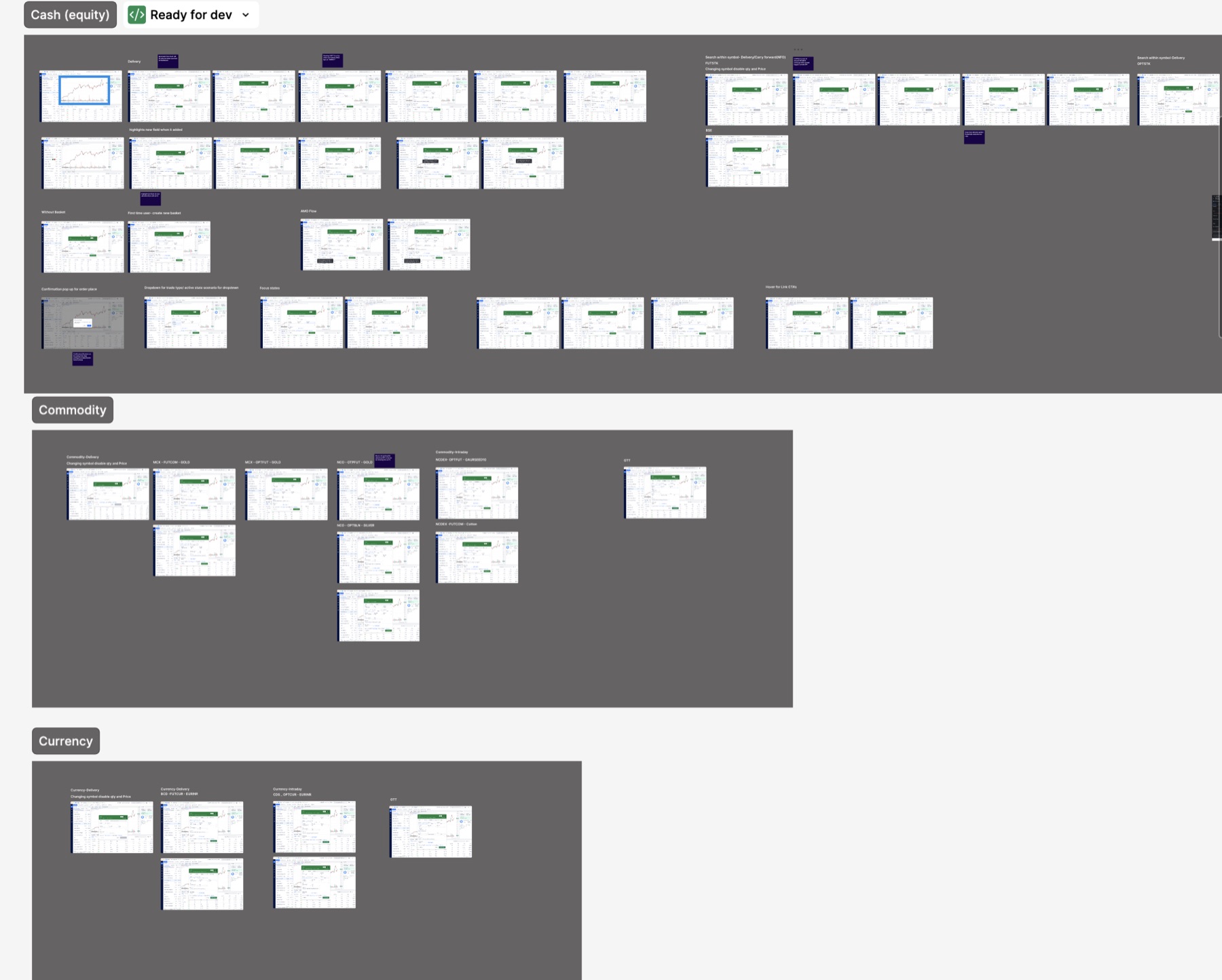
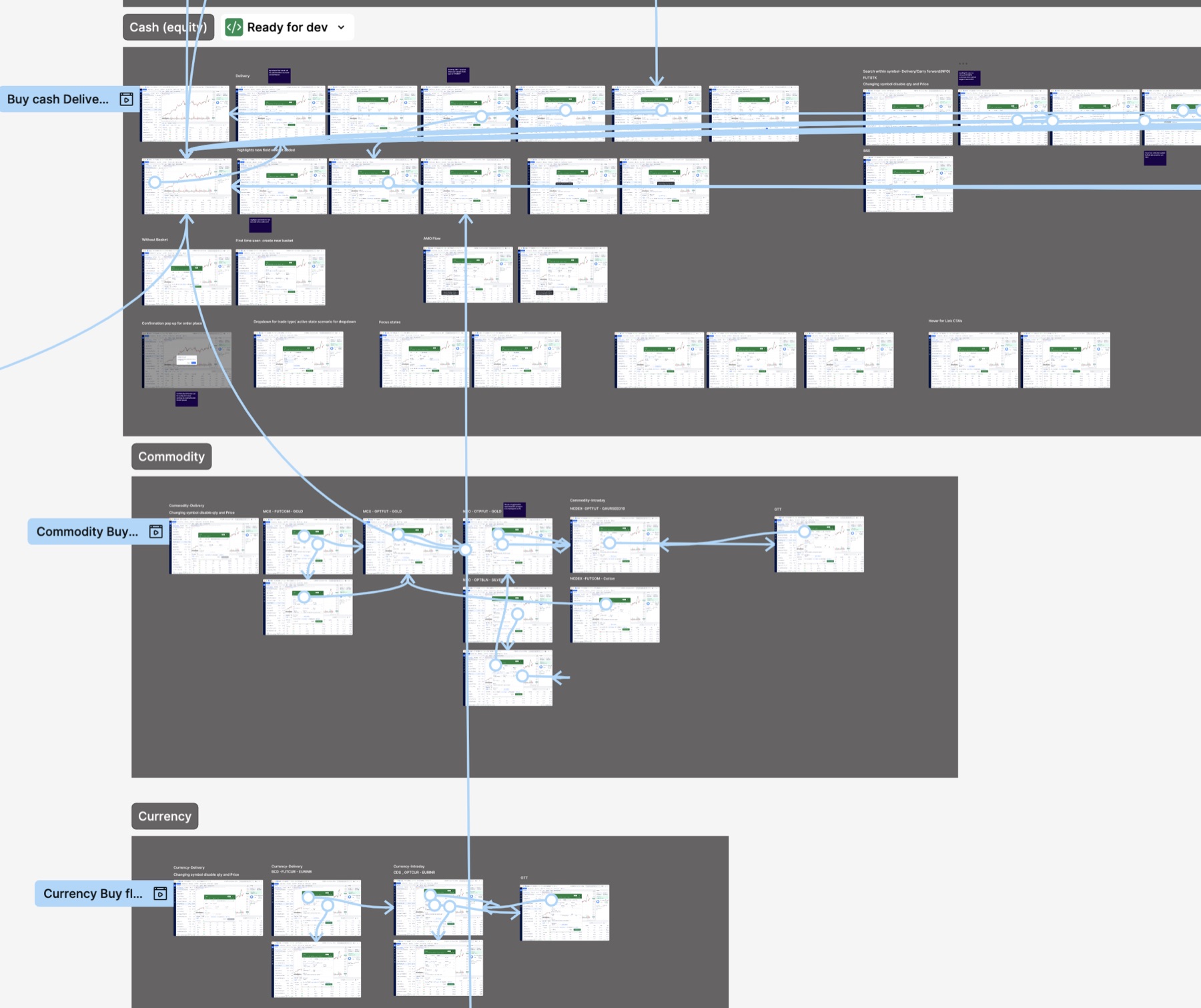
The prototype was handed to development with every segment mapped: cash (delivery, intraday, AMO, baskets), commodity (MCX and NCDEX futures and options) and currency. Each segment covers confirmation, focus and edge states.
06 · Validation
| Segment | Customise dashboard | Create watchlist | Buy | Sell |
|---|---|---|---|---|
| Trader | 100%SEQ 5.0 | 100%SEQ 4.7 | 100%SEQ 6.0 | 100%SEQ 4.7 |
| Investor | 100%SEQ 4.0 | 100%SEQ 4.0 | 100%SEQ 3.7 | 100%SEQ 3.0 |
| New beginner | 67%SEQ 2.3 | 100%SEQ 3.3 | 100%SEQ 2.7 | 67%SEQ 2.0 |
| All | 89%SEQ 3.8 | 100%SEQ 4.0 | 100%SEQ 4.1 | 89%SEQ 3.2 |
Task success rate, with the average Single Ease Question score (1–7; target 5.5) for each task.
Completion hid the real problem. Participants finished 94% of tasks, but rated them hard (average SEQ 3.8 of 7, against a target of 5.5) and scored the product 54.8 on SUS. The study also surfaced 4 catastrophic and 10 major issues. Traders sat above the benchmark, while new users rated the product unacceptable: the redesign worked for experts and not yet for beginners.
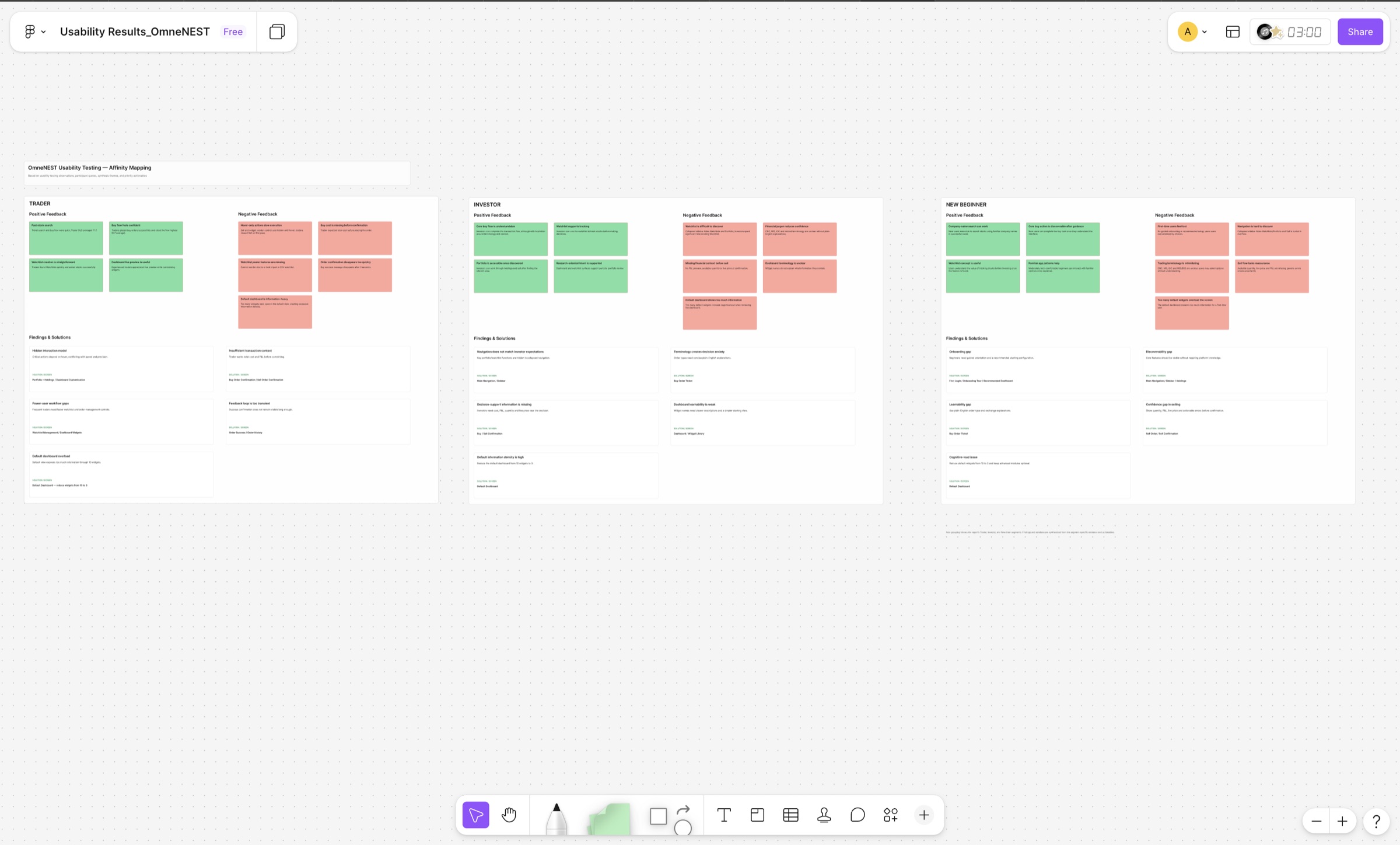
We grouped every observation by segment in an affinity map, then looked for themes that cut across segments. A theme raised by all three segments pointed to a product problem rather than a niche need.
| Theme | Trader | Investor | New beginner |
|---|---|---|---|
| Key actions and areas are hard to findSell and widget reorder appear only on hover; the collapsed sidebar hides Watchlists and Portfolio | ● | ● | ● |
| Too little context before committing moneyNo total cost, P&L, available quantity or live price on confirmation | ● | ● | ● |
| Dashboard customisation is hard to find and understandThe gear icon reads as settings, drag handles appear only on hover, and widget names don’t explain their content | ● | ● | ● |
| Trading jargon blocks decisionsCNC, MIS, IOC and NSE/BSE are unclear without plain-language help | ● | ● | |
| Search assumes users know tickersTraders found INFY in seconds; investors and beginners needed company-name search | ✓ | ● | ● |
| Feedback disappears too fastOrder success vanishes after 3 seconds; dashboard changes are lost without warning | ● | ● | |
| Power-user gapsNo watchlist reordering, bulk CSV import or price alerts | ● | ● | |
| No guided startNo onboarding tour or recommended dashboard setup | ● | ● |
● issue raised by the segment · ✓ worked well for the segment
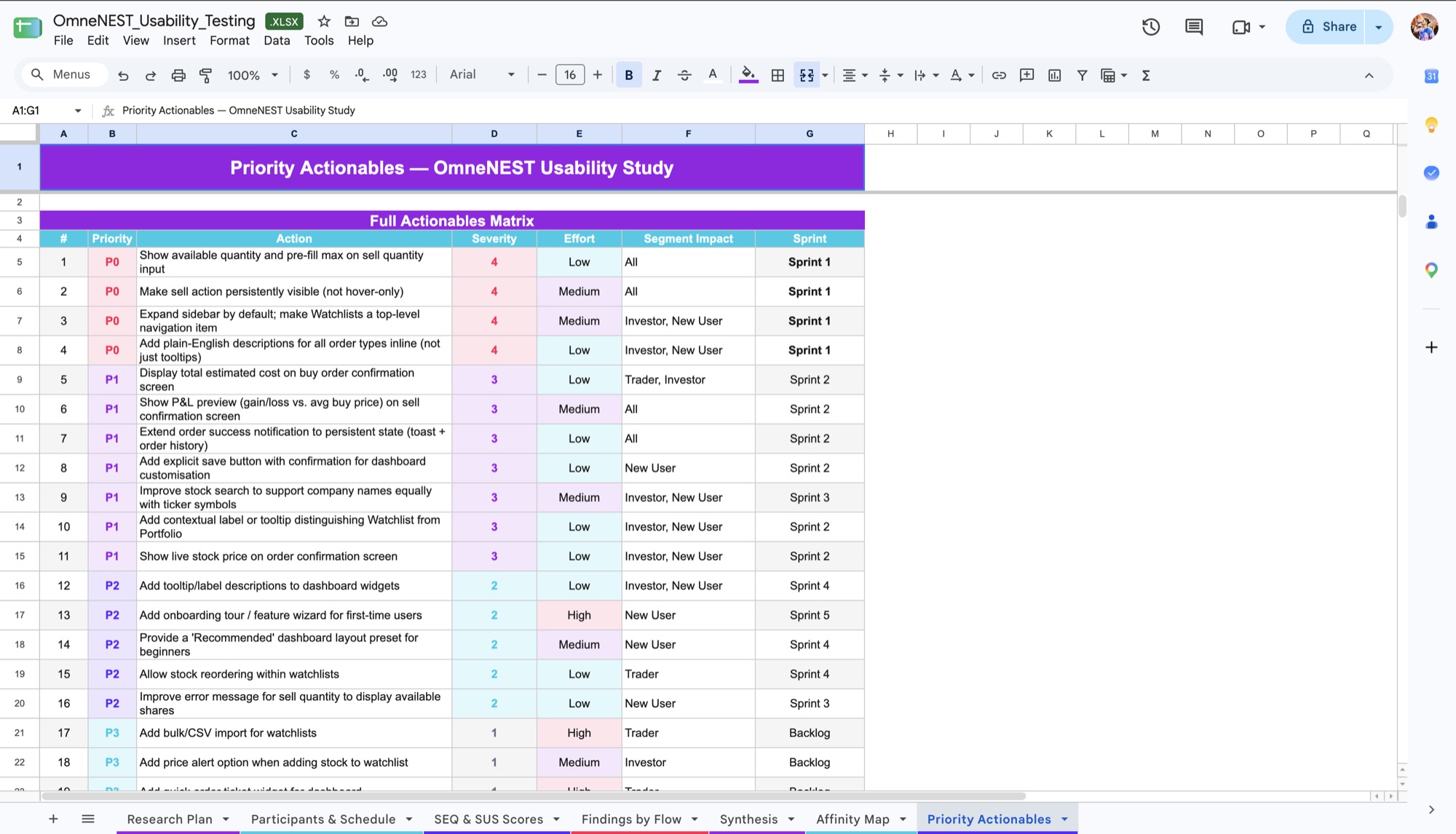
The pattern shaped the plan. Three of the four catastrophic issues (hidden Sell, the buried Watchlist and order-type jargon) became P0 fixes for sprint 1. The fourth, silently lost dashboard changes, was a low-effort fix that followed in sprint 2. Segment-specific needs such as CSV import and an onboarding tour were scheduled by effort.
“Search is quick. I typed ‘INFY’ and got to the stock in under 10 seconds.”Trader
“The live preview while reordering widgets is exactly what I need.”Trader
“The platform looks clean and professional. It doesn’t overwhelm you visually.”New beginner
Each fix was scored by severity, effort and segment impact, then mapped to a sprint.
Participants took up to 3 minutes to find Sell, and one trader missed it on the first pass.
Fix: Make Sell persistently visible. Show available quantity and pre-fill the maximum on the sell ticket.
“I’ll just pick the first one.”
A new user, faced with CNC, MIS and IOC order types.
Fix: Plain-English descriptions for every order type, inline rather than hidden in tooltips.
With the sidebar collapsed, finding Watchlist took one new user 4 minutes and one investor 3.
Fix: Expand the sidebar by default, make Watchlists a top-level item and label clearly how Watchlist (tracking) differs from Portfolio (owned).
“I thought it autosaved.”
A new user, who had also mistaken the customise icon for account settings.
Fix: An explicit Save step with confirmation in sprint 2, then widget descriptions and a “Recommended” preset for beginners in sprint 4.
7 of 9 participants asked for a P&L preview before selling.
“What is the market price right now?”
Fix: Show the live price and total estimated cost on buy confirmations, and a P&L preview on sell confirmations.
“I looked away and missed it.”
A trader, on the order success message that disappears after 3 seconds.
Fix: Keep order success visible in a persistent state and in order history.
Deliberately deferred: bulk CSV import for watchlists. One trader called it a dealbreaker, but it was high effort and served a single segment, so it went to the backlog behind fixes affecting every user.
07 · Monitoring
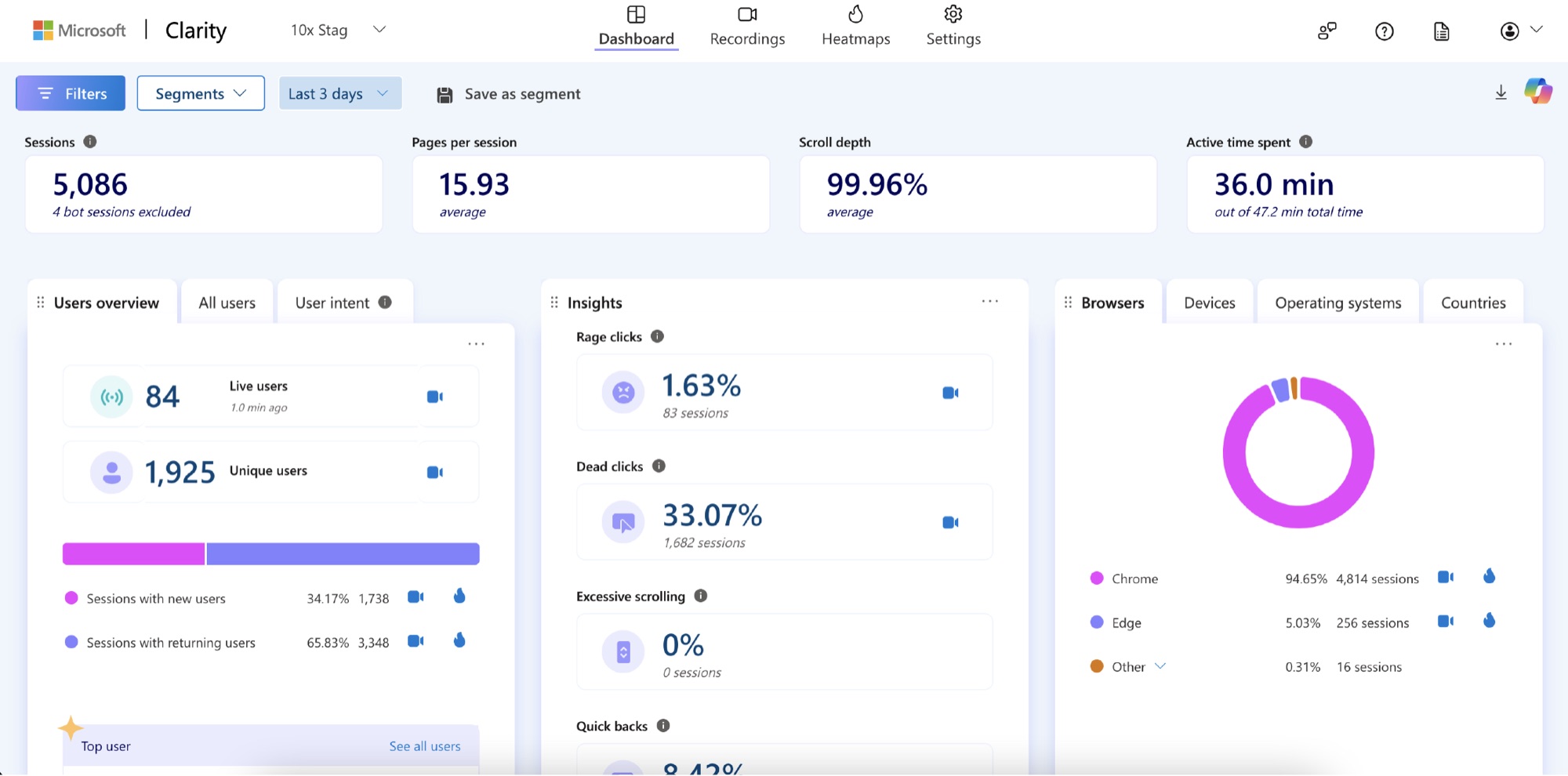
Nine participants can show where people struggle, but not how often. We instrumented the live product with Microsoft Clarity to track behaviour at scale.
Rage clicks, dead clicks, quick-backs and session recordings show where real users hesitate, so the next round of changes rests on behavioural evidence as well as test findings.
08 · Outcomes
Measured on the live product after launch. The usability study was not re-run, so these numbers reflect the shipped product as a whole rather than individual fixes.
09 · Reflection
Hiding Sell behind hover kept the screen tidy, and it was the one catastrophic issue that every segment hit. For time-critical actions in trading, visibility beats minimalism.
94% of tasks were completed, yet ease averaged 3.8 of 7 and SUS 54.8. Tracking success alone would have hidden how hard the product felt, especially to new users, who scored it 38.3.
Re-test after the fixes. We turned the findings into 20 prioritised fixes but never re-ran the study, so I can’t show how far they moved SUS or link the post-launch results to specific changes. A second round on the same four tasks would close that loop.
Thank you for reading
ZestMoney · Fintech
10M+ downloads, 4.5★ rating
Read case study
Basix · Sales SaaS
4× revenue, +80% daily calls
Read case study
JPMorgan Chase · Travel
+21% cart to booking
Read case study